

A film schedule is not born fully formed. It is built.
It starts with a screenplay, then moves through script import, breakdown, tagging, cast records, location planning, shoot days, off days, production strips, stripboards, Day Out of Days reports, one-liners, scheduling reports, budget checks, and finally call sheets.
That may sound like a lot. It is. But that is the point.
A professional shooting schedule is not just a calendar with scenes dropped onto dates. It is a working production plan. It tells the crew what the production is trying to accomplish, when it will happen, where it will happen, who is needed, and what each shooting day requires.
A strong film scheduling workflow helps filmmakers move from screenplay to shootable plan without losing important details along the way. It gives the assistant director, producer, line producer, production manager, and department heads a shared map of the production before the first call sheet goes out.
👉 How to Schedule a Film Shoot (Step-by-Step Guide for Filmmakers)
What Is a Film Scheduling Workflow?
A film scheduling workflow is the step-by-step process used to turn a screenplay into a practical shooting schedule.
It includes the creative, logistical, and production-management steps that happen before the schedule is approved. The workflow usually begins with the screenplay and ends with a schedule that can support reports, budgets, department planning, and call sheets.
In a professional workflow, each step builds on the previous one. You do not create a reliable Day Out of Days report before the cast is identified. You do not build a useful stripboard before the script is broken down. You do not create accurate call sheets before the schedule has been reviewed and approved.
The order matters because the schedule is a chain. If an early link is weak, the later steps start rattling.
A good scheduling workflow helps prevent common production problems: missed cast days, scattered locations, too many company moves, overloaded shoot days, unrealistic day/night work, poor budget assumptions, and call sheets that do not match the actual plan.
Step 1: Import or Enter the Screenplay
The workflow begins with the screenplay.
Before a schedule can be built, the production team needs the script inside the scheduling system or organized in a way that can be broken down scene by scene. This may mean importing a screenplay file, entering scenes manually, or working from a locked shooting script.
The imported script becomes the foundation for scene information: scene headings, scene numbers, page counts, interior and exterior designations, day and night settings, locations, and production requirements.
If the script import is messy, everything downstream becomes harder. Scene numbers may not match. Page counts may be inaccurate. Locations may be inconsistent. Scene headings may need cleanup. That is why the first step in the workflow is not glamorous, but it is essential.
In Gorilla Scheduling, screenplay import can help bring script data into the scheduling workflow so scenes can be organized, broken down, and prepared for scheduling.
👉 Final Draft to Film Scheduling: How to Turn a Screenplay into a Shootable Schedule
Step 2: Review Scene Headings, Scene Numbers, and Page Counts
After the screenplay is imported or entered, the schedule team should review the basic scene data.
Scene headings need to be clear. Scene numbers need to be accurate. Page counts should reflect the production draft. Interior and exterior designations should make sense. Day and night labels should be checked. Locations should be named consistently.
This review protects the schedule from small errors that can become expensive later.
For example, if one location appears as “INT. DINER,” another as “INT. ROADSIDE DINER,” and another as “INT. OLD DINER,” the scheduling team may accidentally treat the same location as three different places. If a night scene is mislabeled as day, the shooting schedule may understate lighting, crew, safety, or turnaround needs. If page counts are wrong, shoot day estimates may drift.
A scheduling workflow should catch these issues before the stripboard is built.
Step 3: Break Down the Script
Once the basic scene data is clean, the script needs to be broken down.
Script breakdown is the process of identifying the production elements required for each scene. These elements can include cast, background actors, props, vehicles, wardrobe, makeup, special effects, visual effects, stunts, animals, music playback, picture cars, weapons, set dressing, sound needs, and other production requirements.
The breakdown is what turns the screenplay from a reading document into a production document.
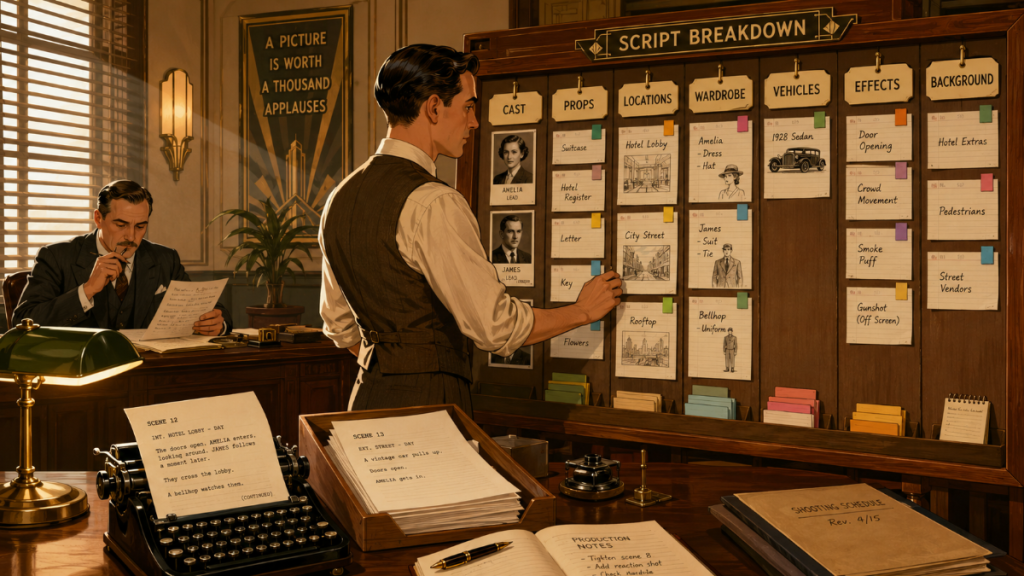
A scene may look simple on the page, but the breakdown may reveal that it requires rain, background actors, picture vehicles, period wardrobe, a dog, special makeup, and a practical fire effect. That scene should not be scheduled the same way as a simple interior dialogue scene.
A strong breakdown helps the assistant director and producer understand what each scene really demands before it is placed on the schedule.
Step 4: Tag Production Elements
Tagging is where the breakdown becomes more specific.
When production elements are tagged, they can be organized by category and connected to scenes. Cast can be tracked. Props can be listed. Locations can be reviewed. Special requirements can be flagged. Department heads can see what belongs to their areas.
This matters because a schedule is not only about scene order. It is about production requirements.
If a certain prop appears in five scenes, tagging helps reveal that. If a special effect appears only once but requires prep, tagging helps keep it visible. If a background actor group appears in several scenes, tagging helps the team understand how those days may cluster.
Gorilla Scheduling supports script breakdown and production tagging, and Breakdown Assistant AI can help identify production elements during the breakdown process. AI does not replace production judgment, but it can help teams catch elements that may otherwise be missed.
👉 Script Breakdown Software: What Filmmakers Should Look For Before Choosing a Tool
Step 5: Create Actor and Cast Records
After the script is broken down and characters are identified, the production team needs to create actor and cast records.
This step is easy to underestimate. The character in the script and the actor playing that role are not always the same thing inside a scheduling workflow. A character may not be cast yet. An actor may play multiple roles. A non-speaking character may need to be tracked differently from a speaking role. Voice-over and off-screen designations may affect whether someone is needed on set.
A professional schedule needs to know which performers are required for which scenes and how their work days are distributed.
Once cast records are created, the assistant director can begin reviewing actor availability, work days, start dates, finish dates, holds, travel, and possible conflicts.
This is where the schedule begins to reveal the true cost and complexity of casting.
Step 6: Add Crew and Department Information
A shooting schedule is built by the assistant director, but it affects every department.
As the production moves through prep, producers and production managers begin identifying department heads, crew needs, and production support. This may include camera, grip, electric, sound, art department, wardrobe, makeup, locations, transportation, production staff, script supervisor, stunts, special effects, visual effects, and post-production handoff needs.
Not every crew member needs to be entered before the first version of the schedule is built, but department information becomes more important as the schedule becomes real.
A location-heavy schedule affects transportation and locations. A night-heavy schedule affects grip and electric. A cast-heavy schedule affects makeup, wardrobe, background coordination, holding, and payroll. A stunt-heavy schedule affects safety, rehearsal, insurance, and specialty personnel.
Adding department awareness to the scheduling workflow helps the schedule become a production plan instead of a scene puzzle. This is where production management software is a crucial part of this process.
Step 7: Scout and Organize Locations
Locations are one of the biggest forces in a shooting schedule.
Before a schedule is finalized, the team needs to identify and organize locations. This may include scouting, reviewing access, checking availability, estimating company moves, considering parking, permits, noise, neighbors, power, holding areas, restrooms, safety, weather exposure, and distance from base camp.
A schedule that ignores location logic can become expensive very quickly.
The scheduling team should group scenes by location whenever possible, while still balancing cast availability, day/night work, story needs, and production complexity. Sometimes the best creative location is not the best scheduling location. Sometimes a location that looks affordable creates hidden costs through transportation, overtime, or limited access.
Location planning is where the map starts arguing with the calendar.
👉 How to Schedule Locations for a Film Production
Step 8: Create Shoot Days, Off Days, and the Production Calendar
Before arranging scenes, the production needs a calendar framework.
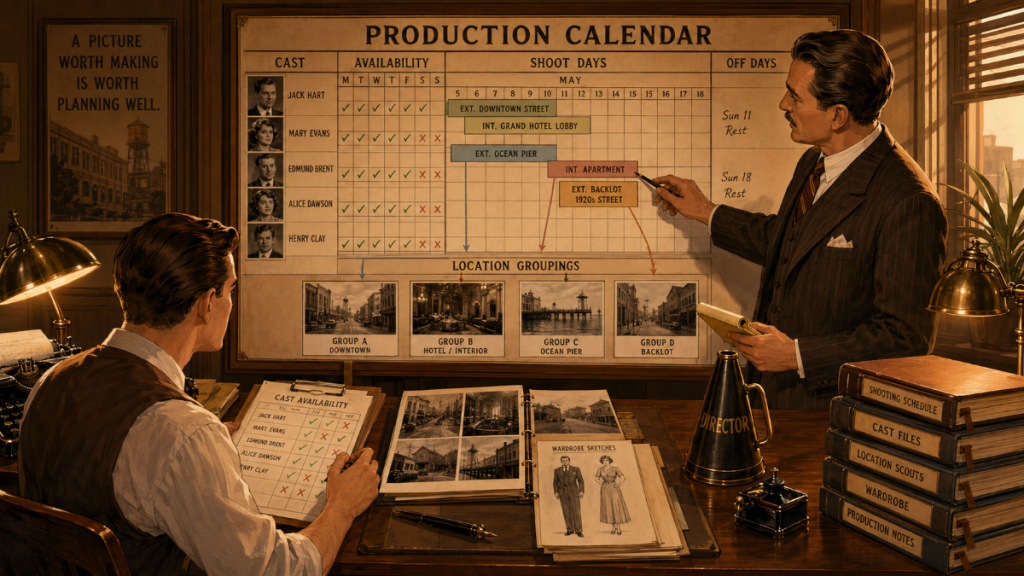
This includes shoot days, off days, holidays, travel days, prep days, wrap days, company move days, and any special calendar restrictions. The production calendar gives the schedule its shape.
A schedule cannot exist in a vacuum. It needs to know how many shooting days are available, which days are unavailable, when locations are accessible, when actors are available, and how the production will handle rest periods, weekends, holidays, travel, and turnaround.
Creating shoot days and off days early helps the assistant director understand the limits of the schedule. It also helps producers evaluate whether the production plan is realistic.
An 18-day schedule may sound clear until holidays, travel, location restrictions, and actor conflicts carve little bite marks into the calendar. Better to see those bite marks in prep than during production.
Step 9: Estimate Shooting Days
Once the production calendar is established, the team needs to estimate how many shooting days the script requires.
This estimate should consider page count, scene complexity, locations, cast load, day/night work, action, stunts, company moves, background actors, special effects, equipment needs, and directorial style. A simple two-page dialogue scene and a two-page action sequence do not require the same amount of time.
Estimating shoot days is not just about math. It is about production judgment.
The team may begin with a rough page-per-day estimate, then adjust based on complexity. A low-budget indie film may need to be efficient, but false efficiency can become expensive if the schedule is too compressed. A schedule that is too short may create overtime, safety pressure, rushed work, and costly mistakes.
The question is not only “How fast can we shoot this?” The better question is “How many days does this production need to shoot well?”
Step 10: Create Production Strips
Production strips are the building blocks of the shooting schedule.
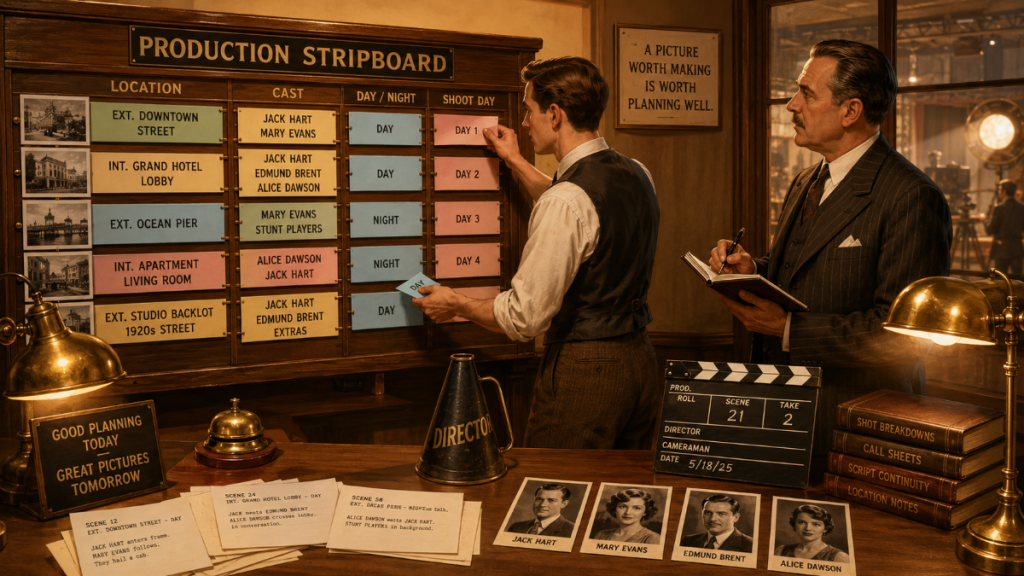
Each strip represents a scene or scheduled unit of work. It usually includes key information such as scene number, scene heading, location, interior or exterior, day or night, page count, cast, and other breakdown elements.
Once production strips are created, the assistant director can begin arranging the schedule.
The strip is powerful because it condenses a scene into scheduling information. Instead of reading the entire script every time a scene is moved, the AD can see the essential production facts on the strip. This helps the team compare scenes quickly and organize the shoot more effectively.
Production strips also make it easier to see patterns: all the diner scenes, all the night exteriors, all the scenes with a certain actor, all the scenes involving a special prop, all the scenes at a particular location.
The strips turn the script into movable production logic.
Step 11: Build the Stripboard
The stripboard is where scheduling becomes visible.
A stripboard allows the assistant director to arrange production strips into a shooting order. Scenes can be grouped by location, cast, day/night work, set requirements, company moves, and other practical concerns.
The stripboard is not just a scheduling tool. It is a thinking tool.
When strips are arranged on a board, the production team can see the shape of the shoot. They can spot overloaded days, scattered cast work, inefficient location moves, too many night shoots in a row, and days that may need more support.
This is where the first real version of the shooting schedule begins to emerge.
A good stripboard does not simply ask, “What order should we shoot the scenes?” It asks, “What order gives the production the best chance to make the film well?”
Step 12: Arrange the Schedule by Location Logic
Once the stripboard is active, location logic usually becomes one of the first major organizing principles.
The goal is to reduce unnecessary company moves and group scenes in a way that makes practical sense. If five scenes take place in the same apartment, the production usually wants to shoot them together unless cast availability, day/night issues, or creative needs require another approach.
Location grouping can save time, reduce transportation costs, simplify equipment logistics, and help departments work more efficiently.
But location grouping is not automatic. The assistant director still needs to balance other forces: actor availability, time of day, stunts, weather, child actor rules, background needs, and production design prep. Sometimes the location grouping that looks clean on paper creates another problem elsewhere.
Good scheduling is a negotiation between competing realities. The stripboard is where those realities sit around the table and glare at one another.
Step 13: Review Cast Availability and Work Patterns
After locations are grouped, the team needs to review cast patterns.
Cast scheduling is one of the most important parts of the workflow because actors often come with availability restrictions, deal terms, travel needs, hold concerns, and budget implications. A character may only appear in a few scenes, but if those scenes are spread across too many days, the production may create unnecessary cost and complexity.
The assistant director should review which cast members are needed each day, how many days they work, when they start, when they finish, and whether their work can be grouped more efficiently.
This review helps protect both the schedule and the budget.
If a major actor works only one scene on a day, perhaps that scene can be moved. If a supporting actor is scattered across the schedule, their work may be consolidated. If a child actor appears in complicated scenes, the schedule may need to adjust for restrictions and realistic working hours.
Cast patterns are not just artistic. They are logistical architecture.
Step 14: Watch Day and Night Work
Day and night designations are not decorative labels. They affect the schedule.
Night shoots can influence lighting needs, permits, safety, turnaround, crew fatigue, meal timing, transportation, and overtime risk. A night exterior may be much more complex than a day interior. A run of night shoots may be manageable. A badly placed night shoot may disrupt the rest of the week.
The scheduling workflow should include a deliberate review of day and night work.
This means checking whether night scenes are grouped efficiently, whether turnarounds are realistic, whether the production can support the lighting and safety needs, and whether location access matches the planned schedule.
Ignoring day/night logic is one of the fastest ways to make a schedule look clean while hiding the storm underneath.
👉 How to Read a Shooting Schedule
Step 15: Check Company Moves
Company moves are schedule goblins with excellent posture.
A company move can eat hours, increase labor pressure, complicate transportation, affect meals, and reduce the amount of time available to shoot. Sometimes a company move is necessary. Sometimes it is the result of weak location grouping or wishful scheduling.
The assistant director and producer should review every company move and ask whether it is worth the cost.
Can scenes be regrouped? Can the move be placed at the start or end of the day instead of the middle? Can one location double for another? Does the move create overtime risk? Does it affect equipment rentals, trucks, parking, or crew time?
A schedule with too many company moves may still look organized, but it may not be efficient. The budget will eventually notice.
👉 Shooting Schedule Mistakes: 10 Common Problems That Cost Productions Time and Money
Step 16: Balance Scene Complexity Across Shoot Days
Not all shoot days are equal.
One day may have eight pages of simple dialogue in a controlled interior. Another day may have two pages involving background actors, vehicles, stunts, weather, animals, and a night exterior. The second day may be harder even with fewer pages.
A good film scheduling workflow reviews the weight of each day, not just the page count (See How to Estimate Shooting Days from a Screenplay).
The assistant director should look for overloaded days, difficult scene combinations, unrealistic company moves, back-to-back complex days, and days that require more department support. A producer should review those same days for budget impact.
A balanced schedule gives the crew a realistic chance to succeed. An unbalanced schedule can create overtime, safety problems, rushed creative work, and costly pickups.
A schedule is not a pile of pages. It is a rhythm.
Step 17: Generate a One-Liner Schedule
Once the stripboard has been shaped into a workable shooting order, the team can generate a one-liner schedule.
A one-liner gives a condensed view of the shooting schedule. It allows producers, department heads, and production staff to review the plan without reading the full stripboard. It typically includes the key information needed to understand what is being shot each day.
The one-liner is useful because it communicates the schedule across the production.
Department heads can review their responsibilities. Producers can evaluate the flow. Locations can check their dates. Cast scheduling can be reviewed. The production manager can begin thinking through resources, logistics, and support.
The one-liner is not the end of the scheduling process. It is a communication checkpoint.
Step 18: Generate Day Out of Days Reports
After the schedule begins to take shape, the Day Out of Days report becomes essential.
A Day Out of Days report, often called a DOOD, shows when each cast member works, starts, holds, travels, or finishes. It is one of the most important reports for understanding cast usage.
The DOOD helps producers and assistant directors see cast patterns that are difficult to spot from the stripboard alone. It can reveal when an actor is being held unnecessarily, when scenes might be consolidated, when work days are spread inefficiently, and how cast scheduling may affect the budget.
The DOOD also supports budgeting because actor work days often connect directly to cost.
A schedule that looks efficient by location may still be inefficient by cast. The DOOD helps catch that mismatch.
Step 19: Review Scheduling Reports
A professional scheduling workflow does not stop with the stripboard.
Scheduling reports help the team analyze the schedule from different angles: cast, locations, sets, shooting days, production strips, one-liner views, DOOD reports, and other planning documents. Reports give producers and ADs a way to check whether the schedule is working before production begins.
Reports are especially useful because the schedule can look fine from one angle and flawed from another.
A location report may reveal scattered location use. A cast report may reveal inefficient actor days. A DOOD may reveal unnecessary holds. A one-liner may show overloaded days. A production strip report may highlight special elements that need department attention.
The schedule is a creature with many faces. Reports help you meet all of them before the shoot.
Step 20: Check the Schedule Against the Budget
A shooting schedule is also a budgeting document in disguise.
Shoot days affect crew costs. Cast days affect talent costs. Location days affect permits, fees, transportation, parking, and security. Company moves affect labor and logistics. Night shoots affect lighting, safety, and overtime risk. Equipment needs depend on when scenes are scheduled.
Before the schedule is approved, the producer and line producer should review the budget impact.
This does not mean every creative decision should be reduced to cost. It means the production should understand the cost of its choices. A slightly longer schedule may reduce overtime risk. A shorter schedule may create pressure. A location change may save money in one account and increase costs in another.
When the schedule and budget are reviewed together, the production can make smarter tradeoffs.
👉 How a Shooting Schedule Impacts Your Film Budget (And Vice Versa)
Step 21: Revise the Schedule
The first schedule is rarely the final schedule.
Once the team reviews cast, locations, day/night work, company moves, department needs, reports, and budget impact, revisions are almost always needed. That is normal. Scheduling is not a single decision. It is a series of refinements.
The assistant director may move scenes to reduce company moves. The producer may adjust the schedule to protect the budget. A location manager may flag access issues. A department head may need more prep. A director may need a certain scene placed earlier or later for performance reasons.
Good scheduling is iterative.
The goal is not to produce a perfect first draft. The goal is to create a schedule that becomes more truthful with each pass.
Step 22: Lock the Working Schedule
At some point, the production needs a working schedule that departments can plan from.
This does not mean the schedule will never change. Film schedules change constantly. But the team needs a version solid enough to support budgeting, locations, crew planning, equipment holds, transportation, actor availability, production calendars, and call sheet preparation.
A working schedule gives everyone a shared reference point.
Without that reference point, departments may plan from different assumptions. Locations may hold the wrong dates. Cast may receive conflicting information. Budgets may be based on outdated day counts. Call sheets may drift from the real plan.
Locking a working schedule gives the production a spine. It may bend later, but at least everyone knows where the spine is.
Step 23: Use the Schedule to Support Call Sheets
Once the schedule is ready, it begins feeding the daily production workflow.
Call sheets are built from the schedule. They tell cast and crew where to be, when to arrive, what scenes are being shot, which departments are needed, and what the day requires.
A call sheet that does not match the schedule creates confusion. A schedule that is not detailed enough makes call sheets harder to create. That is why the scheduling workflow needs to be clean before the call sheet workflow begins.
Koala Call Sheets can generate call sheets from Gorilla schedules, helping productions move from schedule planning into daily communication with cast and crew.
The schedule is the plan. The call sheet is the daily marching order.
👉 What Is a Call Sheet in Film? (Free Template + Complete Guide for Filmmakers)
Step 24: Keep the Workflow Connected During Production
A scheduling workflow does not end on the first day of shooting.
During production, scenes may move. Weather may interfere. Locations may change. Cast availability may shift. A scene may be partially completed and moved to another day. The schedule must remain alive enough to reflect the production.
That is why reports, daily updates, and production communication matter.
Daily Production Reports help track what was scheduled, what was completed, what moved, and what still needs attention. Production reports help the team keep the schedule, budget, and production reality aligned.
The best scheduling workflows are not rigid. They are structured enough to survive change.
How Gorilla Scheduling Supports a Professional Film Scheduling Workflow
Gorilla Scheduling is designed around the real workflow of building a film schedule from the screenplay forward.
It can help filmmakers import screenplay data, break down scenes, tag production elements, create actor and location records, build production strips, arrange stripboards, generate Day Out of Days reports, create one-liners, review scheduling reports, and prepare the schedule for connected production workflows.
That matters because scheduling is not one isolated task. It is a chain of connected decisions.
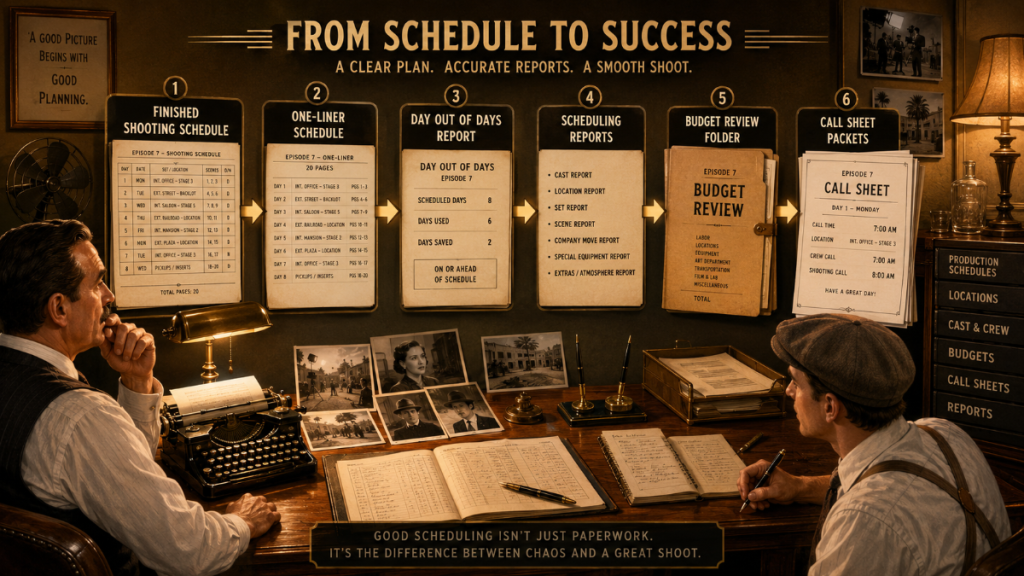
Gorilla Scheduling gives productions a structured way to move from screenplay import to breakdown, from breakdown to stripboard, from stripboard to reports, and from reports to budgeting and call sheets.
When linked with Gorilla Budgeting, schedule information can help inform budget detail lines, including cast, crew, locations, breakdown elements, available rates, and DOOD totals. When used with Koala Call Sheets, the schedule can support call sheet creation for production days.
The goal is not simply to create a schedule. The goal is to create a schedule that the production can actually use.
👉 Film Scheduling Software: What to Look for Before You Choose
👉 Film Scheduling Software vs Spreadsheets: Which Is Better for Pre-Production?
Film Scheduling Workflow Checklist
A practical film scheduling workflow usually follows this path:
Import or enter the screenplay.
Review scene headings, scene numbers, page counts, locations, and day/night labels.
Break down the script.
Tag cast, props, locations, special elements, vehicles, wardrobe, makeup, stunts, effects, and other production requirements.
Create actor, cast, location, crew, and department records.
Create shoot days, off days, holidays, prep days, wrap days, and production calendar assumptions.
Estimate shooting days.
Create production strips.
Build the stripboard.
Arrange the schedule by location, cast, day/night work, company moves, and scene complexity.
Generate the one-liner schedule.
Generate Day Out of Days reports.
Review scheduling reports.
Check the schedule against the budget.
Revise the schedule.
Lock a working schedule.
Use the approved schedule to support call sheets and daily production communication.
This checklist is not a cage. It is a railing. It gives the production something solid to hold while moving through the fog-machine cathedral of pre-production.
Final Thoughts: A Good Schedule Is Built in Layers
A professional shooting schedule is not just a list of scenes and dates.
It is built in layers: screenplay, breakdown, tags, cast, locations, calendar, strips, stripboard, reports, budget checks, revisions, and call sheets. Each layer adds clarity. Each layer catches problems. Each layer helps the production understand what the film will actually require.
That is the real value of a film scheduling workflow.
It gives the team a repeatable process. It helps the assistant director build a stronger schedule. It helps producers understand cost and risk. It helps department heads prepare. It helps call sheets become more accurate. It helps the production move from script to set with fewer surprises.
A schedule is not just a plan for the shoot.
It is the production’s first working model of the movie.
Explore Gorilla
A professional scheduling workflow is easier when your screenplay, breakdown, production strips, stripboard, Day Out of Days report, scheduling reports, budget, and call sheets can work together.
Explore Gorilla Scheduling to import screenplay data, create script breakdowns, tag production elements, build production strips and stripboards, generate DOOD reports, organize actors and locations, and create professional scheduling reports.
Explore Gorilla Budgeting to turn schedule information into budget detail lines, track expenses, review budget reports, and understand the financial impact of the production plan.
Explore Koala Call Sheets when you are ready to generate call sheets from your Gorilla schedule.
Explore Breakdown Assistant AI if you want AI-assisted script breakdown tools to help identify production elements before the schedule is built.