

Movie Magic Scheduling has been a familiar name in film and television production for a long time. Many assistant directors, producers, and production teams learned the language of stripboards, breakdown sheets, day breaks, and production reports through Movie Magic Scheduling.
That history matters.
But when filmmakers search for a Movie Magic Scheduling alternative, they are usually not just looking for a cheaper tool or a shinier interface. They are asking a deeper production question:
What scheduling software will actually support the way my production works today?
A modern film scheduling tool should not simply imitate the old stripboard model. It should help you move from screenplay to breakdown, from breakdown to production strips, from strips to shooting schedule, from schedule to reports, and from reports to real production decisions.
That includes actor scheduling, location planning, call sheet workflow, Day Out of Days reports, budgeting connections, alternate boards, exports, backups, and revisions.
Because the schedule is not just a document. It is the production’s nervous system.
Why Filmmakers Look for a Movie Magic Scheduling Alternative
Some filmmakers compare scheduling tools because they are new to professional scheduling. Others have used older systems and want a workflow that feels more connected to script breakdowns, cast management, locations, call sheets, or budgeting.
The important thing is to compare tools based on production workflow, not just brand familiarity.
A good Movie Magic Scheduling alternative should help you answer questions like:
- Can I import the screenplay cleanly?
- Can I see more than just the slug line?
- Can I break down scenes directly from script information?
- Can I build a digital stripboard quickly?
- Can I sort by location, set, day/night, and other criteria?
- Can I generate useful reports?
- Can I manage actors and locations in detail?
- Can I create call sheets from the schedule?
- Can I connect schedule data to the budget?
- Can I revise safely when the production changes?
Those questions matter because the schedule sits between creative intent and production reality. If the scheduling tool is thin, the team ends up doing extra work in spreadsheets, emails, notes, and side documents.
That creates version chaos. And version chaos is where good prep goes to wear a fake mustache.
👉 Film Scheduling Software: What to Look for Before You Choose
Start with Script Import
The first test for any production scheduling software is how well it handles the screenplay.
Movie Magic Scheduling can import a Final Draft or Movie Magic Screenwriter file, but its own documentation explains that a directly imported Final Draft script brings in the header, or slug line, and talking characters. Tagged elements require export from the writing application as a Scheduling Export file, or .sex file, for the tagged information to map correctly. Final Draft’s own support documentation also notes that although MMS can import an .fdx file, it cannot read the tag information from that file directly.
That distinction is important.
A Final Draft .fdx file is not just a scene list. It can include the screenplay’s scene information, page count, characters, action, dialogue, and transition information. When scheduling software can use that information more fully, the breakdown process becomes much more connected to the actual script.
Gorilla Scheduling’s Final Draft integration is designed around that deeper script connection. Jungle Software describes Gorilla as allowing users to view, edit, and add screenplay lines directly inside Gorilla after importing from Final Draft.
That means the scheduler can work with the actual scene content, not just a stripped-down scene heading.
For assistant directors and producers, this matters because breakdown decisions often come from the action lines, not only the slug line. A car, prop, animal, stunt, costume note, practical effect, or background actor may be buried in the scene description. If the software lets you see the full scene, you are less likely to miss what the scene actually requires.
👉 How to Break Down a Script for Film Production
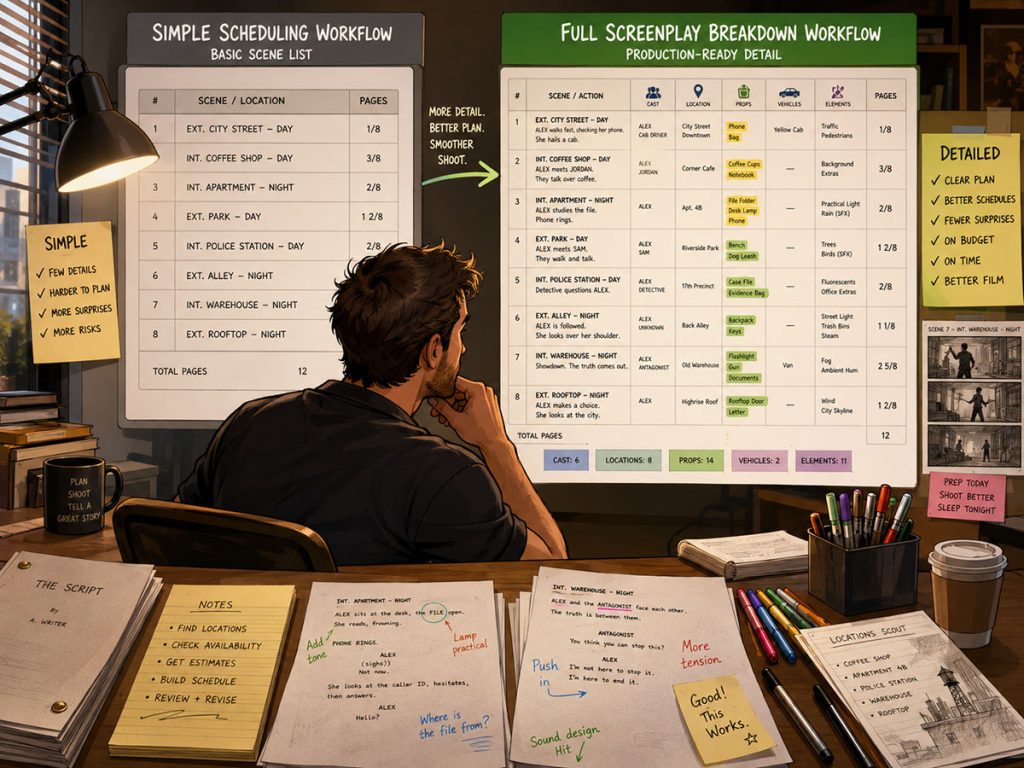
Seeing the Screenplay Inside the Scheduling Tool
One of the most important workflow differences in a Movie Magic Scheduling alternative is whether the schedule stays connected to the screenplay.
If the software only imports the slug line, page count, and characters with dialogue, the assistant director may need to keep the script open separately while building the breakdown. That can work, but it creates friction.
A stronger workflow lets the scheduler see the screenplay inside the scheduling environment.
This is where Gorilla Scheduling has a meaningful advantage. Because Gorilla can display screenplay content, the person doing the breakdown can review action, dialogue, transitions, and scene details while tagging elements and building the schedule.
That is not just convenient. It changes the accuracy of the breakdown.
For example, a slug line might say:
EXT. STREET – NIGHT
This will import into Movie Magic Scheduling for the scene, but this Action line below the slug line in the screenplay will NOT:
Rain hammers down from a massive rain machine as a yellow picture car skids through the intersection, its headlights slicing through the mist. Police lights flash against the storefront windows while background pedestrians scatter in every direction. A stunt performer slips hard across the wet pavement, tumbling beside a practical fire effect burning near an overturned trash can. Across the street, a child actor clutches a soaked backpack while a barking dog pulls against its leash.
Take a look at all the elements that are needed for this scene:
- A rain machine
- A picture car
- A stunt fall
- Background pedestrians
- Police lights
- A practical fire effect
- A child actor
- A dog
That one action paragraph contains a rain machine, picture car, police lights, background pedestrians, stunt work, a practical fire effect, a child actor, and a dog. If your scheduling software only imports the slug line, page count, and speaking characters, much of the actual production complexity lives outside the schedule. That is why seeing the screenplay action inside the breakdown workflow matters.
Those details affect scheduling, budgeting, call sheets, insurance, safety, department prep, and shoot time. If the scheduling tool helps you see those details during breakdown, it becomes more than a stripboard. It becomes a production thinking tool.
PDF Script Import Can Be a Practical Advantage
Final Draft is widely used, but not every production hands over a clean Final Draft file. Sometimes you receive a PDF. Sometimes the writer is using different software. Sometimes the production office is working with whatever file arrived at 11:47 p.m. with the subject line “latest draft FINAL final really final.”
A practical Movie Magic Scheduling alternative should help productions work with real-world script formats.
Gorilla Scheduling now includes the ability to import a screenplay in PDF format, according to Jungle Software’s Gorilla 9 feature notes.
That matters because PDF scripts are common in production. A PDF import workflow can save time when the team does not have access to the original writing file or when the schedule must begin before perfect source materials arrive.
This does not mean every PDF import is magic. Script formatting still matters. But the ability to begin from a PDF gives the production team more flexibility than a workflow that depends on a specific export format.
Script Editing Inside the Scheduling Workflow
Another useful distinction is whether the scheduling software allows screenplay editing inside the schedule environment.
Gorilla Scheduling lets users view, edit, and add screenplay lines directly in Gorilla after importing screenplay data.
That can be valuable during prep because small script corrections often appear while the production team is breaking down scenes. A scene heading may need clarification. A location name may be inconsistent. A missing line may need to be added. A scene description may need to be adjusted for production clarity.
This does not replace the screenwriter’s master draft process. But for production scheduling, the ability to edit and maintain scene information inside the scheduling workflow can reduce friction.
A schedule is only as useful as the information feeding it. When script data, breakdown data, and schedule data stay connected, the production team spends less time reconciling documents and more time solving actual production problems.
Production Strips and the Digital Stripboard
Movie Magic Scheduling helped define the digital stripboard workflow for many productions. Any serious alternative needs to respect that stripboard logic.
But it should also improve the way production strips are created, viewed, customized, sorted, and revised.
A strong stripboard workflow should let you:
- Create production strips from breakdown information
- Display strips horizontally or vertically
- Sort by multiple criteria
- Track page counts and day breaks
- Add banners or production notes
- Move unused strips without deleting them
- Customize what information appears on each strip
- Create alternate boards for different schedule versions
Gorilla Scheduling creates production strips from breakdown information and includes a digital stripboard. It can sort by multiple criteria, including set, location, day/night, and other production details. It also supports horizontal or vertical strip display, customizable strip layouts, and a third row for longer fields such as synopsis or character names.
Those details matter because every production schedules differently. A microbudget feature may need to group by location. A television episode may need to prioritize cast availability. A commercial may need to cluster company moves and equipment-heavy days. A feature with complicated nights may need to isolate day/night patterns before the schedule becomes punishing.
The stripboard should help you think, not just help you decorate the wall with digital confetti.
👉 What Is a Stripboard in Film Production?
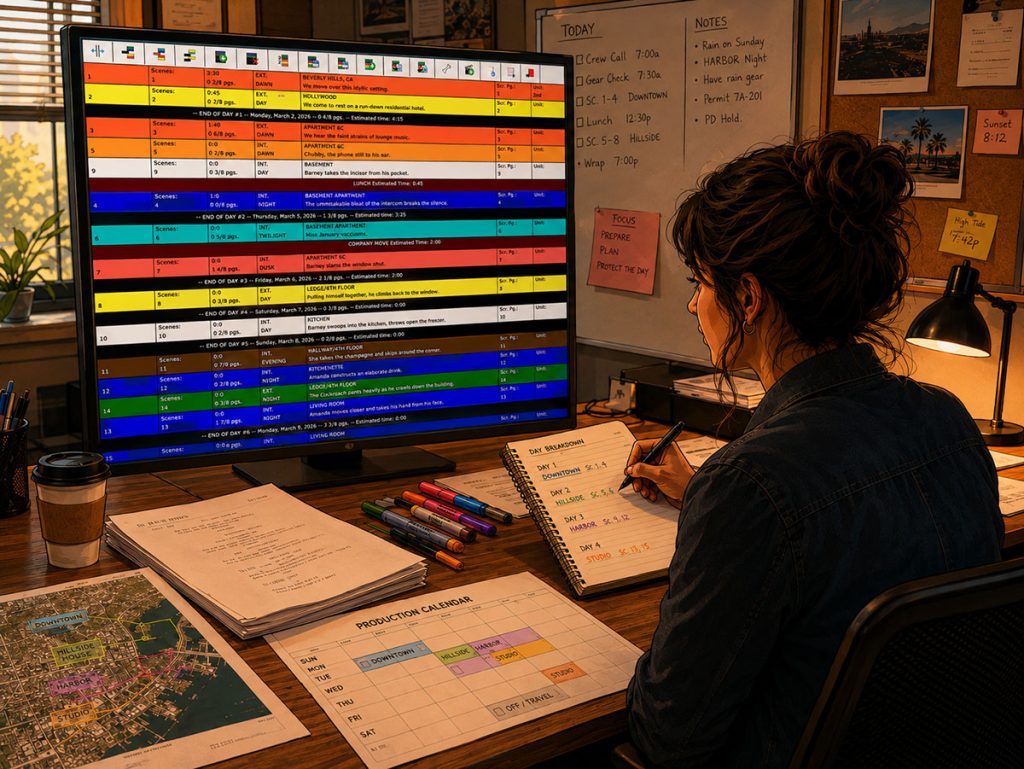
Day Breaks, Page Counts, and Banners
A schedule is not only about the order of scenes. It is about the workload of each day.
That is why day breaks and page counts matter.
A good Movie Magic Scheduling alternative should make it easy to see:
- How many script pages are scheduled each day
- Where each shoot day begins and ends
- Whether the day looks overloaded
- Which scenes are grouped together
- Whether non-scene items affect the day
- How banners, moves, meals, travel, or special notes affect the plan
Gorilla Scheduling includes an auto page break feature that can break the board after a chosen amount of script pages. It also supports banners with notes and optional page counts that total into day breaks.
That is useful because not everything on a schedule is a standard scene. You may need to account for:
- Company moves
- Travel
- Meal breaks
- Camera tests
- Special inserts
- Weather holds
- Second-unit work
- Prep notes
- Pickup blocks
A good scheduling system lets those items live inside the board in a way that helps the team understand the day.
👉 How to Estimate Shooting Days from a Screenplay
Scene Timing: Moving Beyond Page Count
Page count is useful, but it can lie with a straight face.
A half-page stunt scene may take longer than a three-page dialogue scene. A one-page night exterior may need more time than a four-page interior scene. A short scene with a child actor, animal, practical effect, or complex company move may become the day’s real scheduling problem.
A serious scheduling tool should help production teams estimate scene time more intelligently.
Gorilla Scheduling includes Scene Timing tools that allow filmmakers to estimate time in three ways:
By breaking a scene into production segments, such as prep, lighting, rehearsal, blocking, and camera setup
By using page count as an estimate
By manually entering estimated time
This gives the assistant director flexibility. You can use page count for normal scenes, manual estimates for unusual scenes, and segment-based timing for scenes that need deeper planning.
The result is a schedule that better reflects the physical reality of production.
👉 How to Read a Shooting Schedule
Day Out of Days Reports
A Day Out of Days report is one of the most important scheduling reports in production. It shows when cast members are working, holding, starting, finishing, traveling, or not needed.
But DOOD-style thinking is useful beyond cast. Props, costumes, background actors, vehicles, set dressing, visual effects, and other production elements can also affect cost and logistics.
When comparing a Movie Magic Scheduling alternative, look closely at DOOD reporting.
You want software that can help answer:
- How many days is each actor working?
- Which actors are needed together?
- Are there costly gaps in actor schedules?
- Which props or elements appear across multiple days?
- Can element work days inform the budget?
- Can the DOOD report support producer decisions?
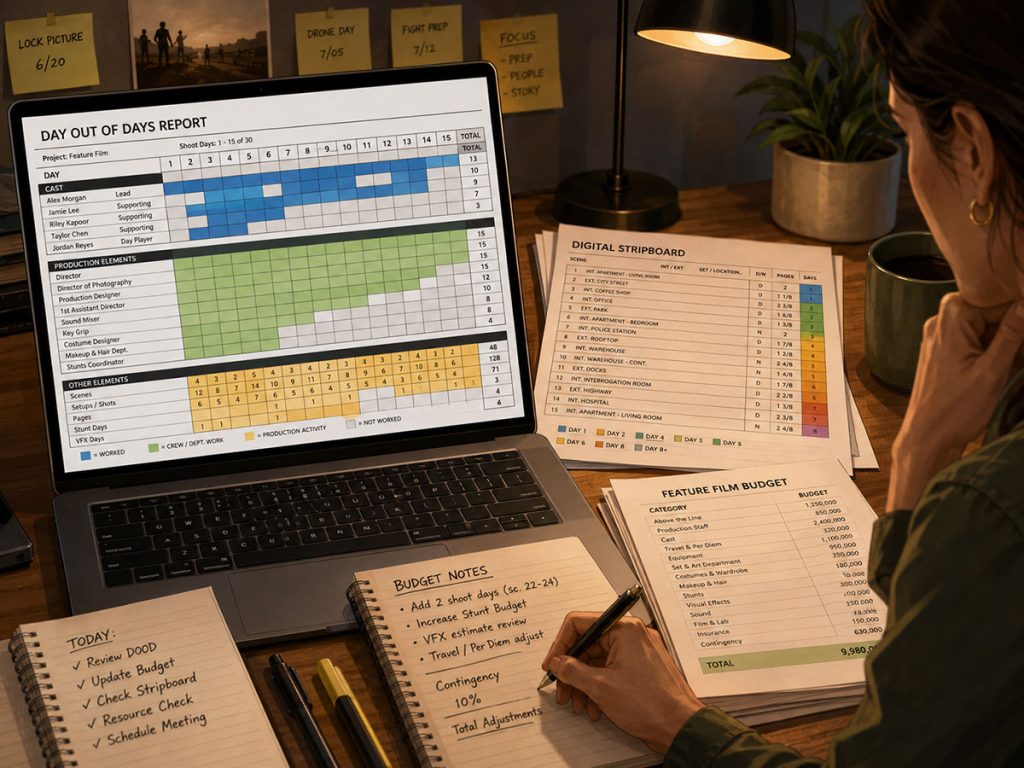
Gorilla Scheduling can create DOOD reports for cast and other breakdown element categories, including props, set dressing, costumes, background actors, and visual effects. Gorilla Budgeting can also link with scheduling data, including importing DOOD totals into budget line day counts.
That connection matters because work days become money. Actor days, location days, background days, props, vehicles, and department needs all affect the budget.
A DOOD report should not just sit in a binder looking official. It should help the producer make better decisions.
👉 What Is a Day Out of Days Report?
Actor Management and Casting Records
A scheduling tool should do more than attach cast IDs to scenes.
In real production, actors come with contact information, roles, representatives, rates, availability, dietary restrictions, measurements, headshots, and notes. Those details affect scheduling, call sheets, costumes, transportation, meal planning, contracts, and production communication.
Gorilla Scheduling includes an Actors module that functions as a more complete casting database. Actor records can include contact info, headshots, roles, agent details, dietary restrictions, measurements, and rates.
That is useful because casting information should not be scattered across emails, spreadsheets, and handwritten notes. If actor information is connected to the schedule, the team has a better chance of generating accurate reports and call sheet information.
A Movie Magic Scheduling alternative should not treat actors as row numbers only. It should support the human logistics behind the cast list.
👉 How to Schedule Actors for a Film Shoot
Location Management Should Be More Than One Field
Locations are one of the biggest forces shaping a schedule.
A single location affects:
- Company moves
- Permits
- Parking
- Power
- Access
- Load-in
- Weather exposure
- Noise
- Availability
- Rates
- Crew logistics
- Call sheet information
- Department planning
Movie Magic Scheduling has traditionally offered a location field on the breakdown sheet, but filmmakers comparing alternatives should ask whether they need a deeper location workflow.
Gorilla Scheduling includes a full Location module. Location records can include address, contact info, available days, shoot days, permits, photos, electrical information, ceiling height, amps, location rates, and attached scenes.
It also includes a Main Location feature for call sheets and location reports such as:
Location Fact Sheet
Photo Gallery
Location and Scenes Report
Locations for Schedule
Locations, Scenes and Elements Report
That kind of location detail can help the assistant director, location manager, producer, and production manager work from the same information.
A location is not just a place where scenes happen. It is a cost center, a logistics puzzle, and occasionally a tiny dictatorship run by parking, power, and neighbors with leaf blowers.
👉 How to Schedule Locations for a Film Production

Call Sheet Workflow
A shooting schedule eventually becomes a call sheet.
That means a scheduling tool should help the team move from plan to daily communication. If scenes, cast, locations, departments, and report information are already organized in the schedule, call sheet creation should not require rebuilding the day from scratch.
Movie Magic Scheduling is a scheduling tool, not a call sheet generator. Gorilla Scheduling works with Jungle Software’s Koala Call Sheets add-on, which can generate call sheets from the schedule in a variety of templates.
That is a meaningful production workflow difference.
A call sheet needs accurate information from the schedule:
- Scenes
- Shoot Day
- Cast
- Locations
- Main location
- Crew call
- Department notes
- Weather
- Special instructions
- Background actors
- Production contacts
If the schedule and call sheet workflow are connected, the team reduces duplicate entry and lowers the chance of mistakes.
👉 What Is a Call Sheet in Film?
Multiple Boards and Alternate Schedules
Scheduling is rarely one clean pass.
You may need one board for the director, another for the producer, another for location grouping, another for cast availability, and another for a reduced-day version. You may need a weather backup, pickup plan, or second-unit board.
A good Movie Magic Scheduling alternative should make alternate boards easy to manage.
Gorilla Scheduling supports multiple boards in one schedule, with one board selected as the default for reports. It also includes a boneyard for unused strips, so scenes can be removed from the working board without being deleted from the schedule.
This is important because scheduling requires experimentation. You may need to test a version that groups locations aggressively, then another version that reduces actor hold days, then another that protects night work.
A good scheduling tool lets you explore without breaking the main plan.
Production Checklist Features
Scheduling software can also support the tasks around the schedule.
Gorilla Scheduling includes a Production Checklist feature that allows filmmakers to create a checklist of things that need to be done. You can assign who needs to complete each task, add due dates, and send the checklist to cast and crew directly from Gorilla when needed.
This is not a replacement for a full project management platform, but it can be very useful during prep.
Examples of checklist items might include:
- Confirm location permit
- Send revised stripboard to department heads
- Collect actor paperwork
- Confirm parking plan
- Schedule wardrobe fitting
- Check stunt coordinator availability
- Send call sheet draft
- Confirm picture vehicle
When these tasks live near the schedule, the assistant director and production team can keep prep action items connected to production planning.
That is the larger theme of a strong Movie Magic Scheduling alternative: fewer disconnected islands, more connected workflow.
Backup, Export, and File Control
Every schedule needs a survival plan.
Revisions happen constantly. A schedule may be changed, exported, reviewed, reverted, shared, or rebuilt under pressure. Backup and export features are not glamorous, but they matter when production is moving quickly.
Gorilla Scheduling includes Excel backup on save, restore from Excel backup, and export board to Excel.
That gives the production team practical flexibility. You can maintain backups, share data in a familiar format, or preserve schedule versions outside the main file.
Gorilla also offers an interesting bridge workflow: it can export breakdowns and tagged scene information back to a Final Draft .fdx file. That file can then be converted to a .sex file in Final Draft and imported into Movie Magic Scheduling. This can be useful for productions that need to move tagged information between workflows, although the conversion step requires Final Draft.
This kind of export path is worth noting because productions often inherit mixed systems. A producer may prefer one tool. An assistant director may be required to deliver in another format. A flexible scheduling system gives the team more room to move.
Budgeting Connection
The schedule and the budget are inseparable.
Every extra day, company move, cast hold, location extension, night shoot, background day, or stunt day has a cost. If your scheduling software cannot help inform the budget, producers may need to rebuild information manually.
A strong Movie Magic Scheduling alternative should help connect schedule information to budgeting decisions.
Gorilla Budgeting can link with Gorilla Scheduling data, including importing DOOD totals into budget line day counts. That means production work days can help inform budget calculations.
👉 How a Shooting Schedule Impacts Your Film Budget
This is especially useful when a schedule changes. If cast days increase, location days shift, or production elements appear across more days than expected, the producer can see how those scheduling choices affect the budget.
The schedule should not whisper to the budget from another room. It should sit at the same table.
👉 How to Turn a Script Breakdown Into a Film Budget
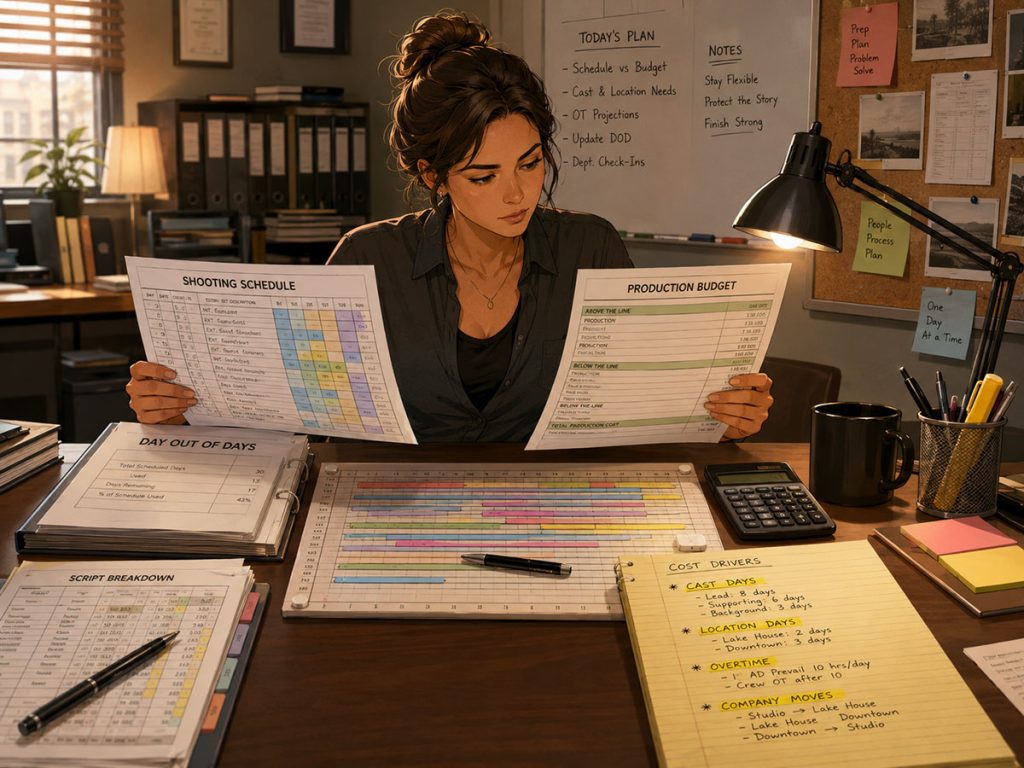
Online Tools vs. Professional Desktop Scheduling Tools
StudioBinder, Filmustage, and YAMDU are online or subscription-based competitors in the production management space. Those tools may appeal to teams looking for browser-based collaboration, cloud access, or broader production management features.
Movie Magic Scheduling remains a familiar older industry-standard tool for many production professionals.
Gorilla Scheduling sits in a different lane: a professional production scheduling tool with deep breakdown, stripboard, actor, location, reporting, and budgeting connections.
The right choice depends on your production’s needs.
When comparing tools, ask:
- Do you need cloud collaboration?
- Do you need detailed breakdown control?
- Do you need to see and edit screenplay content inside the scheduling workflow?
- Do you need PDF import?
- Do you need call sheet generation from the schedule?
- Do you need a full location module?
- Do you need a full actor database?
- Do you need budgeting connection?
- Do you need export and backup control?
- Do you need long-term support from a company focused on film production software?
No tool is perfect for every production. The best scheduling software is the one that supports your actual workflow, not the one that wins a feature-chart sword fight.
Long-Term Updates and Support
Scheduling software becomes part of your production infrastructure. You want a tool that is supported, updated, and backed by people who understand film production workflows.
Gorilla Scheduling has been around for many years, receives frequent updates, and has strong tech support. Jungle Software’s official feature pages describe Gorilla as a scheduling tool for importing screenplays, breaking down scripts, scheduling scenes, managing cast and crew, managing locations, and generating reports.
That kind of continuity matters.
When you are building a real production schedule, support is not a luxury. It is a safety net. The moment a file issue, import question, report problem, or workflow confusion appears, responsive support can save hours of production-office fog.
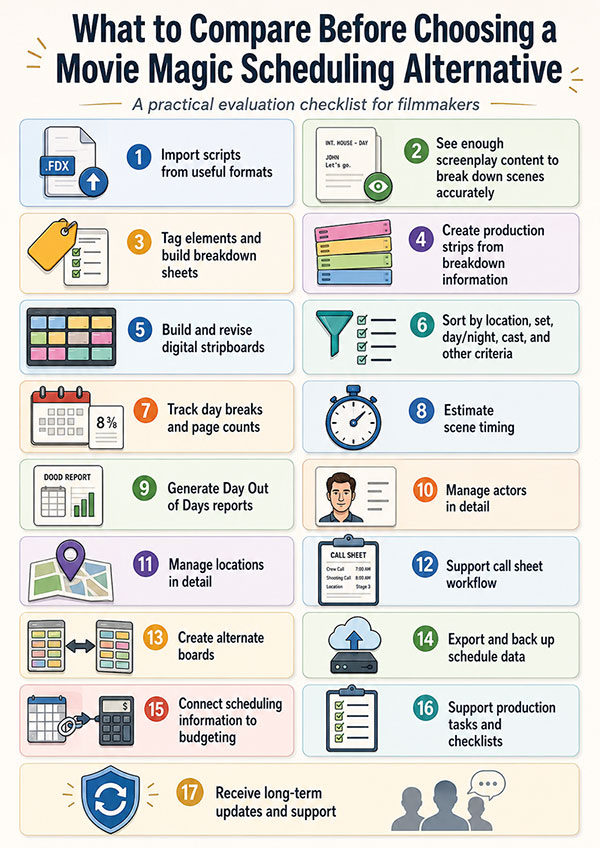
Movie Magic Scheduling has earned its place in production history. But filmmakers comparing alternatives should look closely at what their next scheduling tool actually needs to do.
The question is not simply:
Can this software make a stripboard?
The better question is:
Can this software help my production move from script to schedule to shoot day with fewer gaps, fewer duplicate documents, and better decisions?
That is where a professional scheduling workflow becomes valuable.
Looking for a Professional Movie Magic Scheduling Alternative?
If you are comparing film scheduling software, look beyond the stripboard alone. Your scheduling tool should help you import and break down scripts, create production strips, build digital stripboards, manage actors and locations, generate Day Out of Days reports, support call sheet workflow, and connect scheduling decisions to the budget.
Gorilla Scheduling is built for filmmakers who want a professional, production-ready scheduling workflow with deep breakdown tools, detailed reporting, actor and location modules, screenplay integration, multiple boards, backups, exports, and a connection to Gorilla Budgeting.
Explore Gorilla Scheduling and see how it can help you plan your next production with more clarity and control.
Continue Learning Film Production Planning
If you’re diving deeper into production planning, understanding how stripboards connect to scheduling and budgeting is essential.
You may also find these guides helpful:
- How to Schedule a Film Shoot
- Film Budget Template (Free Guide)
- What is a Stripboard and How to Create one
- How to Write a Filmable Screenplay
- What Is a Call Sheet in Film? (Free Download)
- What Is a Crew Deal Memo (And Why It Can Save Your Production)
- Film Budget Categories Explained
- How a Shooting Schedule Impacts Your Film Budget
- What Is a Production Strip in Film Scheduling?
- How to Turn a Script Breakdown Into a Film Budget
Together, these form the foundation of an efficient, well-organized production.
Questions or Comments?
Have a question about stripboards or film scheduling? Feel free to leave a comment below — or reach out if you want to learn more about how professional tools can streamline your workflow.