
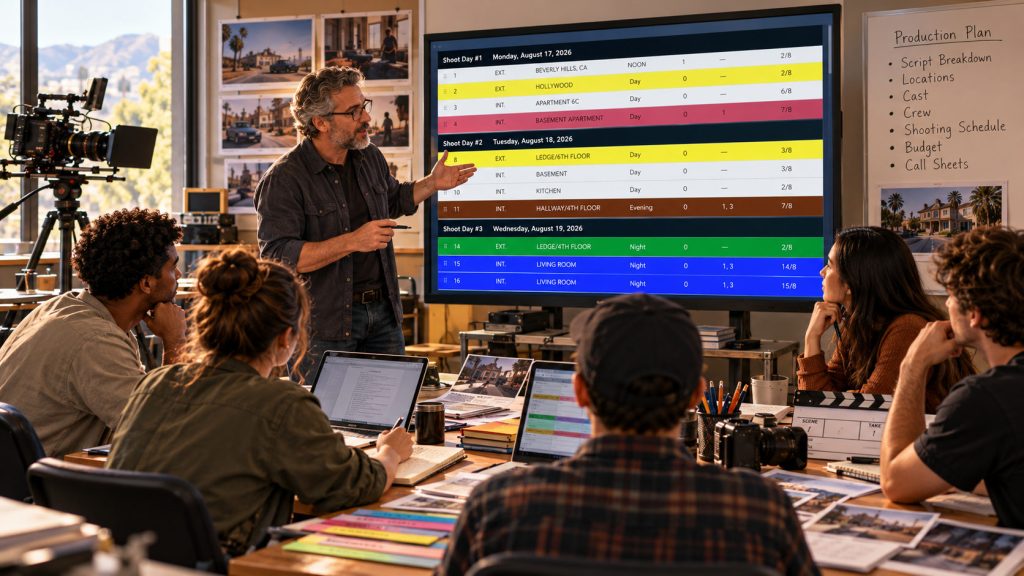
A film student can write a screenplay, pick up a camera, and start shooting. But turning that screenplay into an organized production is another skill entirely.
Scenes need to be broken down. Actors need to be scheduled. Locations need to be organized. Equipment, crew, props, wardrobe, and transportation all need to be considered. Eventually, someone has to answer the question that shapes nearly every production decision: How much is this going to cost?
This is where professional film school software becomes an important part of a film education.
Students need to learn more than how to operate cameras or edit footage. They also need to understand the production planning process that turns a creative idea into something a crew can realistically shoot.
With Gorilla Scheduling Online and Gorilla Budgeting Online, film schools now have browser-based production tools for teaching those skills. And with Gorilla Online’s School Mode, instructors can organize student accounts, review student projects, communicate directly with students, and follow their progress throughout the course.
The result is a more connected environment for teaching the practical side of filmmaking.
Explore Gorilla Online for Film Schools
Why Film Schools Need Professional Production Software
Film production is a collaborative discipline, but many of its most important lessons begin long before a camera starts rolling.
Students need to understand why shooting in script order is usually impractical. They need to recognize how cast availability affects the schedule, how locations influence company moves, and why an extra shoot day can create significant budget consequences.
A spreadsheet may help demonstrate basic production planning, but a professional scheduling application introduces students to the actual structure of the work.
Scenes become breakdown sheets. Breakdown information becomes production strips. Those strips are arranged into a stripboard and organized into shoot days. From there, the production team generates the reports used to plan and communicate the shoot.
Related Link: Pre-production software.
Budgeting follows a similar progression. Students must learn why a film budget contains accounts, categories, detail lines, rates, quantities, fringes, globals, contingency, and reports.
These concepts are not simply software features.
They are part of the language of professional production.
Good film school software makes those concepts easier to teach because students can practice the processes rather than merely read about them.
Teaching Script Breakdown and Scheduling Online
One of the first challenges for student filmmakers is understanding how much production information is hidden inside a screenplay.
A scene that occupies half a page may require a complicated location, several actors, background performers, vehicles, wardrobe changes, and specialized equipment.
Another scene may fill three pages but require only two actors in a single room.
Page count matters, but it rarely tells the entire production story.
Gorilla Scheduling Online lets students import screenplay information, identify production elements, create breakdown sheets, organize production strips, and arrange a stripboard into shoot days.
Related Link: How to breakdown a script.
Instead of trying to understand scheduling through disconnected exercises, students can follow the process from screenplay to working production plan.
An instructor might assign a ten-scene short film and ask students to prepare a realistic shooting schedule.
One student may group scenes by location. Another may prioritize cast availability. A third may try to minimize the number of shoot days.
All three schedules could look reasonable at first glance.
The educational value comes from examining the assumptions behind each choice.
Why did the student place those scenes together? Is the day overloaded? Does the proposed location order create unnecessary travel? Is there enough time to photograph the most complicated scene?
Professional scheduling tools allow instructors to turn those questions into practical assignments.
Teaching Students How to Build a Real Film Budget
Scheduling is only half of the production-planning equation.
Students also need to understand the financial consequences of the decisions they make.
A location may be available for free, but reaching it could require transportation, parking, equipment movement, and additional crew time. A cast member may be needed in only two scenes, but those scenes could fall on separate shoot days.
A budget translates those choices into financial assumptions.
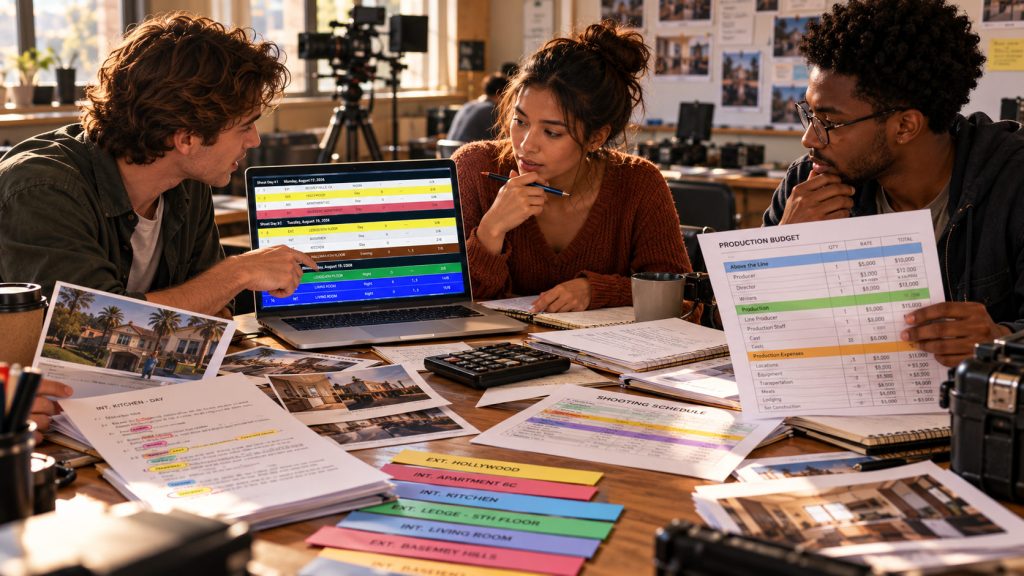
With Gorilla Budgeting Online, students can learn to build structured production budgets using accounts, categories, detail lines, globals, fringes, rates, and reports.
Rather than simply entering estimated amounts into a spreadsheet, they can see how a professional budget is organized and how different assumptions affect the overall cost.
For example, an instructor might ask students to prepare two versions of a short-film budget.
The first version assumes a five-day shooting schedule. The second uses seven days.
Students can then examine how those two additional days affect crew, equipment, locations, catering, transportation, and other production expenses.
The exercise teaches something far more important than adding numbers.
It demonstrates that creative and logistical decisions have financial consequences.
Gorilla Online School Mode: Built Around the Instructor
Teaching professional scheduling and budgeting is one challenge. Managing an entire class of students is another.
A professor may be responsible for twenty, forty, or more students during a semester, each developing a screenplay, shooting schedule, budget, or production assignment.
Without a dedicated classroom workflow, the instructor may spend unnecessary time collecting exported files, comparing versions, tracking submissions, and trying to determine how much progress each student has made.
Gorilla Online School Mode is designed to address that problem.
School Mode gives professors and instructors their own environment for administering participating student accounts and reviewing student work.
Rather than requiring every student to manage an independent subscription for classroom use, students can be invited into the school’s licensed roster and work through their own Gorilla Online accounts.
That gives the instructor a practical way to organize an online production class while students use professional scheduling and budgeting tools.
Professors Can Invite and Manage Students
School Mode allows professors to invite students directly into their class roster.
The instructor can add students, remove students, and administer the roster from their own account.
This is useful when a semester begins, enrollment changes, or students complete a course.
Rather than having to coordinate every account individually, the professor maintains control over which students participate in the school environment.
Each student uses their own login, keeping account access organized while allowing instructors to manage the class.
For departments offering several production courses, this provides a more practical approach to distributing professional production software.
Instructors Can Monitor Student Projects
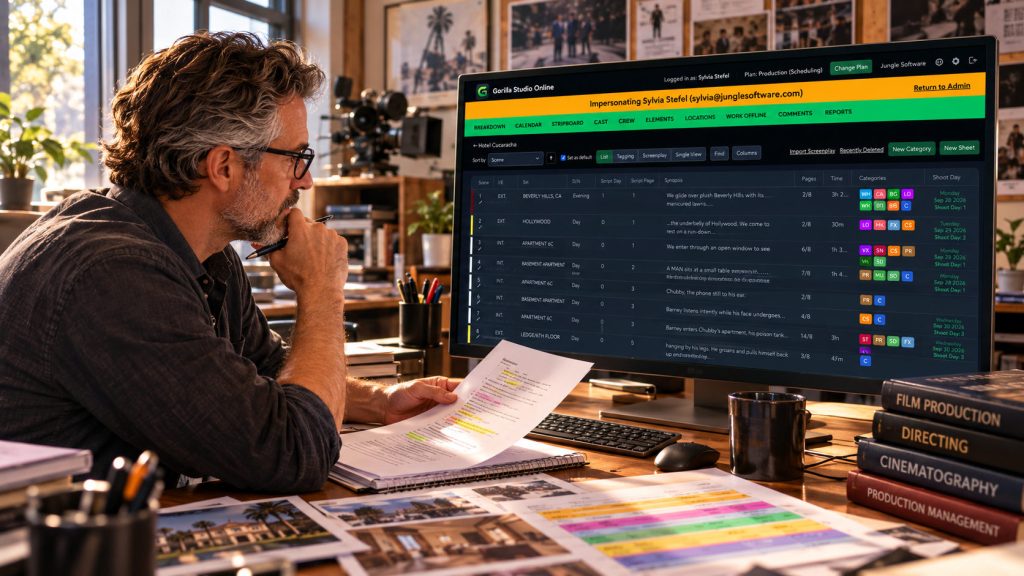
One of the most valuable School Mode features is the ability for professors to view and monitor participating students’ projects directly from their instructor account.
Imagine teaching a scheduling course where each student is preparing a twelve-day shooting schedule.
Traditionally, the professor might collect exported PDFs, review them, provide notes, and wait for revised files to arrive.
With School Mode, the instructor can open participating student projects and examine their work without requiring students to continually export and submit new copies.
This makes it easier to review breakdowns, inspect stripboards, evaluate shoot-day organization, and follow progress throughout the semester.
The professor can see how the student is approaching the assignment, not merely what the final document looks like.
That distinction creates an important teaching opportunity.
A completed schedule may look organized, but an instructor reviewing the working project can more easily identify missing production elements, unrealistic day lengths, or inefficient location groupings.
The result is a teaching workflow that supports ongoing guidance rather than only end-of-assignment evaluation.
Professors Can Message Students Directly
Communication is another important part of classroom management.
Gorilla School Mode includes direct messaging that allows instructors to send a message personally to a student from within the platform.
The message is also delivered to the student’s email address.
For example, a professor reviewing a student’s stripboard might notice that several scenes involving the same actor have been spread unnecessarily across different shoot days.
Instead of waiting until the next class meeting, the professor can send a direct message asking the student to review those cast days.
Another student might need to reconsider equipment costs or add missing budget detail.
The instructor can contact that student directly as well.
This creates a more convenient connection between reviewing the production project and providing individual feedback.
The instructor is not merely viewing the work. They can communicate with the student about what needs attention.
Students Work with Solo-Level Gorilla Accounts
School Mode is not simply a limited demonstration environment.
Participating student accounts provide functionality equivalent to the Gorilla Solo plan within the school’s licensed environment.
That means students can work with the professional scheduling and budgeting tools needed for individual production assignments rather than using a stripped-down classroom demonstration.
For an instructor, this matters because students can develop real workflows.
They can import and break down scripts, build shooting schedules, organize production information, prepare budgets, and create reports as their coursework requires.
These are skills they can carry into internships, independent projects, and professional production work.
School Mode is also designed to keep instructor oversight connected to the school’s educational environment. Students should understand that work created under the school’s managed account may be visible to their instructor.
If they later want to continue using Gorilla independently of their school’s license, they can arrange a personal subscription.
Where AI Fits into Film Production Education
Artificial intelligence is becoming part of production planning, but film schools face an important educational question:
How do you teach students to use AI without allowing it to replace the skills they are supposed to learn?
Gorilla Online offers two relevant tools: Breakdown Assistant AI for scheduling and Budget Assistant AI for budgeting.
These capabilities can help students begin difficult or time-consuming production tasks, but the educational value comes from reviewing and understanding the results.
Breakdown Assistant AI: Learning What a Script Requires
Breakdown Assistant AI can analyze screenplay text and suggest production elements for scenes.
A student may use it to identify possible props, wardrobe requirements, vehicles, locations, and other production needs.
However, identifying a production element is only the first step.
The student still needs to determine whether the element is relevant, whether it requires a separate budget line, and how it affects the shooting schedule.
For example, an AI tool might identify a vehicle in a scene. The student still needs to ask whether the production requires a picture vehicle, a driver, special permits, or additional safety planning.
That is where production judgment develops.
Budget Assistant AI: Building a Starting Budget
Budget Assistant AI provides another learning opportunity by helping generate an initial budget from production information and project assumptions.
Students can use an AI-generated starting point as something to examine, revise, and improve.
Are the crew requirements realistic? Are enough shoot days included? Are location expenses appropriate? What about fringes, equipment, transportation, and contingency?
The learning comes from challenging the assumptions rather than accepting the first result.
Together, Breakdown Assistant AI and Budget Assistant AI introduce students to emerging production workflows while keeping their attention on the decisions that matter.
Related Link: Film Scheduling and Budgeting Together: Why Connected Production Data Matters.
AI can help prepare the first pass.
The student still needs to understand the production.
Browser Access Makes Film School Software More Flexible
Film schools often face a practical challenge: students work in different places and on different computers.
Some students rely on campus labs. Others use personal laptops. Group projects may involve students working from dormitories, apartments, classrooms, or remote locations.
Traditional installed software can be effective, particularly in dedicated computer labs, but it also requires a plan for installation, licensing, and workstation access.
Gorilla Scheduling Online and Gorilla Budgeting Online run through modern web browsers on supported computers.
Students can log into their accounts without needing a separate desktop software installation.
That makes it easier to continue production planning outside scheduled lab hours.
It also gives schools flexibility when courses include remote instruction, hybrid classroom meetings, or independent production assignments.
Browser access does not eliminate the need for good teaching practices. However, it can remove some of the technical obstacles between students and their production work.
Collaboration Is Part of the Curriculum
Film production is rarely a solo activity.
An assistant director must coordinate with the producer, director, locations, cast, and department heads. A line producer needs to understand the shooting schedule before making reliable budget assumptions.
Students should begin learning those relationships while they are still in school.
Online production software provides opportunities to teach communication, collaboration, and responsibility alongside technical scheduling and budgeting skills.
Related Link: Collaboration in Film Scheduling.
An instructor might divide a class into production teams, assigning one student to scheduling, another to budgeting, and others to production management or department responsibilities.
The team must then understand how changes in one part of the plan affect the others.
Even when assignments are completed individually, instructors can use School Mode to discuss the importance of communicating scheduling decisions and budget revisions clearly.
That is a lesson students will encounter repeatedly once they begin working on real productions.
A Practical Classroom Exercise: From Script to Budget
Consider a semester assignment built around a short screenplay.
Students begin by importing the screenplay into Gorilla Scheduling Online.
Next, they prepare breakdown sheets and identify cast members, locations, props, wardrobe, vehicles, and other production elements.
Once the breakdown is complete, they organize the scenes into a stripboard and create a proposed shooting schedule.
The instructor reviews their projects through School Mode, offering feedback on inefficient location groupings, cast availability, and overloaded shoot days.
Students then use Gorilla Budgeting Online to create a production budget based on their schedule and assumptions.
They estimate crew, cast, equipment, locations, transportation, meals, and other costs, examining how those expenses change when the schedule changes.
Finally, the instructor can ask students to revise their plans after introducing a production challenge.
Perhaps a location becomes unavailable. An actor can only work on certain days. The production loses one shoot day. A key piece of equipment becomes too expensive.
Students must then revise the schedule and examine the financial consequences.
This exercise teaches something that no isolated scheduling or budgeting lesson can fully demonstrate:
A film production is a connected system of creative, logistical, and financial decisions.
Gorilla Online: Flexible Production Software for Film Schools
Every film school has its own approach to teaching production, but all programs need software that is accessible, practical, and capable of supporting professional filmmaking workflows.
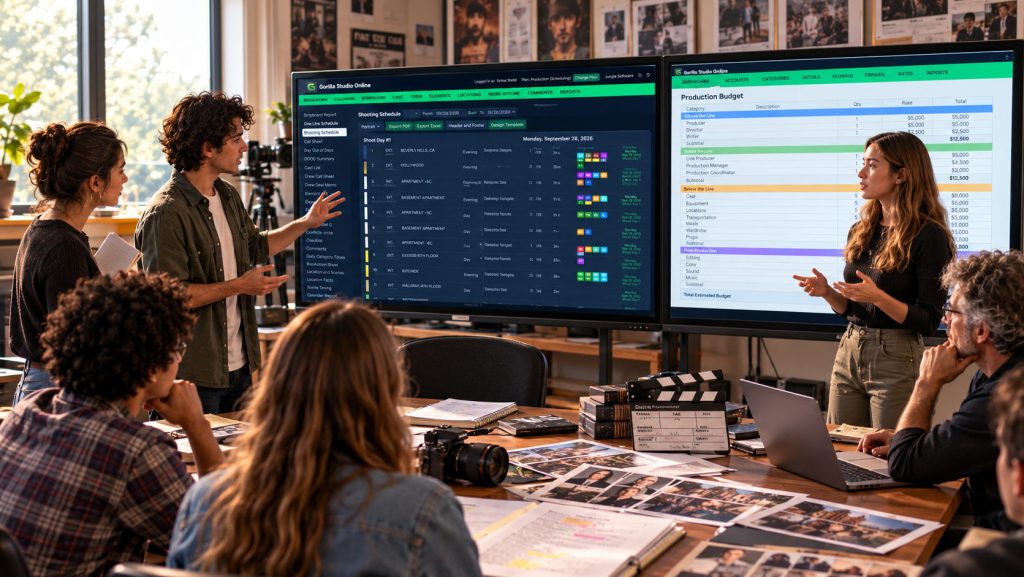
Gorilla Scheduling Online and Gorilla Budgeting Online bring professional production planning into the browser, allowing students to access their projects from classrooms, campus labs, personal computers, or wherever they choose to work.
With Gorilla Online School Mode, instructors gain additional tools designed specifically for education. Professors can invite students, manage class rosters, monitor student scheduling and budgeting projects, and communicate directly with individual students through messages that are also delivered by email.
Students receive Solo-level Gorilla functionality, allowing them to develop real production schedules and budgets while learning the same fundamental workflows used by professional filmmakers. Breakdown Assistant AI and Budget Assistant AI are also available to support their learning process.
For film schools, this creates a connected educational environment where instructors can guide students throughout the production-planning process, not simply review their finished assignments.
The result is a more accessible, collaborative, and practical way to teach film scheduling and budgeting.
Why Professional Production Skills Matter After Graduation
A film student may graduate with a strong reel, an impressive screenplay, or a beautifully photographed short film.
Those accomplishments matter.
But professional production also depends on organizational skills that are less visible on the screen.
Can the filmmaker create a realistic shooting schedule? Understand a stripboard? Prepare a useful breakdown? Estimate crew and equipment costs? Recognize when scheduling decisions affect the budget?
Can they communicate those decisions to other departments?
These are practical skills that help young filmmakers become better prepared for assistant directing, producing, production management, and other production roles.
Professional film school software gives students an opportunity to practice those responsibilities before they encounter the pressures of a working set.
And when instructors can review projects, follow student progress, and provide feedback within the same environment, the software becomes more than a tool for completing assignments.
It becomes part of the teaching process.
Final Thoughts: Teach the Production Process, Not Just the Software
Film education should prepare students to do more than operate individual applications.
It should teach them how the pieces of a production fit together.
A screenplay becomes a breakdown. The breakdown becomes a schedule. The schedule influences the budget. The budget shapes what the production can realistically accomplish.
Gorilla Scheduling Online and Gorilla Budgeting Online provide professional tools for teaching those connections.
With School Mode, instructors also gain a practical way to manage student rosters, monitor projects, communicate individually with students, and guide coursework from their own accounts.
Students gain access to professional production workflows, with AI-assisted tools available to support the learning process.
The result is a classroom environment where students can practice more than clicking through software screens.
They can learn how to plan a production.
And that is a skill they will use long after graduation.
Explore Gorilla for Film Schools
Bring professional film scheduling and budgeting into the classroom with School Mode, instructor oversight, student accounts, and browser-based access.
Teach screenplay breakdown, production strips, stripboards, shoot days, and professional scheduling reports.
Teach production budgeting, account structure, rates, fringes, globals, and cost planning.
Learn About Breakdown Assistant AI
Explore the Gorilla Online Ecosystem
Film departments interested in School Mode or institutional licensing can contact Jungle Software to discuss their course requirements, student seats, and academic pricing.