
SHOT MONKEY

RELEASE DATE: 11/1/2026

Plan every shot before you shoot it.

Build professional storyboards and shot lists, visualize camera setups, plan movement, organize production elements, and create AI-generated storyboard frames with Shot Monkey. From screenplay to set, Shot Monkey gives directors, cinematographers, and production teams one place to design how every scene will be filmed.
SHOT MONKEY

Everything you need to plan the shoot.

From screenplay import and shot design through storyboards, camera setups, AI-generated images, production elements, and professional reports, Shot Monkey brings visual shot planning into one connected online workflow.

STORYBOARD & SHOT LISTS

Keep the production team working from the same plan.

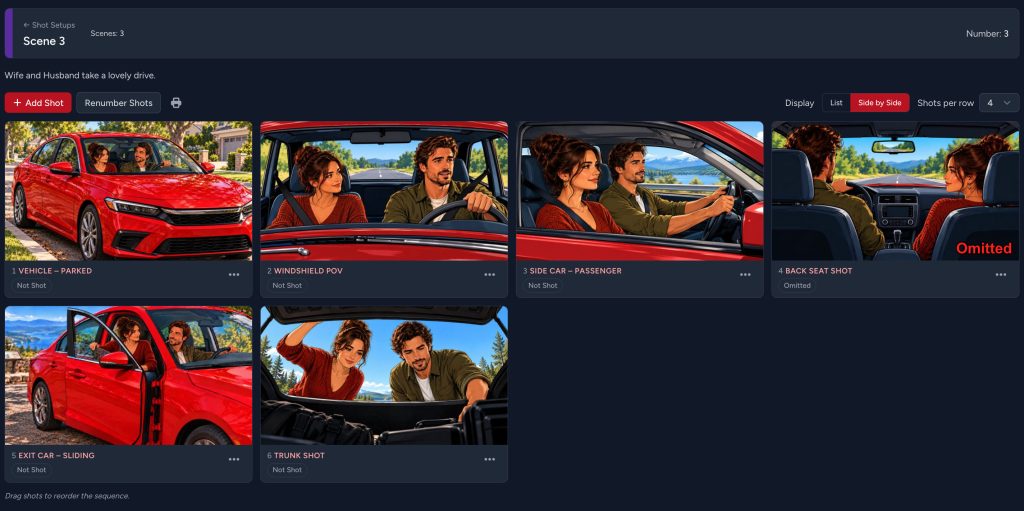
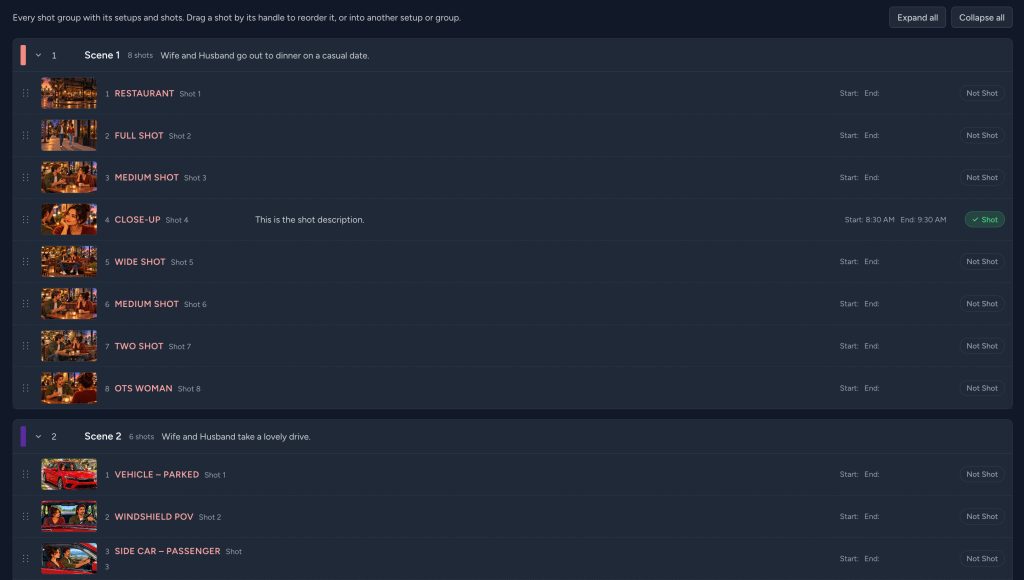
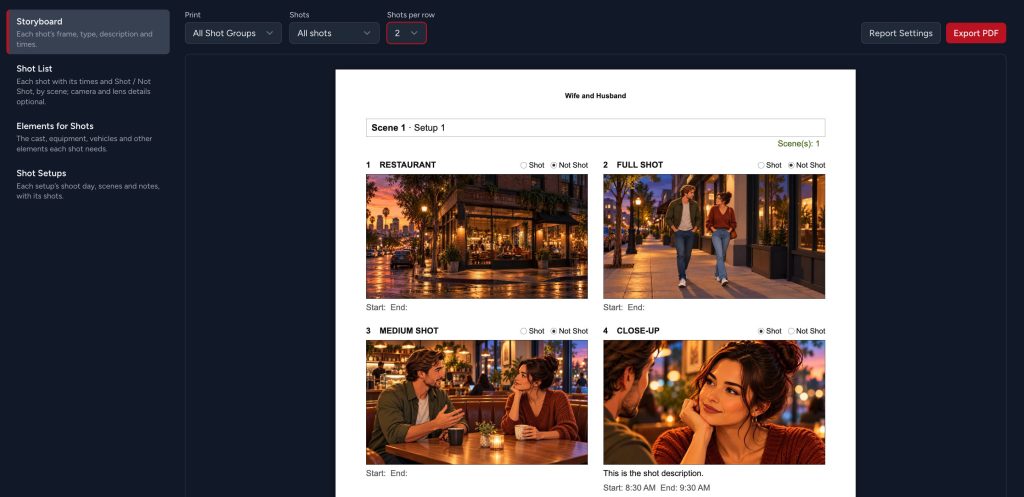
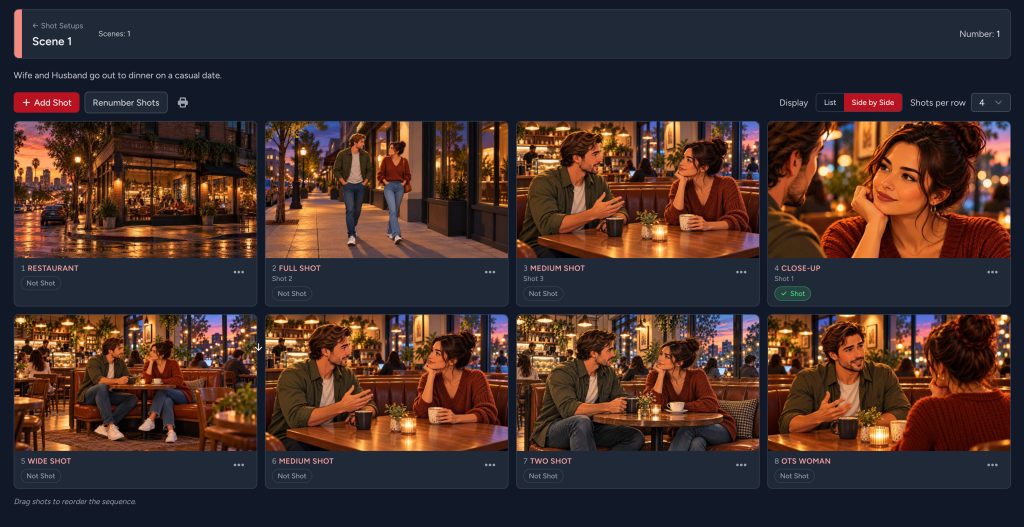
Build visual storyboards and detailed shot lists scene by scene. Organize shots into setups, rearrange them with drag-and-drop, and keep the visual plan connected to the production.

AI STORYBOARD GENERATION

Create custom AI prompts

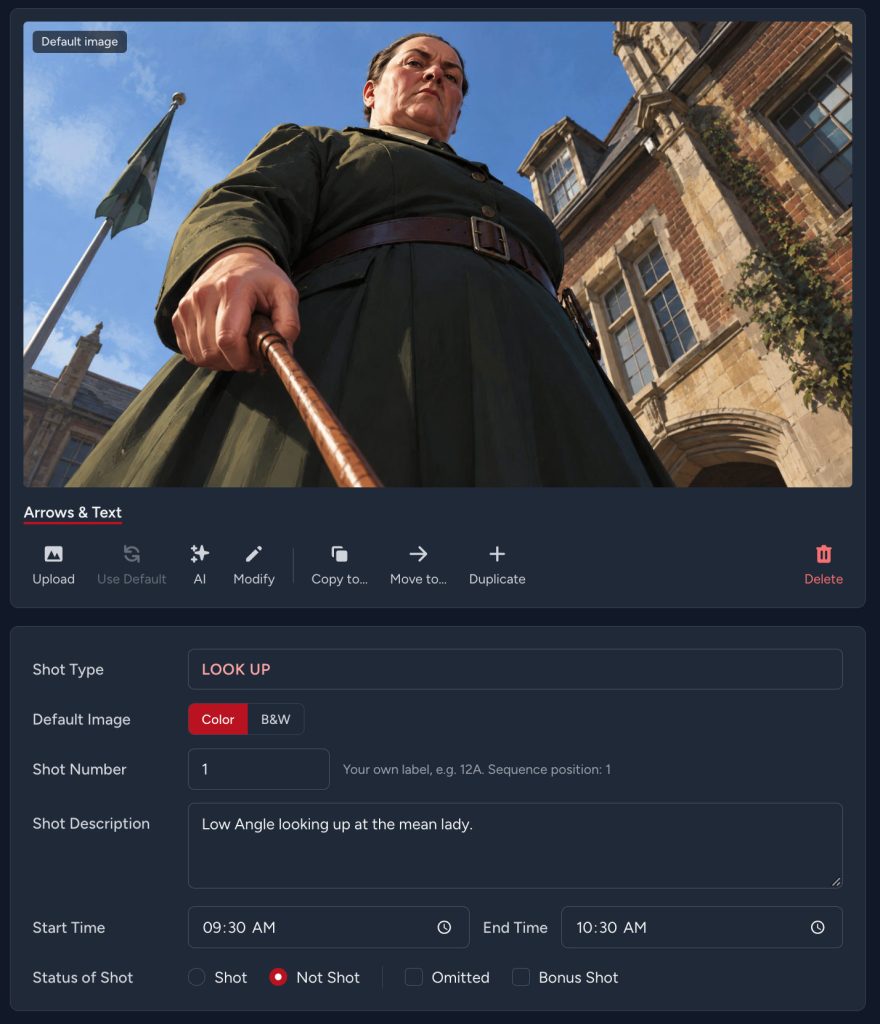
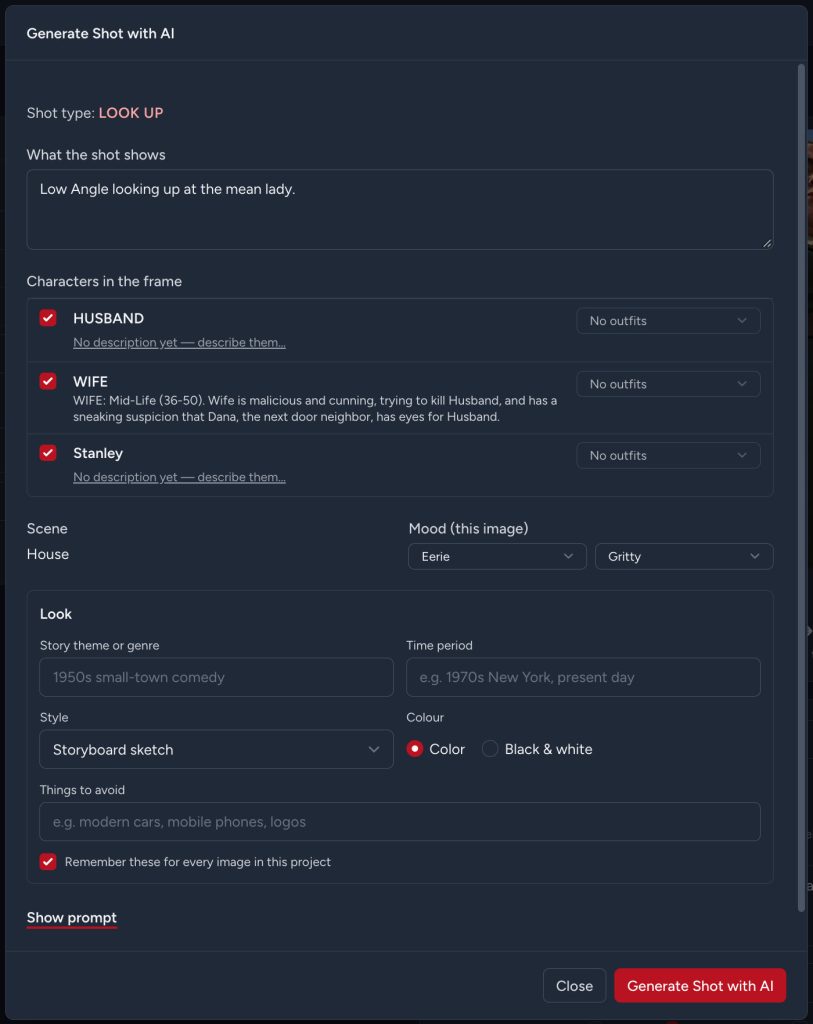
Generate custom storyboard frames based on your shot, scene, characters, visual style, mood, wardrobe, and creative direction. Maintain character continuity across shots while tailoring the image to the needs of each scene.

CAMERA MOVEMENT & ANNOTATION

Each shot can be customized.

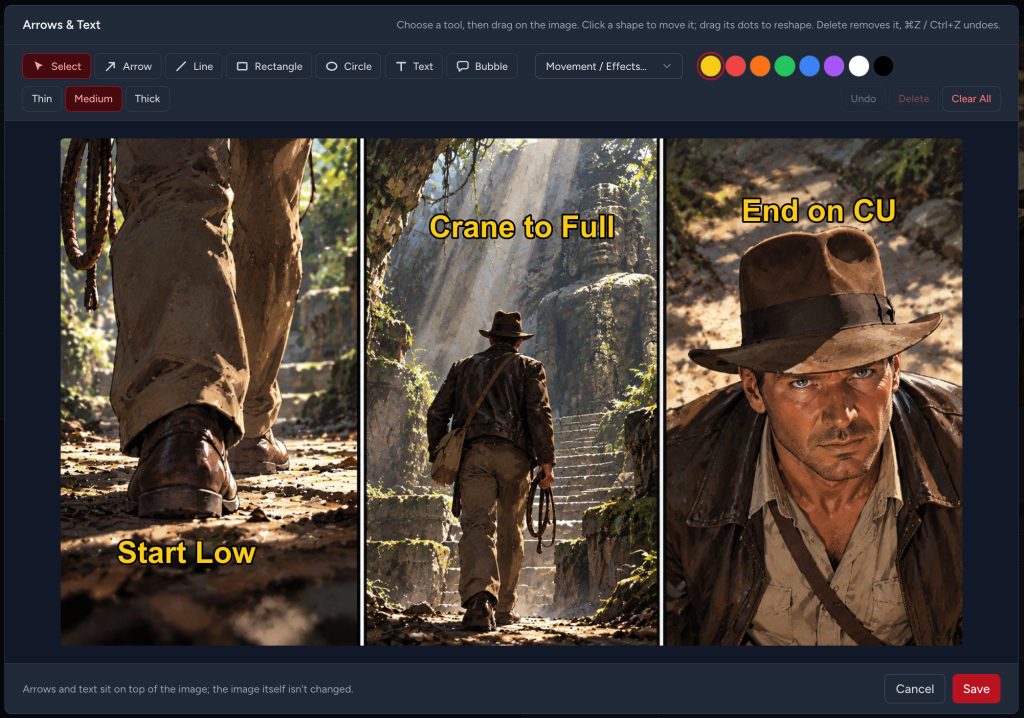
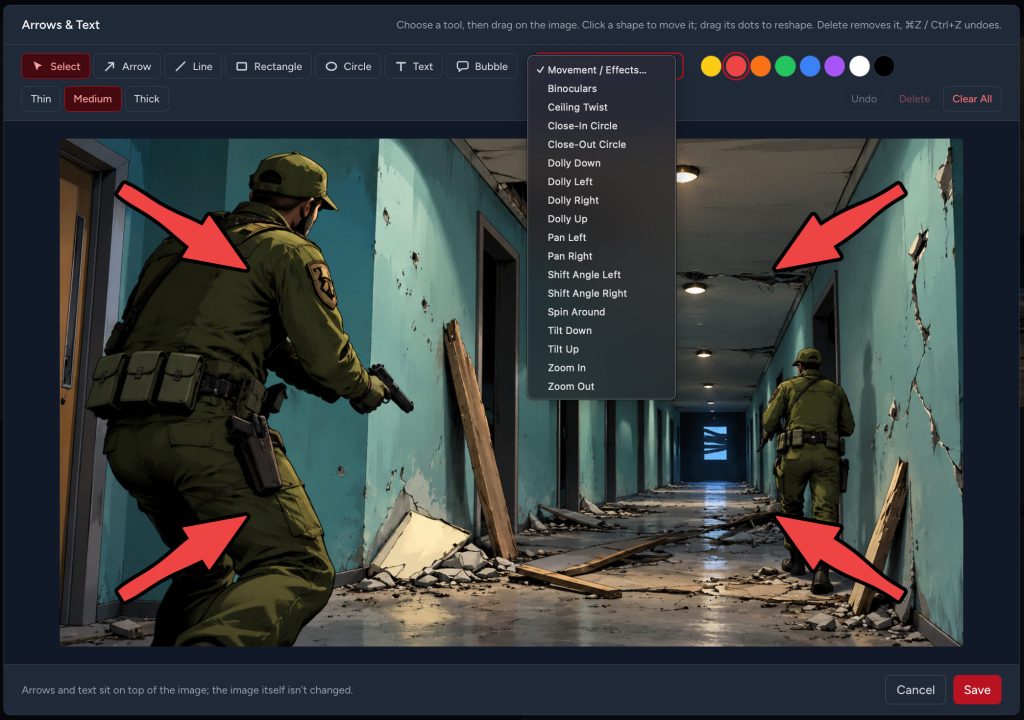
Add text, custom arrows, or professional camera-movement graphics directly to a shot. Choose movements such as Pan, Tilt, Dolly, Zoom, Spin Around, Shift Angle, Close-In Circle, and more, then move and customize the overlay on the frame.

FROM SCRIPT TO STORYBOARD

Turn the screenplay into a visual plan.

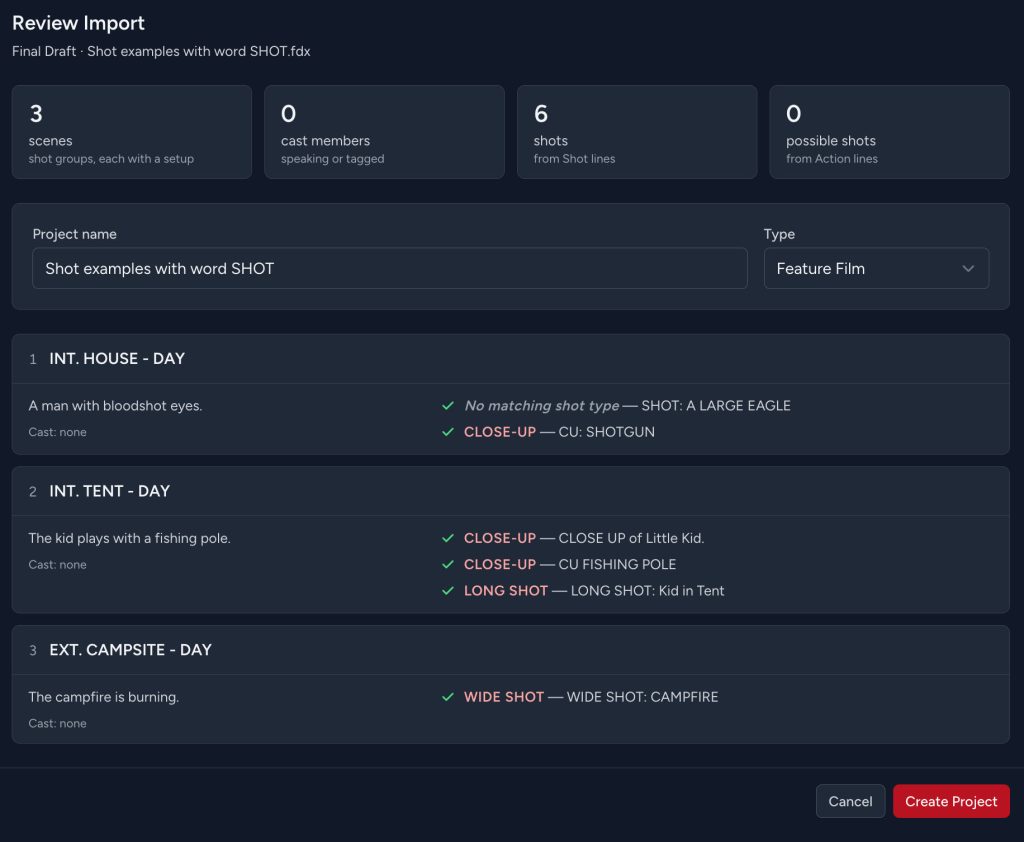
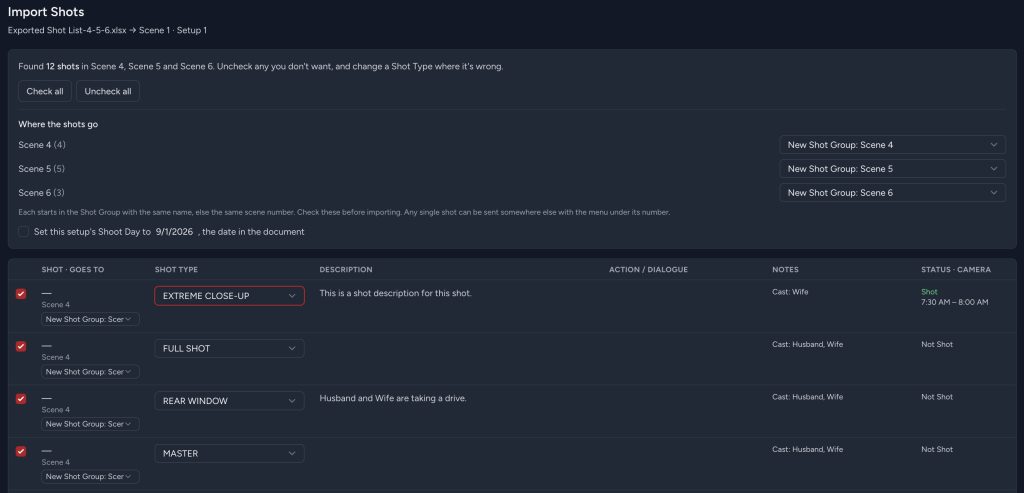
Import a Final Draft screenplay and let Shot Monkey turn scenes into organized Shot Groups. Speaking characters can become cast members, tagged production elements carry into the project, and recognized shot directions in the screenplay can be identified automatically.

Review detected shots before creating the project, then begin shaping each scene visually.

No need to rebuild the production from scratch.

A SHOT LIBRARY BUILT FOR FILMMAKERS

Know the shot. See the shot. Build the shot.

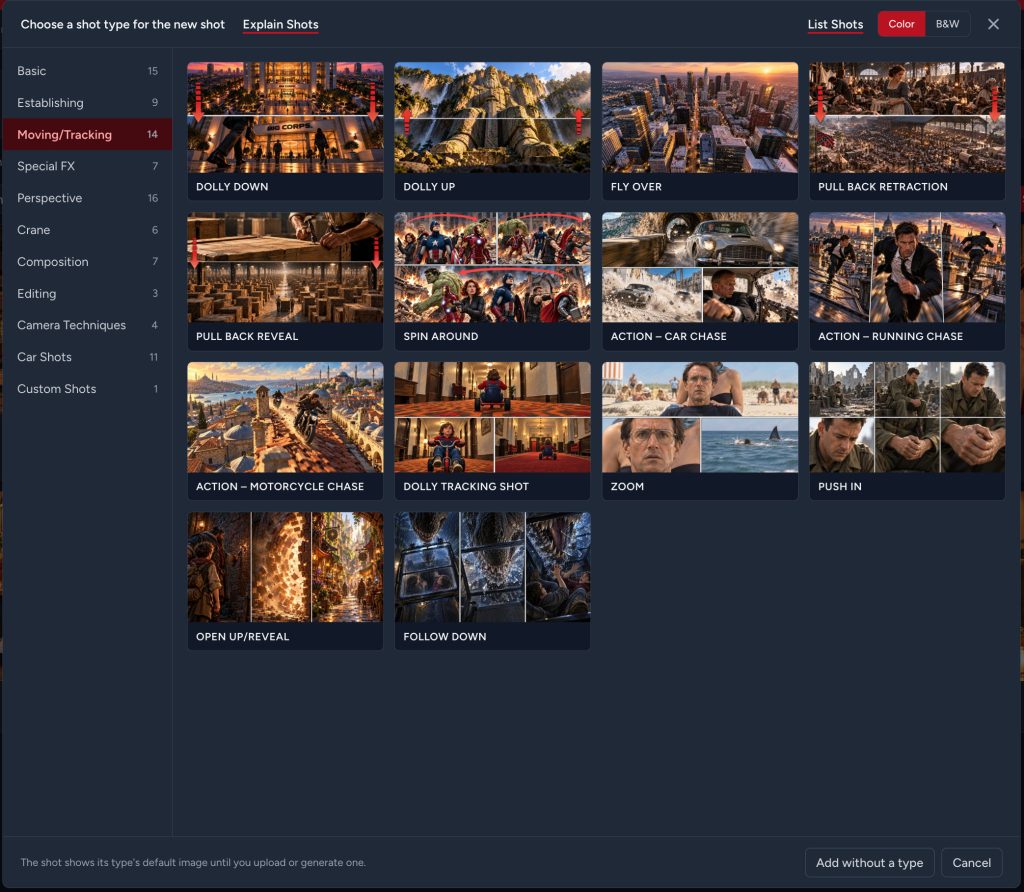
Shot Monkey includes a growing visual library of professional shot types covering everything from basic framing to camera movement, composition, special techniques, perspective, crane shots, and specialized car shots.

Every built-in shot type includes a professionally illustrated reference image, available in color and black & white, so you can create a clear storyboard even before generating or uploading custom artwork.

Not familiar with a particular shot? Explain Shots provides an easy-to-understand description of what the shot means and how it is used.

AI STORYBOARDS THAT UNDERSTAND THE SCENE

Create the image you actually need.

Shot Monkey AI goes beyond a blank image prompt.

Define the characters, scene mood, visual style, wardrobe, environment, and creative direction. Shot Monkey combines that information with the selected shot type to generate storyboard artwork designed around the way the scene will actually be filmed.

Maintain consistent characters from shot to shot and create different looks for different scenes without repeatedly rebuilding the prompt.

Choose from visual treatments including storyboard sketch, realistic, comic book, cartoon, rough sketch, watercolor, film noir, color, and black & white.

Your scene. Your characters. Your shot.

No need to rebuild the production from scratch.

CAMERA MOVEMENT, RIGHT ON THE FRAME

Show the crew how the camera moves.

Select a camera movement and Shot Monkey places the appropriate directional graphic directly over the storyboard image.

Choose from movements including Binoculars, Ceiling Twist, Close-In Circle, Close-Out Circle, Dolly Down, Dolly Left, Dolly Right, Dolly Up, Pan Left, Pan Right, Shift Angle Left, Shift Angle Right, Spin Around, Tilt Down, Tilt Up, Zoom In, Zoom Out, and more.

Move the graphic anywhere on the shot, change its color, and add a black border for visibility against the image.

You can also add your own arrows and text annotations for actor movement, important visual details, or production notes.

PLAN MORE THAN THE PICTURE

Every shot carries the details behind it.

A storyboard frame is only part of the plan.

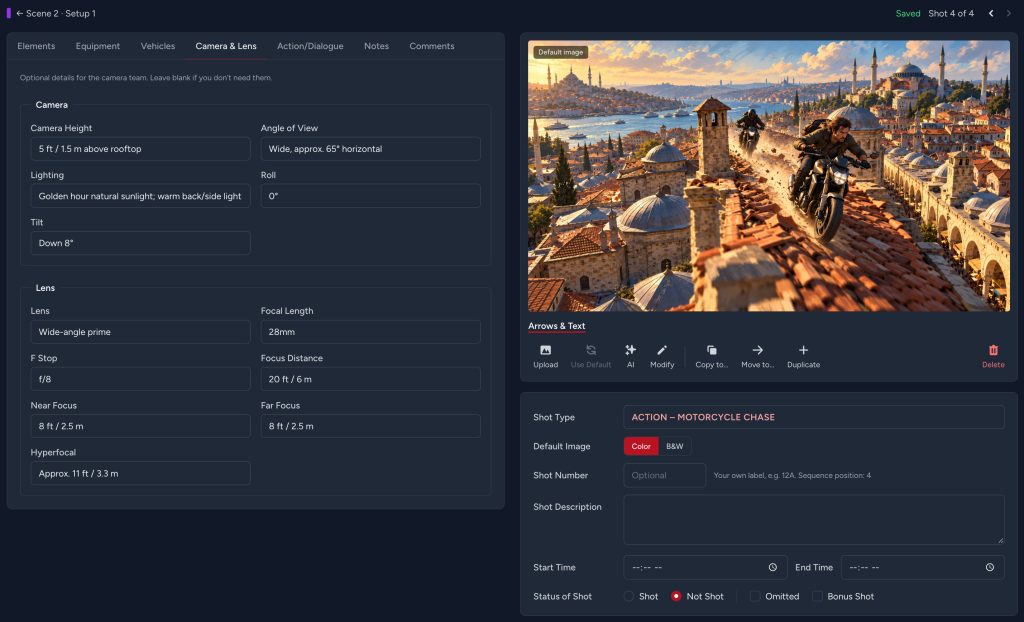
For every shot, Shot Monkey can track the information the director, cinematographer, and production team need, including camera height, angle of view, lighting, roll, tilt, lens, focal length, F-stop, focus distance, near and far focus, hyperfocal distance, timing, notes, and shooting status.

Assign cast, equipment, vehicles, props, wardrobe, and other production elements directly to individual shots.

The picture tells you what you want to shoot.

Shot Monkey helps you figure out what you need to shoot it.

BUILD THE STORYBOARD YOUR WAY

From first idea to finished frame.

Start with one of Shot Monkey’s professionally illustrated shot types.

Generate a custom frame with AI.

Upload your own storyboard artwork or production image.

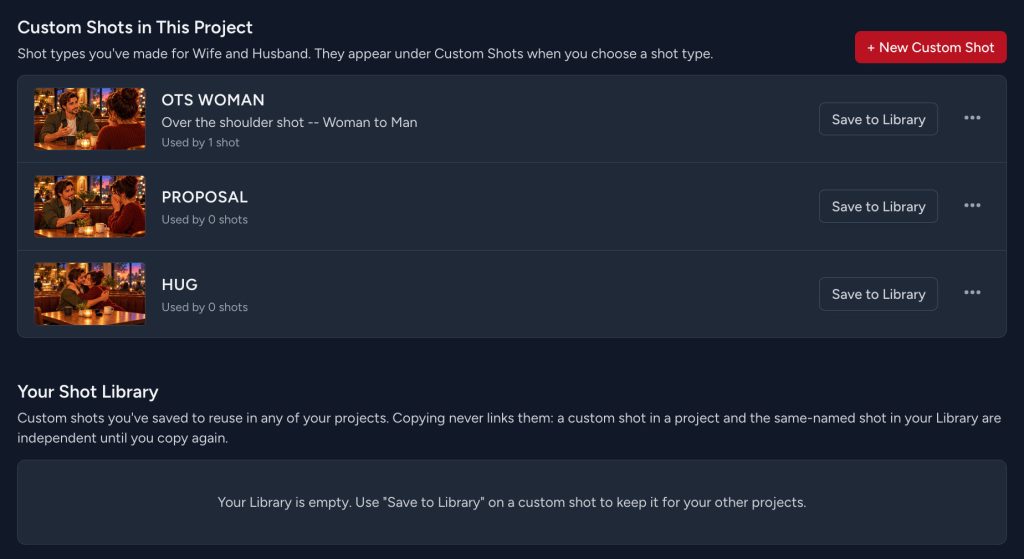
Or create your own custom shot type and save it to your personal Shot Library for use across projects.

Switch between List and Side-by-Side storyboard views, display 4, 6, or 8 shots across.

ORGANIZE THE SHOOT

Scenes, setups, shots, and production elements stay connected.

Shot Monkey organizes the project the way filmmakers think about coverage:

Project → Shot Groups → Shot Setups → Shots

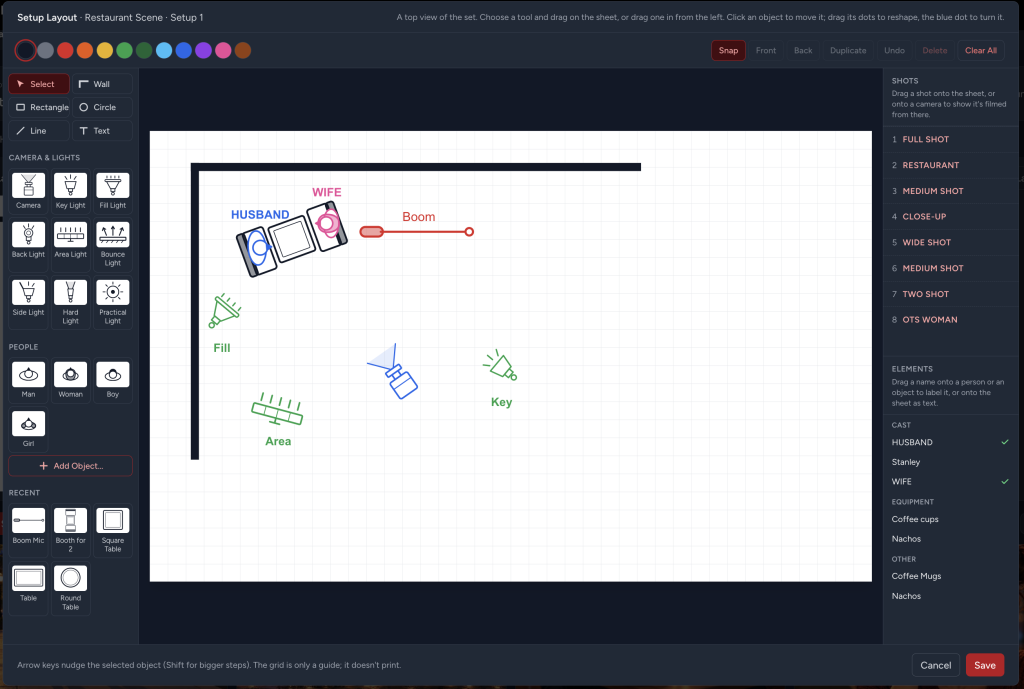
Create multiple setups for a scene, assign shoot days, add director’s notes, move shots between setups, and keep track of what has and has not been photographed.

On set, mark a shot Shot or Not Shot with a click so the storyboard becomes a living production plan rather than a document that gets forgotten once filming starts.

PROFESSIONAL REPORTS

Take the visual plan to set.

Turn your Shot Monkey project into production-ready PDF reports.

Create Storyboard reports with images, descriptions, and timing. Generate detailed Shot Lists with camera and lens information. Print element reports showing the cast, equipment, vehicles, props, and other resources required for individual shots.

Reports can be created for the complete project, a single Shot Group, or an individual setup, and can include all shots, only completed shots, or only shots still waiting to be filmed.

Customize page size, orientation, headers, footers, margins, and other report settings based on your plan.

COLLABORATE ON THE SHOT

Keep creative decisions connected to the frame.

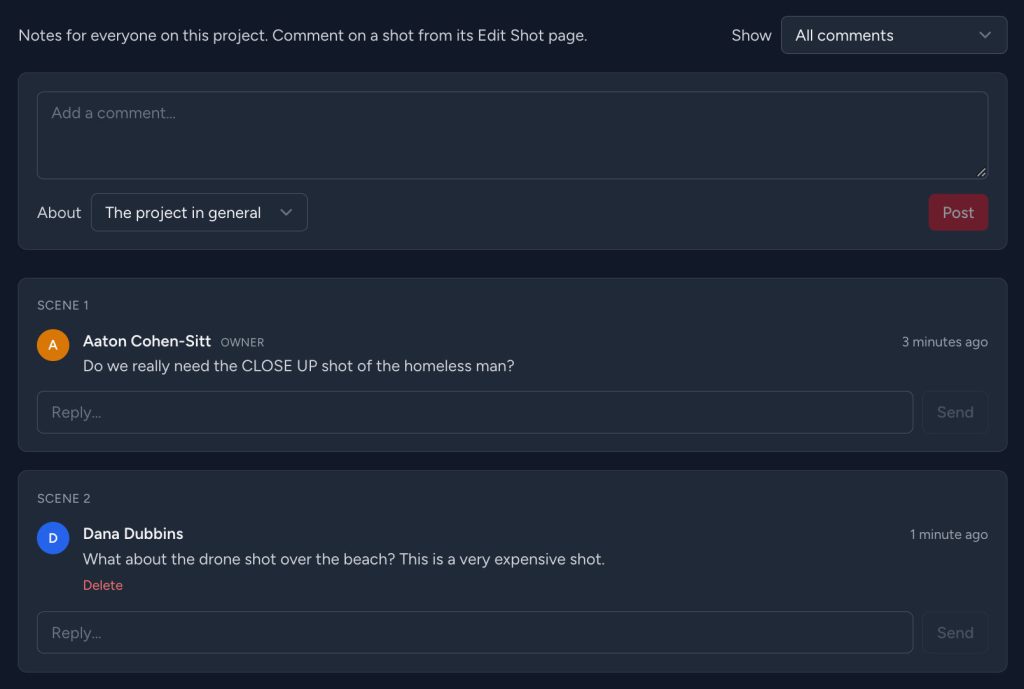
Invite collaborators to review the project as Commenters or Editors.

Discuss the entire project, a scene, or an individual shot. Comments remain attached to the item being discussed, making it easier for directors, cinematographers, producers, and other collaborators to keep visual decisions organized.

No more trying to remember which frame someone meant in a long email thread.

GET STARTED WITH SHOT MONKEY

See the scene before you shoot it.

Build the storyboard, design the shot list, plan camera movement, visualize scenes with AI, and bring the production to set with a clear visual plan.

AI-ASSISTED BREAKDOWN

Get from screenplay to breakdown faster.

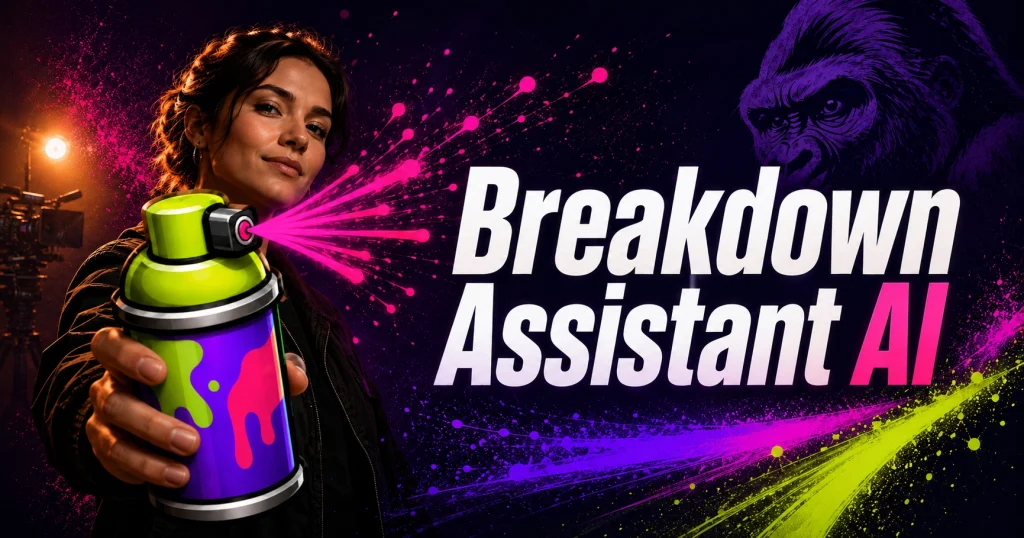
Use Breakdown Assistant AI with Gorilla Scheduling Online to help identify and organize production elements from your screenplay. Start with an AI-assisted breakdown, review the results, and continue refining the project inside your scheduling workflow.

Let AI handle the first pass so you can spend more time shaping the production plan.

Breakdown Assistant AI break down your screenplay

GET STARTED WITH GORILLA SCHEDULING ONLINE

Ready to build the schedule?

Break down your screenplay, organize the shoot, collaborate with your team, and keep the production moving with Gorilla Scheduling Online.

Let AI handle the first pass so you can spend more time shaping the production plan.

Gorilla Scheduling Online film software

GORILLA SCHEDULING ONLINE

Professional scheduling from your browser.

Gorilla Scheduling Desktop production budgeting software

GORILLA SCHEDULING DESKTOP

Professional scheduling on Mac and Windows.

Newsletter Signup