
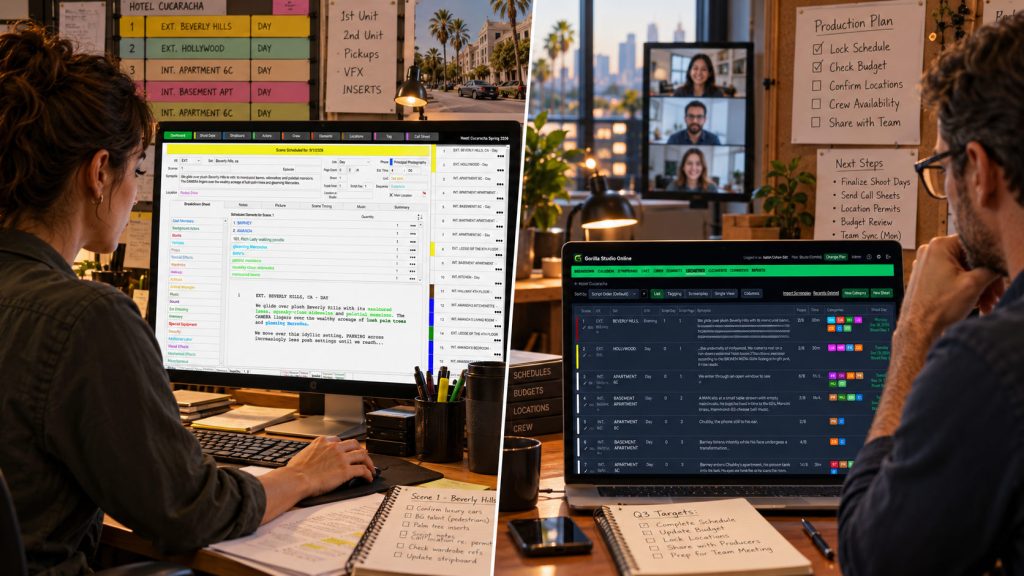
For years, film scheduling and budgeting software lived on desktop computers. Producers built budgets, assistant directors organized stripboards, and production managers generated reports using applications installed on their Mac or Windows machines. Projects were saved as files, shared when necessary, and updated by the person responsible for maintaining the schedule or budget.
Today, filmmakers have another option.
Desktop vs online film production software is no longer simply a question of traditional applications versus modern technology. Both approaches can support professional production planning. The real difference is how filmmakers want to access their projects, collaborate with their teams, manage files, and work during pre-production.
With the release of Gorilla Scheduling Online and Gorilla Budgeting Online, Jungle Software now offers both approaches. Productions can continue using established Gorilla Desktop applications or move into a browser-based workflow with online access, collaboration, and newer production tools.
The question is no longer whether desktop or online software is universally better. It is which workflow makes the most sense for your production.
Desktop vs Online Film Production Software: Understanding the Difference
Desktop film production software runs as an application installed on your computer. Project files are generally stored and managed locally, giving users direct control over their working environment.
Online film production software runs through a web browser. Instead of being tied to one computer, the project can be accessed through an online account from different locations and supported devices.
Both approaches can be used to break down scripts, build schedules, manage production information, create budgets, and generate reports. Neither delivery method automatically makes a scheduling or budgeting application more professional.
What matters is the underlying production workflow.
A good scheduling application still needs to organize scenes, cast, locations, production strips, shoot days, and reports. A professional budgeting application still needs detailed accounts, rates, fringes, globals, expense tracking, and meaningful financial reports.
The browser does not make those requirements disappear. It simply changes how users interact with them.
Why Desktop Production Software Still Makes Sense
Desktop production software has supported professional film and television work for decades, and there are good reasons filmmakers continue using it.
One of the biggest advantages is control over the local working environment. A producer or assistant director can keep project files on a computer, work without relying on an active internet connection, and maintain an established production workflow.
For experienced users, familiarity also matters.
An assistant director who has spent years building schedules in Gorilla Desktop may already have an efficient system for importing screenplays, organizing breakdown elements, arranging strips, and generating reports. Similarly, a line producer may have budget templates, reporting preferences, and established methods developed through many productions.
Switching software simply because something is newer does not automatically improve that process.
Gorilla Scheduling Desktop and Gorilla Budgeting Desktop continue to offer professional tools for Mac and Windows. These applications remain useful for filmmakers who prefer installed software, local project management, and traditional desktop workflows.
Desktop users may also depend on specific features or integrations, including the established Gorilla Scheduling Storyboard and Shot List tools or the Koala Call Sheets add-on.
For those productions, keeping the desktop workflow may be the practical choice.
What Changes When Film Production Software Moves Online?
Online production software offers a different kind of flexibility.
Consider a producer working from Los Angeles while the assistant director prepares the shooting schedule in Atlanta. Meanwhile, a line producer may be reviewing budget assumptions from a production office in Vancouver.
With a traditional file-based workflow, project information may need to be exported, transferred, reviewed, and returned before the next revision can be made.
Browser-based production software can reduce that back-and-forth.
With Gorilla Scheduling Online and Gorilla Budgeting Online, users can access their projects through a browser without installing the desktop applications. Depending on their subscription and permissions, team members can collaborate around shared production information instead of continually exchanging working files.
That becomes particularly useful when a production team is distributed across multiple locations.
A director may need to review scheduling choices. The producer may want to examine the cost implications. An assistant director may need to adjust shoot days. The line producer may be working on revised budget assumptions.
Online access helps keep those conversations closer to the current project.
It does not eliminate the need for clear responsibilities or careful revisions. However, it can make information easier to access when decisions need to be made quickly.
Collaboration Is One of the Biggest Differences
Production planning is collaborative, but not every member of the team needs to edit every part of the project.
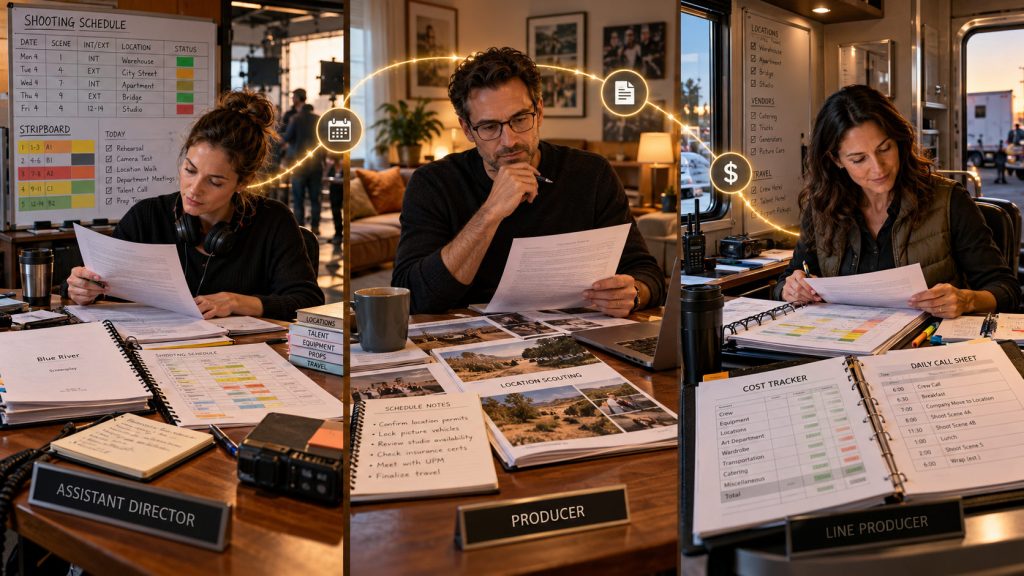
The assistant director may control the shooting schedule. The line producer may oversee the budget. Producers and production managers need to review both. Other collaborators may only require access to certain information.
With a desktop workflow, coordination often happens through reports, exported files, meetings, and shared documents.
That approach can work well, particularly when one person is responsible for maintaining the master project.
Online collaboration offers a different model.
Rather than keeping the active project on one person’s computer, an online system can make production information accessible through a shared workspace. Collaborators can review or contribute according to the features and permissions available in their plan.
This can help reduce the familiar problem of multiple file versions circulating around a production.
One person has Monday’s schedule. Another has Tuesday’s revised PDF. Someone else has a budget based on the previous shoot-day count.
The underlying problem is not that people are careless. It is that production information changes faster than separate files can be distributed.
Online collaboration can help address that problem, especially when multiple people need ongoing access to the same working project.
Working Offline: An Important Production Consideration
One of the strongest arguments for desktop software has always been its ability to operate without an internet connection.
Film productions do not always work in offices with dependable Wi-Fi. Location scouting can take filmmakers into rural areas, mountains, deserts, and other places where connectivity is unreliable.
A desktop application with a local project file can continue functioning in those environments.
However, browser-based applications are beginning to offer more flexible offline capabilities as well.
Gorilla Scheduling Online includes a Work Offline feature, allowing users to work on their schedules without an internet connection and synchronize their changes after reconnecting.
This is especially useful for assistant directors and producers who may need to continue planning while scouting locations, traveling, or working somewhere with limited connectivity.
It is important to distinguish this feature from full desktop-style offline operation. Offline support can vary by application, feature, and synchronization requirements.
In the Gorilla ecosystem, traditional offline and local workflows remain a strength of Gorilla Desktop, while Gorilla Scheduling Online provides a separate offline-capable scheduling option.
The takeaway is straightforward: filmmakers should examine their actual working conditions before choosing a platform.
A production working primarily from connected offices may value browser collaboration most. A filmmaker working regularly in remote locations may place greater importance on dependable offline access.
Scheduling: The Same Production Logic, Different Workspaces
Whether a schedule is built on a desktop or in a browser, the fundamentals remain the same.
A screenplay needs to be broken down into scenes and production elements. Those scenes become production strips. The strips are arranged into shoot days. Cast availability, location groupings, night work, company moves, and production complexity all affect the final schedule.
Gorilla Scheduling Desktop has long supported this approach.
Gorilla Scheduling Online carries much of that production logic into a browser-based environment, including screenplay import, breakdown sheets, stripboards, shoot days, cast and crew management, and reports.
The choice between versions comes down partly to how the assistant director prefers to work.
For someone managing a schedule independently and maintaining local project files, Gorilla Desktop may remain ideal.
For an assistant director who needs online access, collaboration, and a more modern browser interface, Gorilla Scheduling Online offers another approach.
The production logic stays familiar. The workspace changes.
Budgeting: Local Control or Browser-Based Flexibility?
The same decision applies to film budgeting.
A professional production budget needs structure, whether the software runs locally or online. Producers still need account categories, detailed line items, globals, fringes, quantities, rates, tax incentives, expenses, and reports.
Gorilla Budgeting Desktop provides an established Mac and Windows workflow for creating and managing those budgets.
Gorilla Budgeting Online brings professional budget structure into a browser-based application, adding collaboration and newer features such as budget comparisons, sub-budgets, and integrated Ratebook options.
For example, a line producer developing several versions of a budget may benefit from online budget comparison tools. A production with distributed producers may find browser access useful for reviewing costs and revisions.
On the other hand, a long-time Gorilla Desktop user may already have an established budget template library, familiar reporting procedures, and a workflow that does not require online collaboration.
Both can be legitimate professional choices.
The question is whether the tools support the way the producer builds, reviews, and controls the budget.
What About Moving Projects Between Desktop and Online?
For existing Gorilla customers, this may be one of the most important questions.
Choosing an online workflow should not necessarily mean abandoning years of production experience or rebuilding supported projects from scratch.
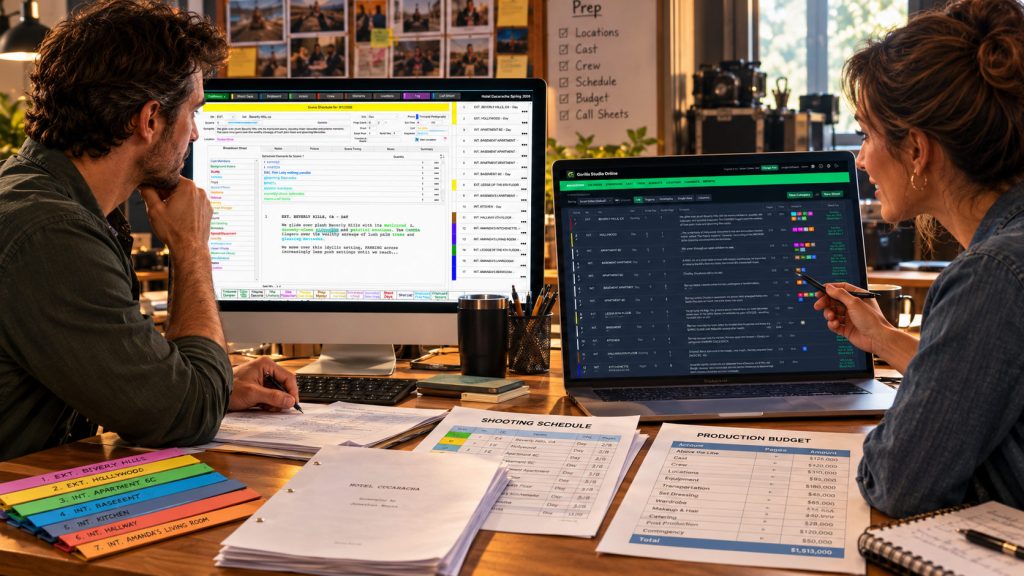
Gorilla provides project-transfer workflows between its Desktop and Online applications.
Gorilla Scheduling Desktop can export supported projects for Gorilla Scheduling Online, while Gorilla Scheduling Online can save files for import back into the desktop application.
Similarly, Gorilla Budgeting Desktop and Gorilla Budgeting Online support transferring compatible budgets between the two environments.
This creates useful flexibility.
A production may begin in an established desktop environment and move a supported project online when collaboration becomes important. Another production may use browser-based tools during pre-production and later transfer the project for a desktop-specific workflow.
However, project transfer should not be confused with continuous automatic synchronization between separate desktop and online projects. Users should verify which information transfers and whether all project features are supported in both versions.
The broader advantage is that filmmakers can choose their working environment without necessarily starting over.
Desktop vs Online for Film Schools
Film schools face a slightly different set of challenges.
Students need to learn professional production fundamentals, but schools also need to manage software access, classroom computers, individual projects, instructors, and changing enrollment.
Traditionally, production software was installed on campus computers or student laptops. That model remains useful, especially when schools have dedicated editing or production labs.
Online software introduces another option.
Students can access production projects through browsers, reducing dependence on a particular lab workstation. Instructors can also incorporate online scheduling and budgeting into coursework and collaborative productions.
Gorilla Online includes School Mode, designed for educational environments, while Gorilla Desktop remains available for institutions that prefer traditional installations.
For instructors, the most important consideration should be educational value.
Students still need to understand how to break down a script, group locations, build a stripboard, estimate cast and crew costs, and explain their production decisions.
The delivery platform should support those lessons, not replace them.
Which Workflow Fits Your Production?
There is no universal answer to the desktop-versus-online question.
A solo filmmaker with a familiar desktop setup may have little reason to change an efficient process.
An independent production team working from several cities may place greater value on shared online access.
A line producer may prefer dedicated desktop budget templates, while another may benefit from online budget comparisons and collaboration.
Schools may choose differently depending on student access, licensing, classrooms, and teaching methods.
Rather than beginning with the question, “Which version is newer?” begin with something more useful:
How does your production actually work?
Consider who needs to access the project, how often the schedule or budget changes, whether collaborators need editing access, how reliably the team can connect to the internet, and which specific production features matter most.
The best software is the one that supports those needs without adding unnecessary work.
The Hybrid Approach: You Do Not Have to Choose Forever
One of the advantages of the Gorilla ecosystem is that Desktop and Online are not entirely separate worlds.
Both approaches are built around professional scheduling and budgeting, and supported project-transfer capabilities provide flexibility between them.
A filmmaker might remain primarily on Gorilla Desktop while exploring online features for a new production.
A school could continue using desktop applications in its labs while introducing browser-based assignments or collaboration.
A production company might choose Desktop for one project and Online for another based on the team, project complexity, and workflow requirements.
This allows productions to adopt online tools at a practical pace rather than changing everything at once.
Final Thoughts: The Best Workflow Is the One That Fits
Desktop vs online film production software is not a contest between old and new.
It is a choice between different ways of organizing professional production work.
Desktop software offers familiar installed applications, local project control, and established offline workflows.
Online software offers browser-based access, collaboration, centralized projects, and the flexibility to work from different locations.
With Gorilla Scheduling Online and Gorilla Budgeting Online, filmmakers now have another way to use the Gorilla production workflow while continuing to have access to established desktop applications.
The screenplay still needs a breakdown. The stripboard still needs a workable schedule. The budget still needs accurate assumptions. Reports still need to tell the production team what is happening.
Those responsibilities do not change.
What changes is where, when, and how the team gets the work done.
And that is the real value of having a choice.
Explore Gorilla Desktop and Online
Compare Gorilla Desktop vs. Online
See the available features and differences between the two workflows.
https://junglesoftware.com/gorilla-desktop-vs-online/
Gorilla Scheduling Online
Build script breakdowns, stripboards, shooting schedules, and reports in your browser.
https://junglesoftware.com/gorilla-scheduling-online/
Gorilla Budgeting Online
Create professional production budgets with accounts, globals, fringes, rates, and reports.
https://junglesoftware.com/gorilla-budgeting-online/
Gorilla Desktop Products
Explore traditional Mac and Windows scheduling and budgeting software.
https://junglesoftware.com/gorilla-desktop-products/
Explore Gorilla Online Products
https://junglesoftware.com/gorilla-online-products/