
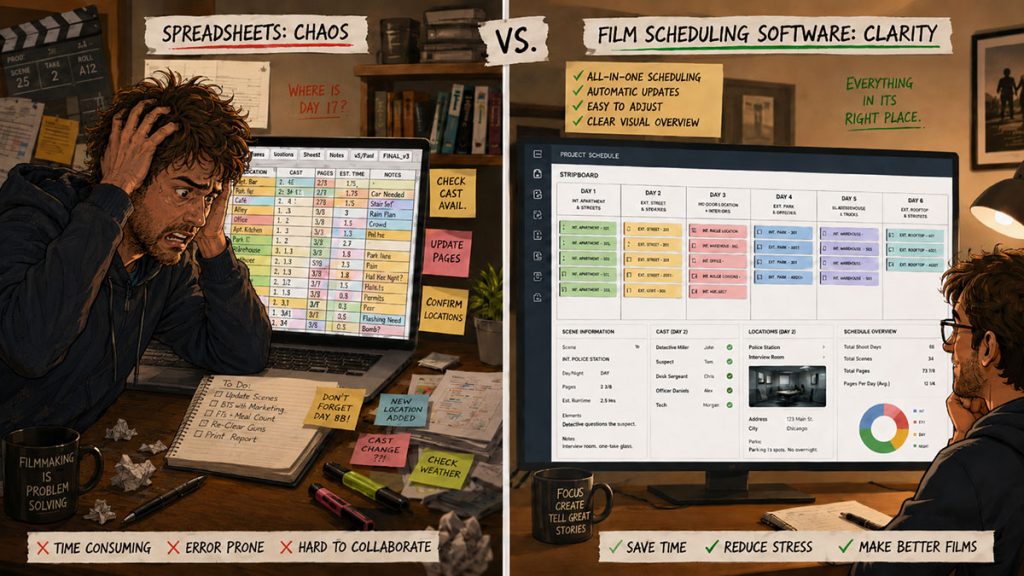
Every filmmaker has met the dreaded “spreadsheet”. Now, don’t get me wrong — spreadsheets can very useful … for lists and simple calculations. But for a full on film schedule? Mmh…
It sits there quietly with its rows and columns, pretending to be simple. A few scene numbers here. A few locations there. Maybe some color coding. Maybe a tab for cast. Maybe another tab for locations. Maybe a third tab called “Schedule Final” that is immediately followed by “Schedule Final Revised,” “Schedule Final Revised 2,” and “Actual Final Please Use This One.”
As I said, spreadsheets can be useful. They are flexible, familiar, and inexpensive. Many productions start there because a spreadsheet feels like an easy way to organize a script breakdown or early shooting schedule.
But film scheduling is not just a list-making task.
A real shooting schedule has to connect scenes, production strips, locations, cast availability, page count, day/night work, company moves, Day Out of Days reports, production calendars, call sheets, and budget assumptions.
That is where the spreadsheet can start to wobble.
Film scheduling software is designed for the specific workflow of production. It understands that a screenplay becomes a breakdown, the breakdown becomes production strips, the strips become a stripboard, the stripboard becomes a shooting schedule, and the schedule affects the budget.
So which is better for pre-production: film scheduling software or spreadsheets?
The answer depends on the size, complexity, and seriousness of the project. But once a production moves beyond a very simple shoot, scheduling software usually gives the team a stronger, safer, and more professional workflow.
Let’s break it down.
What Filmmakers Use Spreadsheets For
Spreadsheets are often the first tool filmmakers use because they are accessible.
A producer or assistant director might use a spreadsheet to track:
- Scene numbers
- Locations
- Cast
- Page counts
- Shoot days
- Props
- Vehicles
- Wardrobe
- Background actors
- Equipment
- Call times
- Location notes
- Budget estimates
For early planning, this can be helpful.
A spreadsheet can quickly answer basic questions:
How many scenes are in the script?
How many locations are there?
Which actors appear most often?
How many night scenes are in the project?
Which scenes seem expensive or complicated?
For a short film with one location, a small cast, and a simple schedule, a spreadsheet may be enough.
But as the production grows, the limitations become more obvious. The spreadsheet may still contain useful information, but it does not behave like a film scheduling system. It has to be manually turned into one.
That manual work is where problems begin.
What Film Scheduling Software Is Designed to Do
Film scheduling software is built specifically for the production workflow.
Instead of treating scenes as ordinary rows, it treats them as scheduleable production elements.
A proper film scheduling system helps the team move through the full pre-production chain:
Script import → script breakdown → production strips → stripboard → shooting schedule → reports
That matters because each document depends on the previous one.
The breakdown identifies the elements in each scene.
The production strips summarize those scenes for scheduling.
The stripboard organizes the strips into shoot days.
The shooting schedule presents the plan.
The Day Out of Days report tracks cast work patterns.
The call sheet pulls from the day’s scheduled work.
The budget reacts to the number of days, cast needs, locations, and production complexity.
A spreadsheet can imitate parts of this workflow, but film scheduling software is designed around it from the beginning.
That is the difference between drawing a map by hand and using a map built for the terrain.
The Main Difference: Lists vs. Workflow
The biggest difference between spreadsheets and film scheduling software is this:
A spreadsheet stores information.
Film scheduling software helps manage a production workflow.
A spreadsheet can tell you Scene 12 is set in a diner, includes two actors, and is 2 1/8 pages.
Scheduling software can help you turn that scene into a production strip, place it on a stripboard, group it with other diner scenes, count it into a shoot day, track the cast needed, connect it to reports, and revise the schedule when something changes.
That workflow advantage becomes more important as the project grows.
A ten-scene short film may be manageable in a spreadsheet.
A feature film with 95 pages, 37 locations, 18 cast members, 12 night scenes, company moves, stunts, vehicles, and shifting availability needs more than rows and optimism.
Spreadsheets are flexible.
Film scheduling software is structured.
In production, structure is not the enemy of creativity. It is often what keeps creativity from being flattened by logistics.
Script Breakdown: Spreadsheet vs. Software
The script breakdown is where scheduling begins.
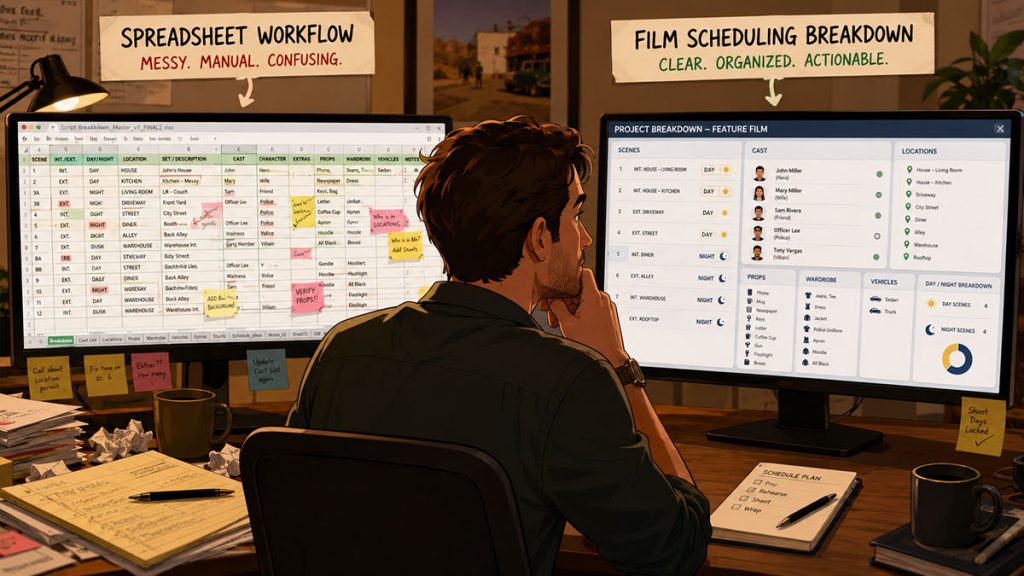
In a spreadsheet, the assistant director or producer may manually enter each scene and list the elements required. This can work, but it requires discipline. Every field must be created manually. Every category must be maintained. Every revision must be tracked carefully.
In film scheduling software, the breakdown is designed as part of the workflow. Scenes, cast, locations, props, wardrobe, vehicles, background actors, and other elements can be organized in production-specific categories.
This matters because the breakdown feeds the schedule.
If breakdown information is scattered or inconsistent, the stripboard may not reflect the real needs of the script.
For example, if a spreadsheet accidentally lists a character as “Detective Harris” in one scene and “Harris” in another, the team may miss the connection. If a location is entered as “Apartment,” “Apt,” and “Main Apartment,” sorting becomes unreliable. If props are tracked in another tab and wardrobe in another document, the production can lose visibility.
Film scheduling software reduces that friction by organizing breakdown elements in a consistent structure.
A spreadsheet can hold the data.
Scheduling software helps make the data usable.
Stripboards: Where Spreadsheets Start to Struggle
The stripboard is one of the clearest places where scheduling software has an advantage.
A stripboard is not just a list. It is a visual scheduling board where each scene becomes a movable production strip.
Assistant directors use stripboards to organize scenes by:
- Location
- Set
- Day or night
- Interior or exterior
- Cast availability
- Page count
- Scene complexity
- Company moves
- Special equipment
- Production difficulty
A spreadsheet can list all of that information, but moving scenes around can become awkward. Rows must be cut, pasted, recolored, renumbered, and checked against other tabs. If one change affects cast, locations, page totals, and reports, the spreadsheet may not update everything cleanly unless it has been carefully built with formulas and references.
Even then, the workflow can feel fragile.
Film scheduling software treats the stripboard as the heart of the schedule. Production strips can be moved, sorted, grouped, and reviewed visually.
In Gorilla Scheduling, for example, the stripboard can be sorted by multiple criteria, including set, location, day/night, and other scheduling fields. The board can be displayed horizontally or vertically, customized visually, and used to generate reports from the selected default board.
That is a very different workflow from pushing spreadsheet rows around like stubborn furniture.
Sorting and Grouping Scenes
Sorting is one of the most important scheduling tasks.
A production may need to group all diner scenes together, then separate day scenes from night scenes, then check which cast members are needed, then review page count.
In a spreadsheet, sorting can work if the data is clean and the columns are properly structured. But one wrong sort can scramble related information. If merged cells, manual color coding, hidden rows, or multiple tabs are involved, the risk increases.
In scheduling software, sorting is built around production logic.
The point is not merely alphabetical order. The point is production grouping.
The assistant director may need to see:
All scenes at one location
All scenes with a specific cast member
All night scenes
All exterior scenes
All scenes using a vehicle
All scenes with background actors
All scenes grouped by set
All scenes with special notes
Professional scheduling software makes that process easier because the data is already organized around the way films are scheduled.
Spreadsheets can sort rows.
Scheduling software can sort production realities.
Page Count and Day Breaks
Page count is central to scheduling.
A shooting day is often evaluated by how many script pages are scheduled, but page count must be balanced against scene complexity. A six-page interior dialogue day may be manageable. A two-page night exterior stunt scene may be a full day by itself.
In spreadsheets, page totals can be calculated with formulas, but the user must build and maintain those formulas. If scenes are moved, grouped, duplicated, or split, the formulas may need adjustment.
Film scheduling software is designed to track page counts within the board.
Gorilla Scheduling includes the ability to automatically insert a day break after a chosen amount of script pages. That can help create a first pass schedule or test whether the board is roughly balanced by page count.
The assistant director still needs judgment. No software can magically know that a half-page car stunt in the rain might require half the crew to age visibly by lunch.
But software can do the counting, totaling, and organizing so the human can focus on the decision-making.
Scene Timing: Beyond Page Count
One weakness of spreadsheet scheduling is that page count can easily become the only timing estimate.
But page count is not enough.
A scene may be short on the page but long on set because of lighting, rehearsal, camera setup, blocking, or special requirements.
Film scheduling software can support a more detailed timing workflow.
Gorilla Scheduling includes Scene Timing tools that allow filmmakers to estimate a scene’s shooting time in three ways:
One method is to break the scene into parts, such as prep, lighting, rehearsal, blocking, camera setup, and shooting time. Each segment can receive an estimated time, creating a more realistic total for the scene.
Another method allows Gorilla to estimate time based on page count. This is not as precise, but it can help create a useful starting point.
A third method allows the user to manually enter an estimated time for the scene.
This flexibility is useful because not every scene needs the same level of timing detail. A simple phone call may only need a quick estimate. A difficult night scene with camera movement and effects may need a careful timing breakdown.
Spreadsheets can be customized to track estimated time, but scheduling software makes scene timing part of the production workflow rather than a homemade side calculation.
Cast Tracking and Day Out of Days
Cast scheduling is one of the strongest reasons to use dedicated film scheduling software.
A spreadsheet can show which actors appear in which scenes, but it does not automatically think like a Day Out of Days report.
A Day Out of Days report tracks when each actor starts work, works, holds, travels, and finishes. It helps producers and assistant directors understand cast work patterns and potential cost issues.
For example, if a supporting actor appears in five scenes scattered across four weeks, the production may face unnecessary costs. If the same scenes can be grouped into two days, the schedule may become more efficient.
In a spreadsheet, this analysis can be done manually, but it is easy to miss problems.
Film scheduling software can generate reports that reveal these patterns more clearly.
Gorilla Scheduling can create Day Out of Days reports for cast and other breakdown element categories. That means the DOOD concept can extend beyond actors to props, set dressing, costumes, background actors, visual effects, and more.
That is powerful because many production elements have schedule-based costs.
An expensive prop, picture vehicle, costume, or special effect may need to be tracked by day just like cast.
A spreadsheet can list those needs.
A scheduling system can help turn them into production reports.
Locations and Company Moves
Locations are another area where spreadsheets can become difficult.
A spreadsheet may show which location each scene uses. But reading the full schedule for company moves, location groupings, and repeated returns can become cumbersome.
A shooting schedule must answer practical questions:
Are all house scenes grouped together?
How many days are needed at the diner?
Are night exteriors grouped efficiently?
Are we moving from one location to another in the same day?
How much time will the company move take?
Does a location need prep or wrap time?
Are we returning to the same location too many times?
Film scheduling software gives the assistant director a more visual way to identify these patterns.
Banners can also help. In Gorilla Scheduling, users can add banners to the stripboard for notes such as lunch, company moves, travel, pre-light, or special production events. Banners can even include page counts that total on the day break, helping the board reflect work that is not tied to a script scene.
That is important because a company move may not add script pages, but it absolutely consumes production time.
A spreadsheet may make the day look light.
A good stripboard makes the hidden work visible.
Revision Control and Schedule Versions
Pre-production is revision country.
Scripts change. Locations fall through. Cast availability shifts. Producers ask for shorter schedules. Directors ask for more time. Weather appears with opinions.
In spreadsheets, version control can become messy fast.
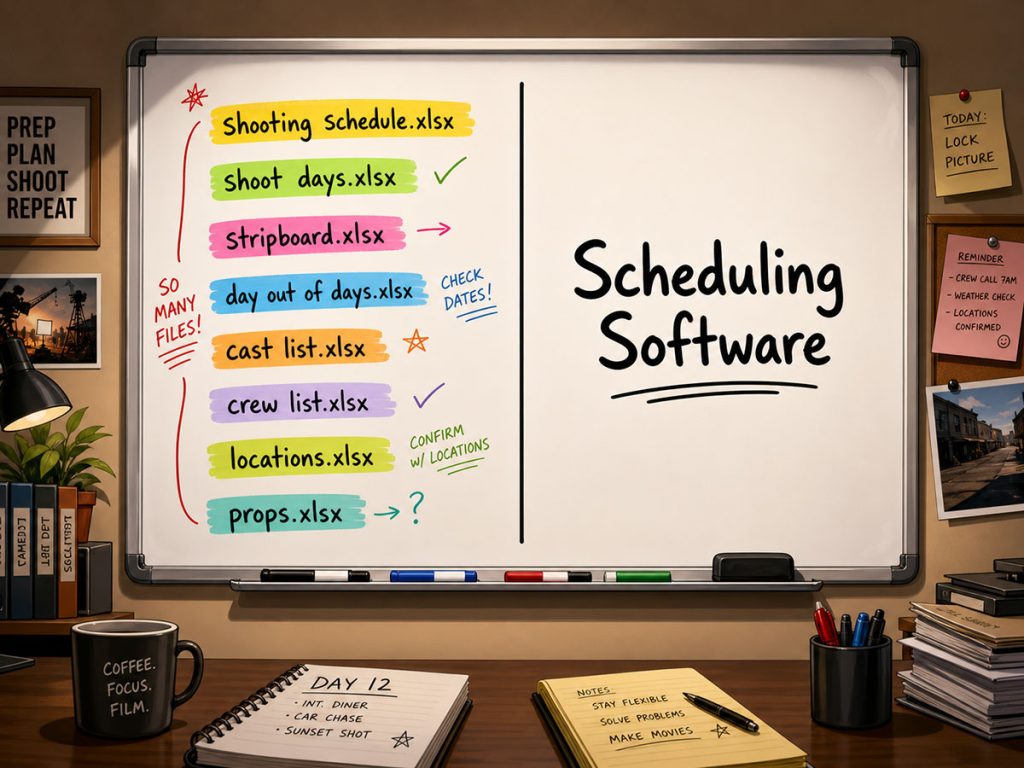
You may end up with files named:
Schedule DraftSchedule Draft RevisedSchedule Revised FinalSchedule Final FinalSchedule Final Final USE THIS ONESchedule Final Final USE THIS ONE v3
This is not a workflow. It is a cry for help wearing a filename.
Scheduling software is better suited to managing alternate schedule versions.
Gorilla Scheduling allows users to create multiple boards for the same schedule and specify one as the default board used for reports such as the shooting schedule.
That means a team can test different versions without destroying the main plan.
For example:
A location-efficient board
A cast-efficient board
A budget-conscious board
A shorter-shoot board
A weather-friendly board
A director-preferred board
Once the production chooses the official version, the default board can drive the reports.
This is a major advantage over spreadsheet chaos.
Backups and Exports
Spreadsheets are easy to save, duplicate, and share. That is one of their strengths.
But they are also easy to overwrite, damage, mis-sort, or circulate incorrectly.
Film scheduling software should protect the schedule because the schedule is a central production document.
Gorilla Scheduling automatically backs up the stripboard to Excel each time the board is saved. It can also restore a stripboard from an Excel backup and export the board to Excel.
This gives the production a practical bridge between professional scheduling software and spreadsheet sharing.
The team gets the structure of scheduling software with the flexibility of Excel exports when needed.
That matters because some people on a production may not need full scheduling software access. They may only need a shared export, department reference, or archived copy.
The schedule should be both protected and shareable.
When Spreadsheets Are Enough
Spreadsheets are not bad.
They can be perfectly reasonable for:
- Very small short films
- Early brainstorming
- Simple scene lists
- Basic location tracking
- Rough budget notes
- Simple cast availability notes
- Personal planning
- Projects with very few locations and actors
- Early development before a full breakdown
A spreadsheet can be a great first scratchpad.
If you are working on a two-day short film with three actors and one location, a spreadsheet may be all you need. There is no reason to overcomplicate a simple project.
The issue is not whether spreadsheets are useful.
The issue is whether they are enough once the production becomes more complex.
A spreadsheet is a fine notebook.
It is not always a production command center.

When Film Scheduling Software Is Better
Film scheduling software becomes the better choice when the project has enough complexity that manual tracking creates risk.
Use scheduling software when the production includes:
- A feature-length script
- Many scenes
- Multiple locations
- Several cast members
- Cast availability restrictions
- Night work
- Company moves
- Background actors
- Vehicles
- Props, wardrobe, and set dressing to track
- Stunts or special effects
- Production reports
- Day Out of Days needs
- Call sheet workflow
- Budget-sensitive scheduling
- Multiple schedule versions
- A professional crew
- A need to export or share formal reports
At that point, the schedule is no longer just a list.
It is the central nervous system of pre-production.
Scheduling software helps the production team keep that system connected.
Cost: Spreadsheet vs. Scheduling Software
Spreadsheets may appear cheaper because the tools are often already available.
But the real cost of scheduling is not only software price.
It is also:
Time spent manually building documents
Mistakes caused by disconnected information
Confusion from multiple versions
Missed cast or location conflicts
Poor location grouping
Overloaded shoot days
Unclear page counts
Untracked company moves
Incomplete production reports
Budget problems caused by schedule errors
A spreadsheet may be cheaper upfront but more expensive if it creates mistakes.
Film scheduling software costs more than a blank spreadsheet, but it can save time and reduce risk by keeping the workflow structured.
The question is not simply:
“What does the software cost?”
The better question is:
“What does a scheduling mistake cost?”
On a real production, one missed actor, one bad company move, one overloaded day, or one incorrect schedule version can cost more than the tool that might have prevented it.
Collaboration: Cloud vs. Desktop vs. Controlled Workflow
Many modern production tools emphasize cloud collaboration. That can be useful, especially for teams working remotely or production companies managing multiple users.
But collaboration is not only about everyone accessing everything at once.
Sometimes collaboration means the assistant director builds a clean board, the producer reviews reports, department heads receive organized exports, and the production office distributes official versions.
The best workflow depends on the production.
Cloud tools can help teams collaborate in real time. Spreadsheets can be shared easily. Desktop scheduling software can provide a controlled professional workspace with formal reports and exports.
The important thing is clarity.
Who owns the schedule?
Which version is official?
Who can change it?
Who receives reports?
How are updates distributed?
How is the schedule protected?
A production does not benefit from collaboration if everyone is editing the wrong document at the same time.
That is not teamwork. That is jazz with consequences.
How Scheduling Connects to Budgeting
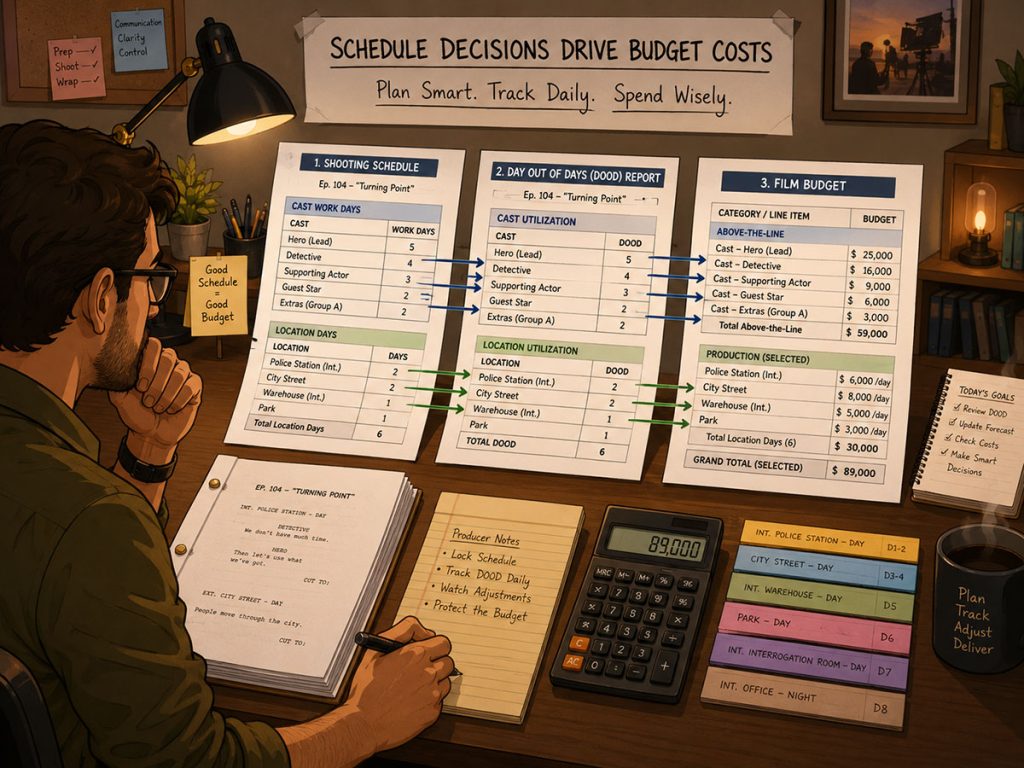
The shooting schedule directly affects the budget.
👉 See: How a Shooting Schedule Impacts Your Film Budget (And Vice Versa)
More shoot days usually mean more crew costs, cast days, equipment rentals, location fees, transportation, meals, and production support.
Bad scheduling can make a budget worse.
For example:
Scattered cast days may increase actor costs.
Poor location grouping may increase company moves.
Night scenes may require more lighting and safety planning.
Special equipment spread across many days may increase rentals.
Large background scenes may affect wardrobe, makeup, meals, and staffing.
Company moves may create overtime risk.
Spreadsheets can track some of this manually.
Scheduling software helps the production see these relationships more clearly because the schedule is built from the breakdown and can generate reports.
Gorilla Scheduling also connects naturally to Gorilla Budgeting workflows. Gorilla Budgeting can import Day Out of Days totals from a linked schedule directly into budget line day counts, such as Total Days Worked. This helps bridge the gap between schedule planning and budget estimating.
That is one of the most important reasons to use professional tools.
The schedule is not isolated from the budget.
The schedule is one of the budget’s engines.
The Hybrid Approach: Start Simple, Then Move Professional
Many productions do not need to choose spreadsheets or software forever.
A hybrid approach can work well.
Early in development, a producer may use a spreadsheet to rough out:
Locations
Cast count
Estimated shooting days
Budget assumptions
Scene complexity
Initial notes
Once the script is ready for serious pre-production, the team can move into film scheduling software for the actual breakdown, stripboard, shooting schedule, reports, and production workflow.
This approach makes sense.
Use the spreadsheet when the project is still loose.
Use scheduling software when the production needs structure.
The mistake is waiting too long to move into a professional workflow. If the spreadsheet becomes the entire scheduling system, the team may eventually have to untangle a lot of manual work.
A spreadsheet can help you think.
Scheduling software helps you produce.
What to Look for in Film Scheduling Software
When comparing scheduling tools, look for features that support real production work, not just pretty screens.
Useful features include:
- Script import
- Script breakdown tools
- Production strips
- Digital stripboard
- Sorting by location, set, day/night, cast, and other criteria
- Page count tracking
- Day breaks
- Scene timing tools
- Day Out of Days reports
- Cast and breakdown element reporting
- Multiple schedule boards
- Official/default board selection
- Banners for company moves, lunch, travel, and notes
- Customizable strip layouts
- Cast names visible on strips
- Backup and restore options
- Export to Excel
- Integration or connection with budgeting workflow
- Professional reports
The goal is not to find software with the longest feature list.
The goal is to find software that supports the way production actually works.
How Gorilla Scheduling Fits the Professional Workflow
Gorilla Scheduling is built for filmmakers who need more than a spreadsheet.
It helps production teams move from script breakdown to stripboard to professional scheduling reports. Features such as multi-criteria sorting, auto page breaks, Scene Timing, split-screen breakdown and stripboard viewing, banners, customizable strip layouts, multiple boards, boneyard strips, character names on strips, Excel backup, Excel restore, and Excel export all support the real work of film scheduling.
This is not about making scheduling complicated.
It is about keeping a complicated process organized.
A film schedule changes constantly during pre-production. Scenes move. Locations change. Cast availability shifts. Page counts get rebalanced. Producers test shorter versions. Directors protect key scenes. Assistant directors try to keep the whole machine from turning into confetti.
A spreadsheet can help at the beginning.
Gorilla Scheduling gives the production a dedicated workspace for the schedule as it becomes real.
Quick Comparison: Film Scheduling Software vs. Spreadsheets
| Category | Spreadsheets | Film Scheduling Software |
|---|---|---|
| Best for | Early notes, small shoots, simple lists | Professional schedules, complex projects, reports |
| Script breakdown | Manual setup | Built for breakdown categories |
| Stripboard | Manual imitation | Native production strips and board |
| Sorting | Basic row sorting | Production-specific sorting |
| Page count | Manual formulas | Integrated page tracking and day breaks |
| Scene timing | Manual columns | Dedicated timing tools |
| DOOD reports | Manual or custom-built | Generated from schedule data |
| Multiple versions | File duplicates | Multiple boards and official/default board |
| Backups | Manual saves | Software backup/export options |
| Budget connection | Manual estimates | Schedule data can support budgeting workflow |
| Risk level | Higher as complexity grows | Lower with structured workflow |
Final Thoughts
Spreadsheets are useful. They are familiar, flexible, and perfectly fine for early planning or very simple productions.
But film scheduling is more than rows and columns.
A real schedule connects the script breakdown, production strips, stripboard, shooting schedule, Day Out of Days report, call sheets, production calendar, and budget. It has to survive revisions, location changes, cast conflicts, page count pressure, company moves, and the beautiful little tornado known as pre-production.
For small projects, a spreadsheet may be enough.
For serious pre-production, film scheduling software is usually the better tool.
The moment the schedule needs to be moved, sorted, tested, timed, reported, backed up, and connected to the budget, a dedicated scheduling system stops being a luxury.
It becomes the safer road through the production jungle.
Continue Learning Film Production Planning
If you’re diving deeper into production planning, understanding how stripboards connect to scheduling and budgeting is essential.
You may also find these guides helpful:
- How to Schedule a Film Shoot
- Film Budget Template (Free Guide)
- What is a Stripboard and How to Create one
- How to Write a Filmable Screenplay
- What Is a Call Sheet in Film? (Free Download)
- What Is a Crew Deal Memo (And Why It Can Save Your Production)
- Film Budget Categories Explained
- How a Shooting Schedule Impacts Your Film Budget
- What Is a Production Strip in Film Scheduling?
- How to Turn a Script Breakdown Into a Film Budget
Together, these form the foundation of an efficient, well-organized production.
Questions or Comments?
Have a question about stripboards or film scheduling? Feel free to leave a comment below — or reach out if you want to learn more about how professional tools can streamline your workflow.