

Film budgeting used to live in isolated files. A producer might have one version of the budget. A line producer might have another. Someone else might be working from an exported spreadsheet, while a director is looking at an old PDF that no longer reflects the current production plan.
That kind of workflow can work for a while. Then the script changes, the schedule shifts, cast days move, locations get more expensive, or a department asks for something nobody budgeted. Suddenly the budget is not just a document. It is a living production decision tool.
Online film budgeting software gives productions a better way to build, review, and revise budgets from a browser-based workspace.
With Gorilla Budgeting Online, producers, line producers, production managers, and filmmaking teams can create and manage production budgets online while keeping the structure and reporting needed for serious film budgeting.
What Is Online Film Budgeting Software?
Online film budgeting software helps producers create, revise, and manage film budgets through a web browser instead of relying only on desktop files or disconnected spreadsheets.
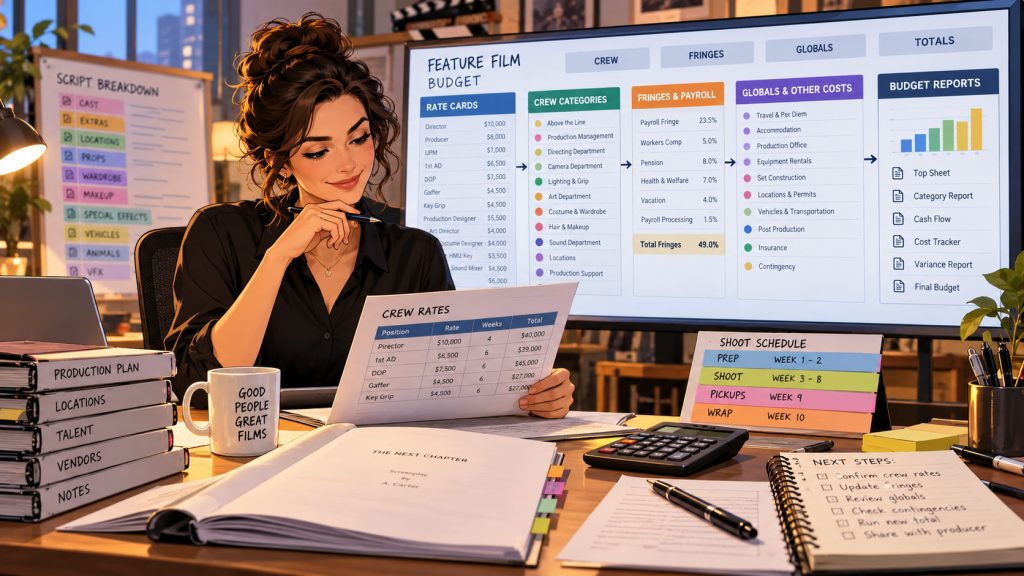
A film budget is not just a grand total. It is a structure for understanding the cost of the production. It organizes expenses into categories, accounts, line items, rates, quantities, fringes, globals, incentives, reports, and revisions.
That structure matters because a production budget has to answer practical questions. What does the current plan cost? Where is the money going? Which departments are driving the budget? How do schedule changes affect cost? What happens if cast days increase, a location changes, or the production adds another shoot day?
Gorilla Budgeting Online brings professional budgeting tools into the browser so production teams can work with a budget that is easier to access, review, and share.
Why Film Budgets Need Structure
A production budget needs more than rows and totals. It needs organization.
A simple spreadsheet can add numbers, but a professional budget needs to show how those numbers relate to the production. Above-the-line costs, crew, equipment, locations, travel, post-production, fringes, contingency, and incentives all need a place to live. Without structure, the budget becomes a pile of math wearing a trench coat.
Gorilla Budgeting Online is designed around professional budget structure. Instead of treating the budget as one flat sheet, it helps organize the budget into meaningful sections and detail lines so producers can understand not only how much the production costs, but why it costs that amount.
That is especially important as a project grows. A short film, indie feature, commercial, or student production may start with a rough estimate, but every serious production eventually needs clearer categories, more accurate assumptions, and reports that can be shared with decision-makers.
From Topsheet to Detail Lines
A useful film budget lets you move between big-picture totals and specific line-item detail.
The topsheet gives producers the overview. It shows the broad financial shape of the production and helps people understand the major cost areas quickly. Account-level views help organize the budget by category or department. Detail lines show the actual assumptions behind the numbers: quantities, rates, days, units, fringes, and notes.
This matters because producers often need to move between different levels of thinking. One moment, they are reviewing the total budget. The next, they need to know why transportation is high, why cast costs changed, or whether a particular crew line includes the right number of days.
Online film budgeting software should support that movement. Gorilla Budgeting Online is built to help users work from overview to detail without losing the structure that makes the budget understandable.
Globals, Fringes, and Budget Assumptions
Some of the most important parts of a budget are not individual line items. They are the assumptions that affect many lines at once.
Globals let producers define reusable values that can drive calculations across the budget. Fringes help account for additional costs such as payroll-related percentages, benefits, taxes, or other production-specific calculations. Contingency helps create room for risk. Incentives may affect how producers understand the net cost of a production.
These are the kinds of tools that separate professional budgeting from simple arithmetic.
A producer should not have to manually hunt down every place a rate or assumption appears. When assumptions change, the budget needs a cleaner way to respond. Gorilla Budgeting Online helps bring those budgeting mechanics into an online workflow so producers can work with the budget as a connected financial model, not just a static document.
Collaboration Without Budget Version Confusion
Budgeting often involves several people: the producer, line producer, production manager, director, accountant, department heads, investors, or school instructors. Not everyone needs the same level of access, but many people need to understand the current plan.
The trouble starts when the budget becomes a trail of exported files. One person has the latest version. Another has last week’s PDF. Someone else made notes on an old spreadsheet. The producer remembers a change that has not been entered yet. The budget begins to split into parallel universes.
Online film budgeting software helps reduce that confusion by keeping the active budget in a centralized online workspace. Instead of asking which file is current, the team can work from the current project.
That does not mean budget control disappears. Budgeting still needs careful responsibility, review, and decision-making. However, browser-based access can make it easier for the right people to review the right information at the right time.

Budgeting Is Connected to the Schedule
A budget is not built in a vacuum. The shooting schedule has a direct effect on production cost.
Add shoot days and the budget may change. Add cast days and performer costs may change. Add company moves and transportation costs may rise. Add night work and crew assumptions may need review. Move a location and the budget may need to account for travel, permits, hotels, equipment, or local labor.
That is why Gorilla Budgeting Online fits naturally with Gorilla Scheduling Online. Together, they support a production workflow where scheduling and budgeting can be understood as connected decisions.
The schedule tells the team what the production plans to do. The budget tells the team what that plan may cost. When those conversations are separated, producers can miss the financial consequences of scheduling choices. When they are connected, the production can make smarter decisions earlier.
Reports Turn the Budget Into a Decision Tool
A budget is only useful if producers can read it, explain it, and act on it.
Budget reports help turn the working budget into something people can review. A topsheet gives a high-level overview. Account-level reports help show category totals. Detail reports reveal line-by-line assumptions. Balance and expense reports can help producers compare planned costs against actual or tracked spending.
Without reports, a budget can become a dense forest of numbers. With reports, the budget becomes a production map.
Gorilla Budgeting Online includes reports that help producers, line producers, and production managers understand the financial shape of the production and communicate that information more clearly.
Ratebook and Real-World Budgeting
Budgeting depends on assumptions, and rates are some of the most important assumptions in the entire budget.
Crew rates, union rates, guild rates, commercial rates, regional rates, and contract categories can all affect the accuracy of the budget. Producers may need to estimate labor costs before all final deals are in place, and those early assumptions can shape major production decisions.
Gorilla Budgeting Online can work with Gorilla Ratebook, helping users access industry labor rate information as part of the budgeting process. That makes the budget less dependent on guesswork and more connected to real production cost assumptions.
Rates still require human judgment. A ratebook does not decide the production for you. But it can give producers and line producers a stronger starting point when building labor-related budget lines.
Online Film Budgeting for Schools and Indie Productions
Online budgeting can be especially helpful for film schools, indie producers, and smaller production teams.
Students need to learn that a budget is not just a spreadsheet assignment. It is a production plan expressed in money. A good budget teaches students how choices become costs: cast, crew, locations, equipment, transportation, art department, post-production, contingency, and more.
Indie producers need a practical way to organize those same choices without losing control of the numbers. They may not have a large production office, but they still need a budget that can be reviewed, revised, and explained.
Gorilla Budgeting Online gives schools and smaller teams a browser-based way to build production budgets while keeping professional structure at the center of the process.
Online Does Not Mean Lightweight
There is a common assumption that browser-based budgeting tools must be simpler or less professional than desktop applications. That does not have to be true.
A budgeting tool is professional because of the workflow it supports. Can it organize a real production budget? Can it handle categories and detail? Can it work with rates, fringes, globals, incentives, reports, and revisions? Can producers understand the financial consequences of production decisions?
That is the standard that matters.
Gorilla Budgeting Online is designed to bring professional film budgeting into a browser-based environment without treating the budget as a generic online spreadsheet. The goal is not just to put numbers in the cloud. The goal is to help productions make better financial decisions from anywhere.
Final Thoughts: The Budget Can Now Travel Too
A good film budget gives a production financial clarity. It helps producers understand what they are planning, what it may cost, where the pressure points are, and how changes affect the larger project.
Gorilla Budgeting Online brings that work into the browser. Producers and production teams can build budgets, revise assumptions, review reports, connect budgeting to scheduling decisions, and work from a more accessible online environment.
The core work remains the same. A budget still needs structure. Assumptions still matter. Reports still matter. Human judgment still matters.
But now the budget can travel with the team.
And for modern productions, that can make the money conversation clearer before the spending begins.
Explore Gorilla Online
Gorilla Budgeting Online brings professional film budgeting tools to the browser, including structured budgets, globals, fringes, reports, cost planning, and collaboration.
Explore Gorilla Budgeting Online:
https://junglesoftware.com/gorilla-budgeting-online/
Gorilla Scheduling Online helps productions import scripts, create breakdowns, build stripboards, organize shoot days, generate reports, collaborate, work offline, and sync changes later.
Explore Gorilla Scheduling Online:
https://junglesoftware.com/gorilla-scheduling-online/
Explore Gorilla Online Products:
https://junglesoftware.com/gorilla-online-products/
Prefer the desktop workflow?
https://junglesoftware.com/gorilla-desktop-products/