
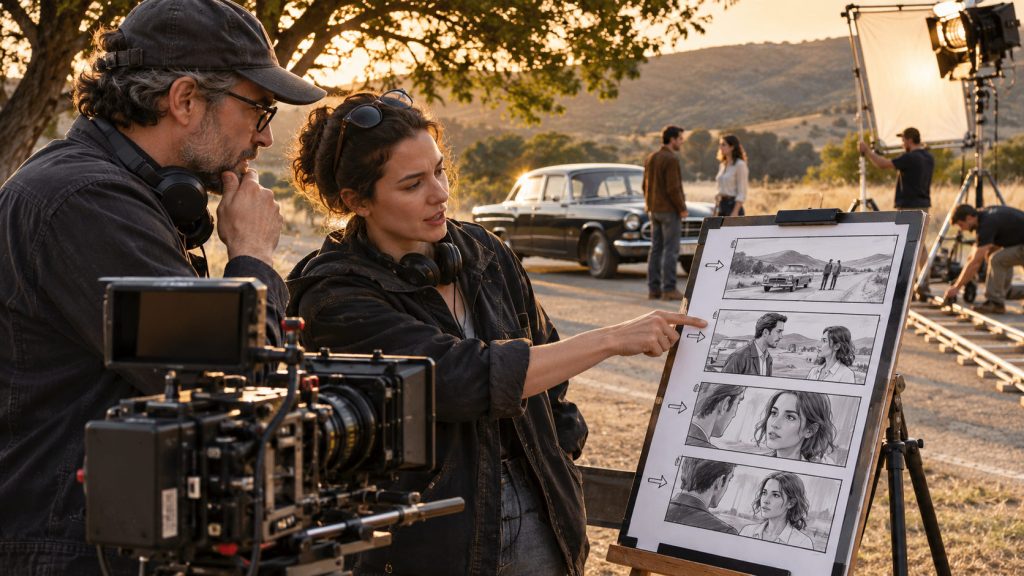
A director can imagine the perfect shot long before arriving on set. The camera slowly pushes toward an actor. A car enters the frame from the left. The scene cuts to a close-up, then moves to a wide shot that reveals the location.
But imagining the scene and communicating how to film it are two very different things.
Before the camera rolls, someone needs to decide where the camera will be positioned, what each shot will include, how the actors will move, which lenses might be used, and how the coverage will fit together in the edit.
Related Link: Pre-production Workflow.
That is where professional storyboard software and shot lists become valuable.
Storyboards help filmmakers visualize the scene. Shot lists organize the technical and creative details needed to capture it. Together, they provide a plan that directors, cinematographers, assistant directors, and production crews can discuss before the pressure of a shooting day begins.
With the release of Shot Monkey, Jungle Software brings storyboarding, shot lists, camera setups, movement planning, AI-generated imagery, and production information into one browser-based application designed specifically for filmmakers.
The goal is not simply to create attractive storyboard pictures.
It is to turn a director’s visual ideas into shots the production team can actually film.
What Is Storyboard Software?
Storyboard software helps filmmakers create a visual representation of the shots they intend to film.
A storyboard typically consists of a sequence of images showing framing, composition, character placement, and the action occurring within each shot. Some storyboards are simple sketches. Others use photographs, detailed illustrations, or computer-generated images.
The purpose is not necessarily to reproduce the final movie perfectly.
It is to communicate the visual intention.
A storyboard can help answer questions that are difficult to resolve through screenplay descriptions alone.
Should the scene begin with a wide establishing shot or a close-up? Does the camera stay still while the actor walks into frame? Should the camera follow the action? Will the scene require a reverse angle, an insert, or a separate setup?
Professional storyboard software gives directors and cinematographers a way to organize those decisions before filming.
However, a storyboard is only part of the preparation.
To turn those images into a practical shooting plan, filmmakers also need a detailed shot list.
Storyboard vs. Shot List: What’s the Difference?
A storyboard shows what the audience is expected to see.
A shot list describes what the production needs to photograph.
For example, imagine a scene in which a woman arrives at an isolated cabin, steps out of her car, and notices someone watching from a window.
The storyboard might show a wide establishing shot of the cabin, a medium shot of the woman exiting the car, a close-up of her reaction, and a point-of-view shot toward the window.
Those images communicate the scene visually.
The shot list adds another level of information.
It may specify the type of shot, camera angle, lens, approximate duration, camera movement, location, cast, props, and equipment required.
The assistant director and cinematographer can then use that information to understand how the coverage might be organized during production.
A storyboard and shot list are not competing documents. They support different parts of the same creative plan.
The storyboard communicates the picture.
The shot list helps the crew make that picture happen.
Start with the Screenplay, Not a Blank Board
Every shot begins with the scene.
A screenplay already contains information the director needs: location, characters, action, dialogue, and sometimes specific visual directions.
Good storyboarding software should help filmmakers carry that information forward rather than forcing them to rebuild the entire project manually.
Shot Monkey can import a Final Draft screenplay and organize its scenes into Shot Groups.
Speaking characters can be recognized as cast members, and tagged production elements can carry into the project. Recognized shot directions can also be identified during the import process for review.
This provides a useful starting point.
Rather than beginning with a completely empty storyboard, the filmmaker can begin developing shots around the scenes and production information already present in the screenplay.
Once the scenes are organized, the director can start deciding how each one should be photographed.
Why Shot Setups Matter
One of the most important distinctions in professional shot planning is the difference between a scene, a camera setup, and an individual shot.
A scene may take place in one room, but photographing it can require multiple camera positions and lens configurations.
Consider a dialogue scene between two characters sitting across a restaurant table.
The director may want a wide master shot covering both actors, an over-the-shoulder shot toward Character A, a reverse over-the-shoulder shot toward Character B, and several close-ups.
Some of these shots may share the same camera position. Others require moving the camera, changing lighting, or repositioning equipment.
Those changes take time.
Shot Monkey organizes production information using a practical hierarchy:
Project → Shot Groups → Shot Setups → Shots
That structure lets filmmakers group individual shots under the setups needed to capture them.
A director can organize coverage by scene and setup, while the assistant director and cinematographer can examine how those decisions may affect the shooting day.
Related Link: What is a Production Strip in Filmmaking?
This is a more practical approach than treating every storyboard frame as an isolated picture.
It recognizes that filmmaking is not only about what appears on screen.
It is also about the physical work required to photograph it.

A Visual Shot Library for Directors and Cinematographers
Not every filmmaker begins with a fully developed visual vocabulary.
A new director may know that a scene needs a dramatic close-up but may be less familiar with the differences between particular camera angles, movement techniques, or specialized compositions.
Even experienced filmmakers sometimes benefit from visual references when discussing a shot with collaborators.
Shot Monkey includes a growing library of illustrated professional shot types.
The library covers familiar framing choices as well as camera movement, composition, perspective, crane shots, and specialized techniques, including shots involving vehicles.
Each built-in shot type includes visual references, available in color and black and white.
The application also includes an Explain Shots feature that describes what particular shots mean and how they are commonly used.
This makes the library useful for two audiences.
Experienced directors and cinematographers can quickly select visual references while building a shot list.
Film students and emerging filmmakers can use those same references to learn the language of visual storytelling.
The goal is not to make every movie look the same.
It is to give filmmakers a common vocabulary for discussing how a scene might be filmed.
AI Storyboards: Visualize the Scene Before Filming
Traditional storyboarding often involves drawing each frame, hiring a storyboard artist, photographing references, or collecting images that approximate the director’s vision.
Those approaches remain valuable, especially when detailed artistic interpretation is required.
However, AI-generated imagery creates another option for developing early visual ideas.
Shot Monkey includes AI storyboard generation that can use information about the scene, selected shot type, characters, environment, mood, wardrobe, and visual direction to help create a custom frame.
Imagine our isolated cabin scene.
The director wants a medium-wide shot of a woman standing beside her car at dusk. The cabin is visible in the background, the mood is uneasy, and the character wears a dark green jacket.
Instead of relying on a generic image of someone standing outdoors, the filmmaker can develop the frame around those specific visual requirements.
Shot Monkey also offers different visual treatments, including realistic imagery, storyboard sketches, rough sketches, film noir, watercolor, comic-book styles, and black-and-white illustrations.
This gives the director flexibility in choosing how polished or stylized the storyboard needs to be.
AI can be particularly useful when exploring alternative framing, comparing visual approaches, or preparing an initial storyboard before commissioning more detailed artwork.
But AI does not decide whether the shot works dramatically.
The director and cinematographer still need to evaluate composition, continuity, lens choices, movement, lighting, and whether the shot is practical to execute.
AI can help visualize the idea. The filmmaker still directs the scene.
Character Consistency Matters in AI Storyboarding
One challenge with AI-generated storyboard images is keeping characters visually consistent across multiple frames.
A character who looks one way in a wide shot may look different in a close-up. Hair, clothing, facial features, or physical proportions may change unexpectedly.
That can make a storyboard confusing, particularly when several characters appear in the same sequence.
Shot Monkey provides tools for defining character appearance and other scene information to support greater consistency across generated storyboard frames.
A director can establish details about a character’s visual identity, wardrobe, and the overall scene treatment, then use those details while developing additional shots.
This is useful when the storyboard moves between establishing shots, close-ups, over-the-shoulder compositions, and other perspectives.
A consistent visual reference makes it easier for the production team to recognize which character appears in each frame and understand how the sequence is intended to unfold.
The generated artwork should still be reviewed. AI consistency is a creative aid, not a guarantee that every detail will remain identical.
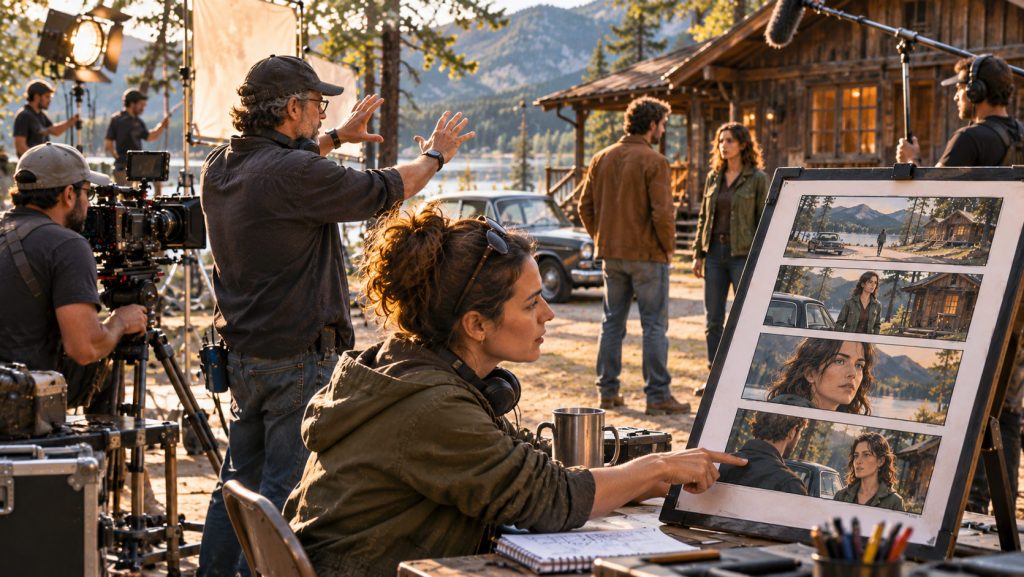
Camera Movement Should Be Visible on the Storyboard
A still image can show composition, but it may not communicate how the camera is supposed to move.
Consider a shot that begins behind an actor and slowly moves around to reveal their face.
A single storyboard frame may not clearly explain the movement.
The same is true for a dolly move, a pan, a tilt, a zoom, or a complex camera repositioning.
Shot Monkey allows filmmakers to place camera-movement overlays directly onto storyboard images.
These include movements such as pan left and right, tilt up and down, dolly movements, zooms, spin-around movements, and other specialized options.
The directional graphics can be repositioned and customized to help communicate the intended movement.
Filmmakers can also add their own arrows, text annotations, and visual notes.
This is particularly useful when discussing a scene with the cinematographer, camera operator, key grip, or other department heads.
Instead of saying, “The camera moves around the character, then pushes closer,” the director can show the intended movement directly on the storyboard.
It does not replace a technical camera plan.
It makes the creative intention easier to understand.
A Shot List Needs More Than Shot Numbers
A professional shot list can carry considerable technical information.
Shot Monkey allows filmmakers to record camera height, angle of view, lighting, lens and focal-length information, F-stop, focus distance, roll, tilt, timing, notes, and other shot-specific details.
It can also associate cast members, equipment, vehicles, props, wardrobe, and other production elements with individual shots.
This matters because a shot may look simple in a storyboard but require special preparation.
A close-up of a character driving a vehicle could require a particular camera position, vehicle equipment, lighting considerations, and coordination with the production team.
A low-angle shot may require different camera support. A complicated dolly move could require track, grip equipment, additional setup time, and careful blocking.
Recording those requirements during planning helps departments understand what may be needed before the crew begins setting up.
The shot list becomes more than a creative checklist.
It becomes part of the production plan.
Setup Builder: Planning the Scene from Above
Sometimes the most useful way to understand a scene is not through the camera’s point of view.
It is from above.
A bird’s-eye layout can show where actors stand, how the furniture is arranged, where the camera is positioned, and how lighting or other equipment might fit into the scene.
Shot Monkey includes a Setup Builder for creating these kinds of visual layouts.
Filmmakers can arrange people, furniture, lighting, camera positions, text, and shot references within a scene layout.
For a complicated interior, this can help the director and cinematographer discuss blocking and camera placement.
For an exterior scene, it can help communicate the relationship between actors, vehicles, equipment, and the location.
A setup diagram is especially useful when multiple shots need to be photographed from different positions around the same action.
The storyboard shows what the camera sees.
The setup diagram helps explain where the camera and subjects need to be.
Organizing Shots Before and During Production
Pre-production planning is valuable only when the information can be used during filming.
Shot Monkey allows filmmakers to organize shots under their appropriate groups and setups, assign shoot days, add director’s notes, and move shots between setups.
It also provides a way to mark shots as Shot or Not Shot.
This can be useful when a scene is partially completed and the production needs to determine which coverage remains.
For example, the crew may finish the wide master shot and both over-the-shoulder angles but run out of time before photographing a planned insert.
Recording that status provides a clearer reference for the remaining work.
Shot Monkey can also generate storyboard, shot list, and production-element reports as PDFs.
These reports help turn a working visual plan into documents that directors, assistant directors, cinematographers, and other crew members can use.
Reports can cover the project, individual Shot Groups, or particular setups, with options for filtering completed or uncompleted shots.
The purpose is not to replace communication on set.
It is to keep the visual plan organized as filming progresses.
Collaboration Keeps Creative Decisions Attached to the Shot
Storyboards and shot lists are rarely created by one person without feedback.
A director may begin with the creative vision. The cinematographer suggests camera and lens choices. The assistant director considers the time required. The producer may ask whether a particular setup requires additional resources.
Traditionally, these discussions might be scattered across emails, printed storyboards, PDFs, and production meetings.
Shot Monkey supports project collaboration through invited Editors and Commenters.
Team members can discuss the overall project, a scene, or an individual shot, keeping feedback attached to the relevant part of the visual plan.
This is especially useful when a director and cinematographer are developing coverage from different locations.
Instead of exchanging multiple versions of a storyboard document, collaborators can review and discuss the project online.
That does not eliminate the need for creative discussion.
It gives those discussions a more organized place to live.
Storyboarding and Scheduling Should Inform Each Other
A shooting schedule and a shot list answer different questions.
The shooting schedule organizes scenes into production days.
The shot list defines the coverage the director intends to capture within those scenes.
But the two plans influence each other.
A scene scheduled for half a day may look reasonable until the director develops a shot list requiring several complicated camera setups.
Similarly, a scene with extensive coverage may need to be simplified if the production has limited time, equipment, or crew resources.
This is why visual planning should happen early enough to inform scheduling decisions.
Shot Monkey adds visual shot planning to the broader Jungle Software ecosystem alongside Gorilla Scheduling Online and Gorilla Budgeting Online.
Related Link: From Script to Schedule to Budget: A Guide.
Together, these applications address different stages of production preparation: breaking down the screenplay, organizing the shoot, estimating costs, and designing the shots.
They are complementary parts of the filmmaking process, even when particular information or changes still require review or transfer between applications.
Who Should Use Storyboard and Shot List Software?
Directors benefit from being able to develop and communicate visual ideas before shooting begins.
Cinematographers can use storyboard frames, camera notes, and setup information to discuss framing and movement.
Assistant directors can examine the proposed coverage when evaluating whether a scene is realistically scheduled.
Producers and production managers can use the visual plan to identify possible equipment, location, timing, and resource requirements.
Independent filmmakers often wear several of those hats themselves, making an organized storyboard and shot list particularly valuable.
Film schools can also use shot-planning software to teach visual storytelling, coverage, blocking, and the relationship between creative choices and production logistics.
The important lesson is that storyboarding is not reserved for elaborate action sequences or big-budget films.
Even a simple dialogue scene can benefit from thoughtful visual planning.
Final Thoughts: See the Scene Before You Shoot It
A screenplay tells filmmakers what happens.
A shooting schedule tells the production when the scene will be photographed.
A storyboard and shot list help explain how the audience will see it.
Professional storyboard software brings those creative and technical decisions together before the crew arrives on set.
With Shot Monkey, filmmakers can organize scenes into Shot Groups, create camera setups, build visual storyboards, generate AI-assisted frames, add camera movements, track production elements, and prepare detailed shot lists and reports.
The goal is not to storyboard every creative possibility or remove spontaneity from filmmaking.
It is to arrive on set with a clearer understanding of the shots that matter.
Because a production day should be spent making the movie, not discovering for the first time how every shot needs to be filmed.
Explore Shot Monkey
Shot Monkey: Storyboard and Shot List Software
Plan every shot before you shoot it. Create storyboards, organize shot setups, visualize camera movement, use AI-generated images, and build production-ready shot lists.
Import screenplays, create breakdowns, build stripboards, organize shooting days, and generate production reports.
Build structured production budgets with detailed accounts, rates, globals, fringes, and professional reports.