
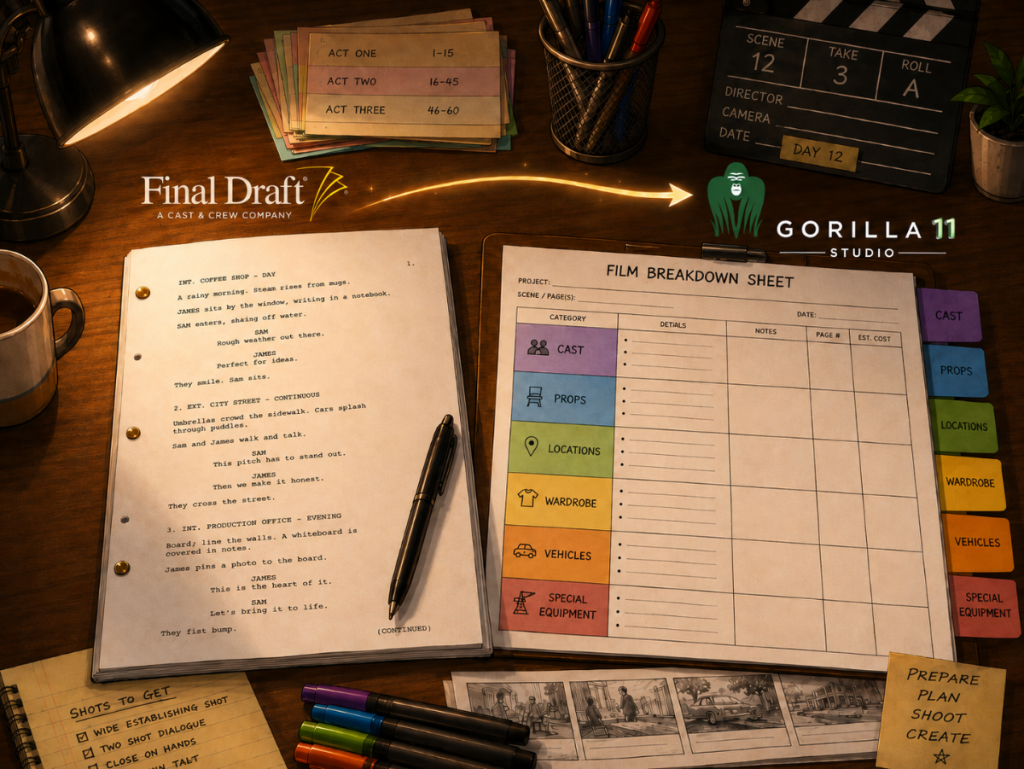
A screenplay is not just a story document. Once pre-production begins, it becomes a working map for departments, cast, locations, props, wardrobe, transportation, budgeting, and the shooting schedule. That map usually begins in Final Draft, but the real production work begins when the script is imported, broken down, tagged, scheduled, and translated into usable reports.
That is where Gorilla 11 makes one of its most important improvements: the journey from Final Draft screenplay to breakdown sheet is cleaner, more accurate, and more useful for real production planning.
👉 Final Draft to Film Scheduling: How to Turn a Screenplay into a Shootable Schedule
For producers, assistant directors, production managers, and film school instructors, this matters because the breakdown is where creative writing becomes production reality. A scene heading becomes a location. A prop becomes a department responsibility. A character becomes a cast scheduling issue. A note in the script can become a question for the director, a budget line, or a call sheet item.
Gorilla 11 strengthens that chain by improving what happens after a Final Draft screenplay is imported. Instead of treating import as a simple text transfer, Gorilla 11 is designed to preserve more of the screenplay information that production teams actually need when building breakdown sheets, schedules, and reports.
Why Final Draft Import Matters So Much
Final Draft is where many screenplays begin, but scheduling software has a different job than screenwriting software. A scheduling program needs to understand scenes, paragraphs, characters, action, dialogue, and production elements in a way that can support breakdown sheets and stripboards.
A clean import saves time. A messy import creates invisible work.
When screenplay text does not display properly, the production team has to stop and compare documents. When dual dialogue does not translate correctly, the reader may misunderstand the rhythm or staging of a scene. When scene summaries are left behind, useful planning notes may never reach the breakdown workflow. When styling, color-coding, or tagged text does not carry through accurately, the production team loses context.
Gorilla 11 improves this stage so that imported screenplay material can become a more dependable foundation for the breakdown process.
👉 Film Scheduling Software vs Spreadsheets: Which Is Better for Pre-Production?
Better Screenplay Display After Import
One of the practical improvements in Gorilla 11 is the screenplay display after import. Gorilla 11 supports more screenplay text styling from Final Draft, including underline, bold, italics, and colors.
That may sound like a visual detail, but in production work, formatting can carry meaning. A writer may use emphasis to call attention to a sound, action, object, or change in tone. A production team may use color or style to distinguish text that has already been reviewed, tagged, or marked for attention.
A breakdown sheet is not only about collecting elements. It is about preserving enough screenplay context that the production team can make good decisions.
With improved screenplay display, Gorilla 11 helps users stay closer to the original screenplay while working inside the scheduling environment. The imported script becomes easier to read, easier to review, and easier to connect to production elements.
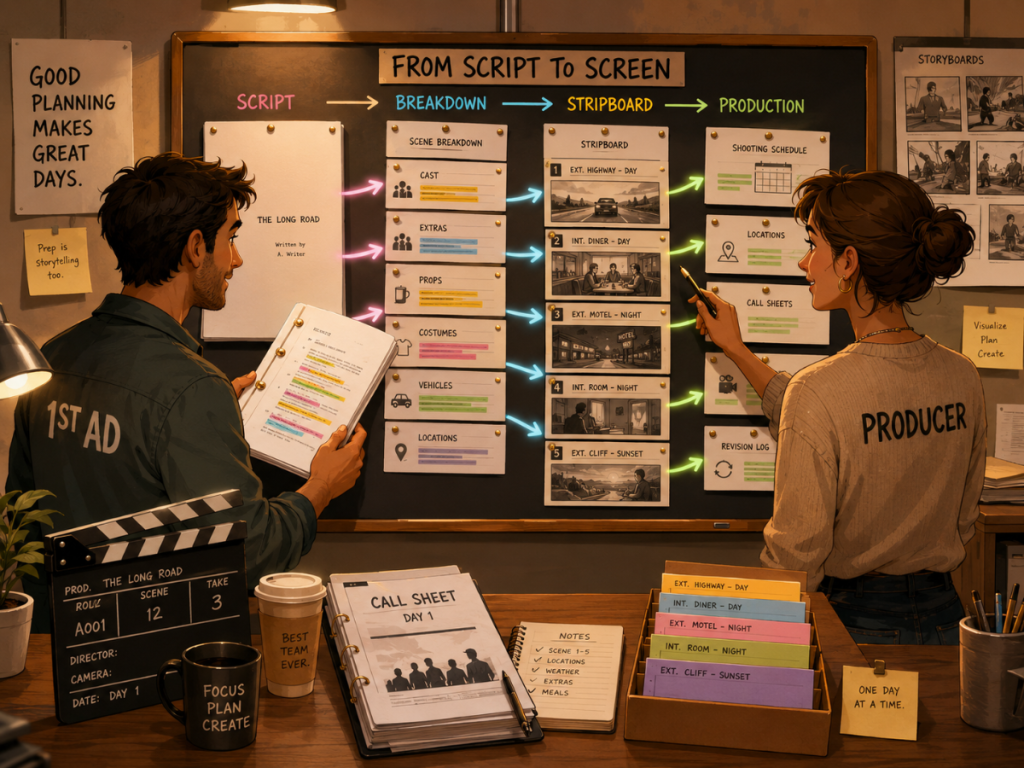
Scene Summaries Come Along for the Ride
Gorilla 11 can now import scene summaries from Final Draft.
Scene summaries are often used as quick reminders of what a scene is about. They can help a director, AD, producer, or instructor understand the story function of a scene without rereading every line. In a classroom setting, they can also help students compare story structure with production logistics: what happens in the scene, where it happens, who is needed, and what the scene may cost to shoot.
In production, scene summaries are especially useful because schedules are rarely built in story order. When scenes are rearranged by location, cast availability, company moves, day/night work, or special requirements, a scene summary can help keep the creative purpose visible while the schedule becomes more technical.
By bringing scene summaries into Gorilla, the imported screenplay becomes more than a block of formatted text. It becomes a stronger bridge between the writing document and the production schedule.
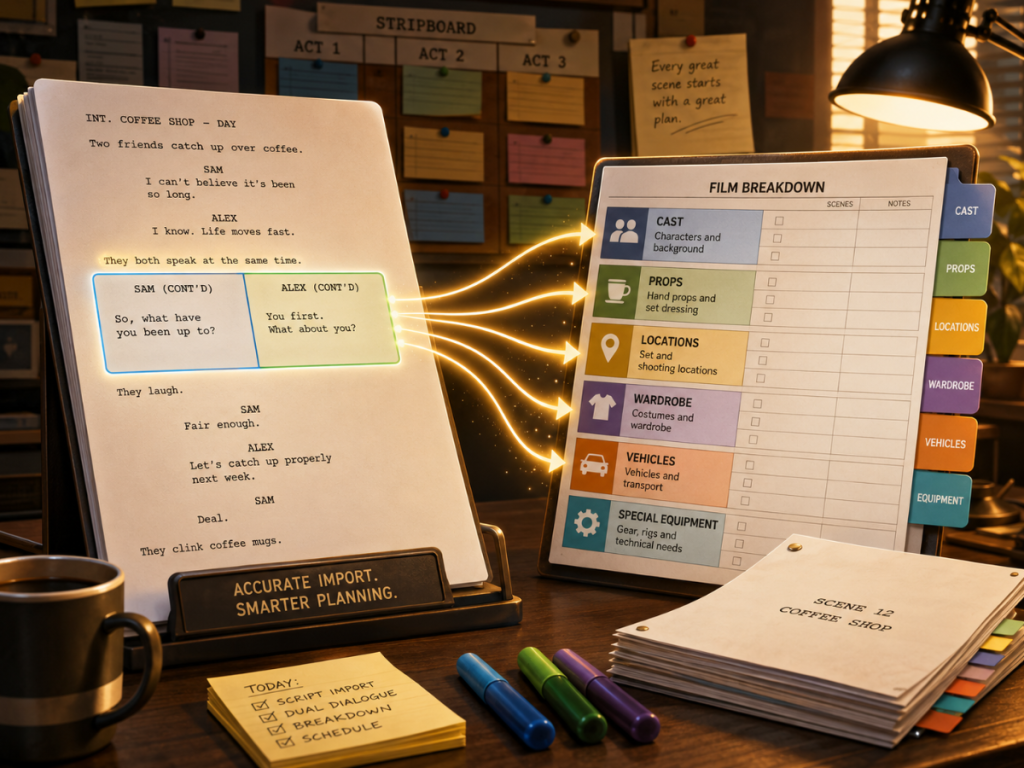
Dual Dialogue Support for More Accurate Script Display
Dual dialogue is common in screenplays, especially when characters speak over each other, interrupt one another, or create overlapping rhythms. For writers, dual dialogue is a storytelling tool. For production teams, it can also affect timing, blocking, sound, performance, and set logistics.
Gorilla 11 improves support for dual dialogue so it can display properly in the screenplay display after import.
That is important because dual dialogue can be visually tricky. If the imported script collapses or misplaces the two dialogue blocks, the scene may read incorrectly. The production team may miss the intended overlap, or the screenplay display may become harder to use during breakdown.
A clearer imported display helps preserve the writer’s intent and gives the production team a more faithful working version of the scene. For assistant directors and script supervisors, that kind of accuracy matters. It keeps the breakdown closer to the actual scene as written.
Improved Color-Coding for Breakdown Work
Gorilla 11 also improves screenplay color-coding accuracy.
Color-coding is one of the quiet workhorses of script breakdown. When production elements are tagged and highlighted, the script becomes easier to scan. Cast, props, vehicles, stunts, wardrobe, makeup, locations, background actors, and special equipment can be identified more quickly. A good color-coded screenplay helps the production team see the production demands hidden inside the writing.
This is where the connection between screenplay display and breakdown sheets becomes especially important. The breakdown sheet is the organized production record. The screenplay display is the visual source. When those two stay connected, the team can move between context and detail: read the scene, see the tag, review the element, and understand how it affects the schedule.
Better color-coding means less confusion and a cleaner production workflow.
From Imported Text to Tagged Production Elements
A screenplay import is only the beginning. Once the text is inside Gorilla, the next step is identifying the production elements that belong on the breakdown sheet.
This is where Gorilla 11 can work with Breakdown Assistant AI, included with Gorilla Premium. Breakdown Assistant AI helps automatically tag imported screenplays using OpenAI. The key idea is not to remove the production team from the process. It is to speed up the first pass while keeping human judgment in control.
👉 AI Script Breakdown vs Manual Tagging: Which Workflow Should Filmmakers Use?
That distinction matters. A script breakdown is not just a mechanical task. It requires production judgment. A dog mentioned in dialogue is not always a production animal. A car parked outside may or may not be a picture vehicle. A crowded restaurant might require background actors, set dressing, props, wardrobe, food styling, and location planning. Context matters.
Breakdown Assistant AI can help suggest elements, but the production team still reviews, accepts, rejects, and refines the results. That gives filmmakers the advantage of AI assistance without handing the breakdown over to a black box.
Why This Matters for Breakdown Sheets
The breakdown sheet is one of the central documents in film scheduling. It gathers the practical requirements of a scene so the production team can plan what is needed to shoot it.
A strong breakdown sheet answers questions such as:
Who is in the scene?
Where does it take place?
Is it day or night?
Are there props, vehicles, animals, stunts, special effects, visual effects, or wardrobe needs?
Are background actors required?
Are there special makeup or hair requirements?
Does the scene create budget or scheduling complications?
Gorilla 11’s Final Draft import improvements matter because the breakdown sheet depends on the accuracy of the imported screenplay. If the screenplay display is cleaner, the tagging process becomes easier. If scene summaries are imported, context improves. If dual dialogue displays properly, the scene reads correctly. If color-coding is more accurate, the production team can review tags with more confidence.
The result is not just a prettier screenplay display. It is a better production workflow.
Better Breakdown Sheets Lead to Better Schedules
Once the breakdown sheets are built, Gorilla can use that information to help create production strips, organize the stripboard, and generate scheduling reports. That is where the screenplay becomes a shooting plan.
A script may be written in emotional order, but a shooting schedule is built around practical constraints. The production team may group scenes by location, cast availability, day/night status, company moves, stunts, vehicles, effects, or budget pressure. Breakdown sheets give the scheduler the information needed to make those decisions.
When imported screenplay data is easier to read and tag, the entire scheduling process benefits. The stripboard is only as good as the information feeding it. Gorilla 11 improves that upstream process.
A Stronger Workflow for Film Schools
These improvements are also valuable for film schools.
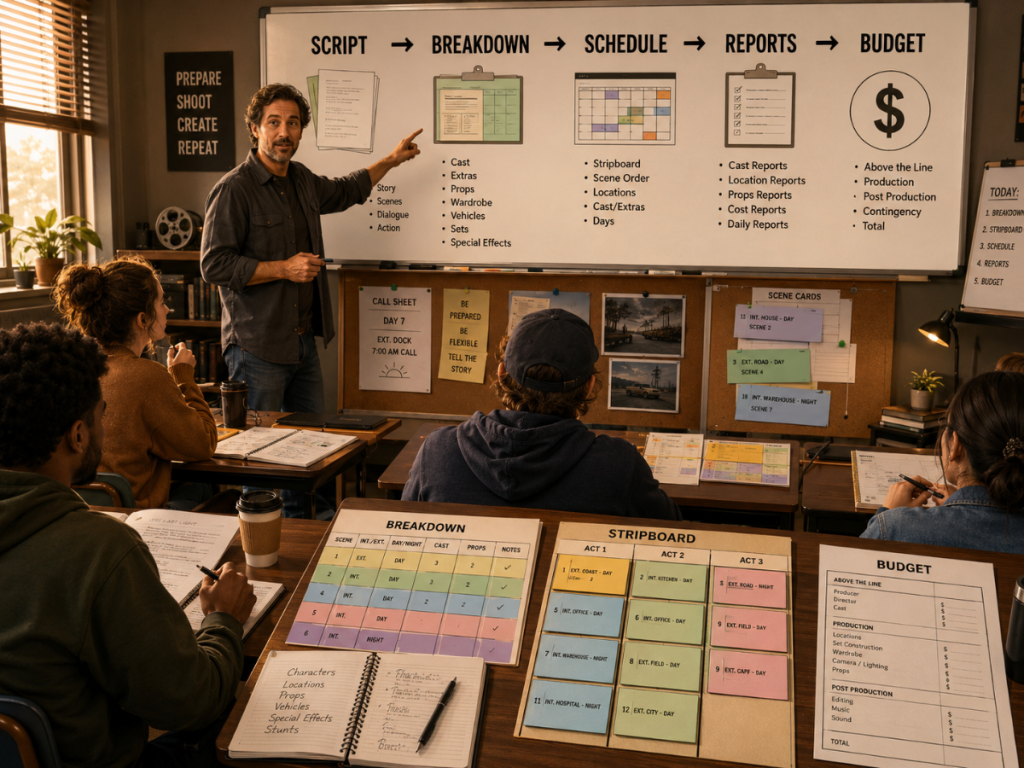
Students often understand screenwriting before they understand production management. They may know what a scene means creatively, but not yet understand how that scene becomes a schedule, a budget, a call sheet, or a production report. Gorilla 11 gives instructors a more complete way to teach that transition.
A class can begin with a Final Draft screenplay, import it into Gorilla, review the screenplay display, create breakdown sheets, tag elements, build a stripboard, generate reports, and connect the schedule to budgeting decisions.
👉 Pre-Production Software for Filmmakers
For instructors, Gorilla 11 can help turn abstract production concepts into repeatable classroom exercises. Students can see how a script becomes a real production plan, one decision at a time.
From Breakdown to Budget
The improvements in Gorilla 11 also matter because scheduling and budgeting are closely connected. Once a script is broken down and scheduled, that information can affect the budget.
Cast days, background actors, locations, vehicles, props, special equipment, stunts, and other production elements can all create cost implications. Gorilla 11 also adds the ability to run a Day Out of Days report on an element and import total days worked into a linked budget.
This is the real value of connecting screenplay import, breakdown sheets, scheduling, reports, and budgeting. Each step makes the next step more informed. A better import helps create a better breakdown. A better breakdown helps create a better schedule. A better schedule helps create a better budget.
Gorilla 11 continues to strengthen that production chain.
Gorilla 11 Keeps the Filmmaker in Control
The best production software does not try to replace the production team. It gives the team better tools.
That is especially important with AI-assisted workflows. AI can help identify likely production elements, but producers, assistant directors, and production managers still need to decide what belongs on the breakdown sheet. They understand the director’s vision, the production scale, the budget, the location realities, and the difference between something mentioned in the script and something that must actually be scheduled.
Gorilla 11’s workflow supports that balance: improved import, better display, stronger tagging, and AI assistance where it helps, while keeping the final production decisions with the human team.
Final Thoughts
The path from Final Draft to breakdown sheet is one of the most important transitions in pre-production. It is the moment when the screenplay stops being only a writing document and starts becoming a production plan.
Gorilla 11 improves that transition with better Final Draft import, imported scene summaries, support for screenplay text styles, dual dialogue display, more accurate color-coding, and optional AI-assisted breakdown through Breakdown Assistant AI.
For filmmakers, that means less cleanup and more useful production information. For assistant directors and production managers, it means a clearer route from script to stripboard. For producers, it means stronger links between breakdown, schedule, reports, and budget. For film schools, it means a better way to teach students how real pre-production works.
Gorilla 11 is designed to help filmmakers move from screenplay to breakdown, from breakdown to schedule, and from schedule to budget with a workflow built for actual production planning.
Explore Gorilla
Learn more about Gorilla 11 new features:
https://junglesoftware.com/new-features-gorilla-11/
Explore Gorilla Scheduling:
https://junglesoftware.com/gorilla-scheduling/
Explore Gorilla Budgeting:
https://junglesoftware.com/gorilla-budgeting/
Explore Breakdown Assistant AI:
https://junglesoftware.com/breakdown-assistant-ai/
See Gorilla pricing options:
https://junglesoftware.com/pricing-options/