Compare Movie Magic Scheduling and Gorilla Scheduling, including script breakdown, stripboards, scheduling workflows, reporting, and production planning.
Which is best for you? Movie Magic or Gorilla?
Basic Overview of Both Programs
Movie Magic Scheduling and Gorilla Scheduling are both Preproduction software for organizing your breakdown sheets, production reports, shoot days, and more. Both have been around for a long time, and both are solid products with reputable companies behind them.
Movie Magic is by Entertainment Partners (EP) and is a film and television payroll company based in Burbank, California. Gorilla Scheduling is by Jungle Software (no deception here, that’s us!) based in Simi Valley, California.
I am going to point out some of the features that Gorilla has that Movie Magic Scheduling doesn’t, and I am going to point out some of the features Movie Magic has that Gorilla doesn’t so you can make an intelligent decision based on your needs as a filmmaker.
Movie Magic Scheduling vs. Gorilla
Importing a Screenplay
The first thing that I am going to compare is importing a screenplay. Both Gorilla Scheduling and Movie Magic can import the .fdx file format, which is Final Draft’s screenplay format.
We are going to take a look at the same screenplay imported into both programs. Below is Movie Magic Scheduling, and all the information that is pertinent to breaking down the scenes are displayed. The Set, the Page Count, and the attached Elements.
MMS Script Breakdown: Final Draft Imported
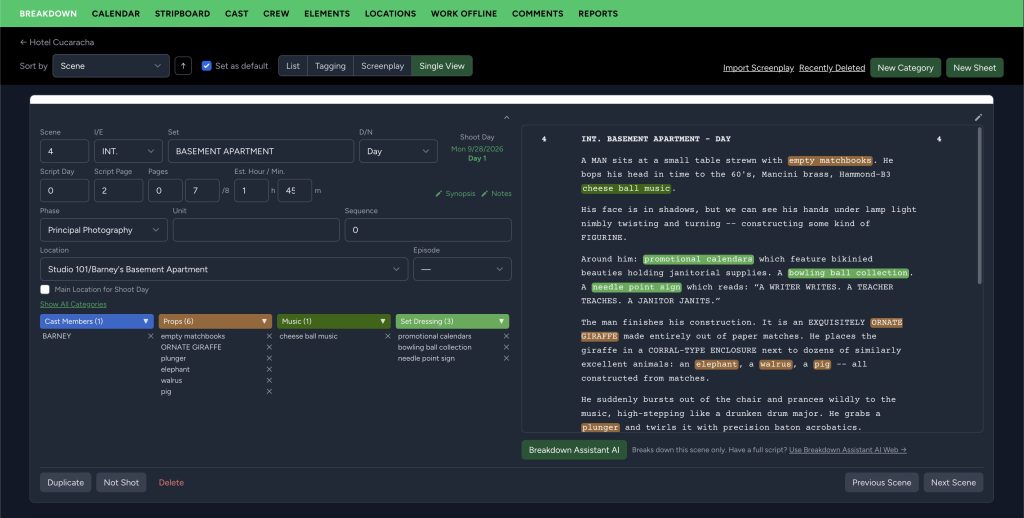
In Gorilla, as shown below, here is the screenplay information. Gorilla also imports the first line of ACTION in the screenplay for the Scene in the Synopsis field. Movie Magic also has a field for that, but nothing comes in from the Final Draft .fdx file.
Gorilla Script Breakdown: Final Draft Imported
Also, Gorilla has the ability to see the actual screenplay text, including the DIALOGUE by clicking on the Screenplay button for the Scene in the Scene Navigator.
Display Screenplay in Movie Magic Scheduling
In looking at the Categories in Movie Magic, such as PROPS, COSTUMES, STUNTS, VEHICLES, SET DRESSING, etc., there is no color-coding.
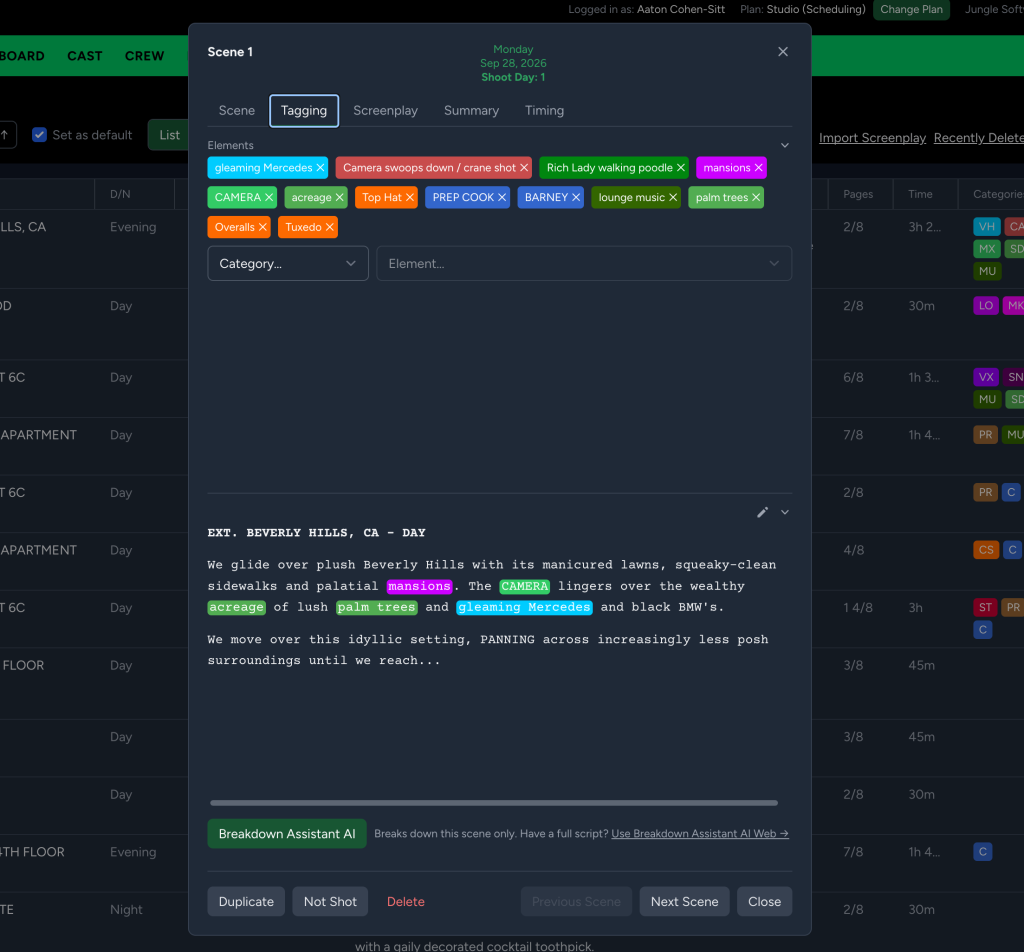
Categories in Gorilla Scheduling
Gorilla color codes the Categories so that they are the same colors as seen in Final Draft’s Tagger program.
Edit Functions in Movie Magic Scheduling
In Movie Magic Scheduling, you can Add, Merge, Duplicate, and Delete Breakdown Sheets.
Edit Functions in Gorilla Scheduling
In Gorilla Scheduling you can do the same functions.
Syncing a Screenplay in Gorilla
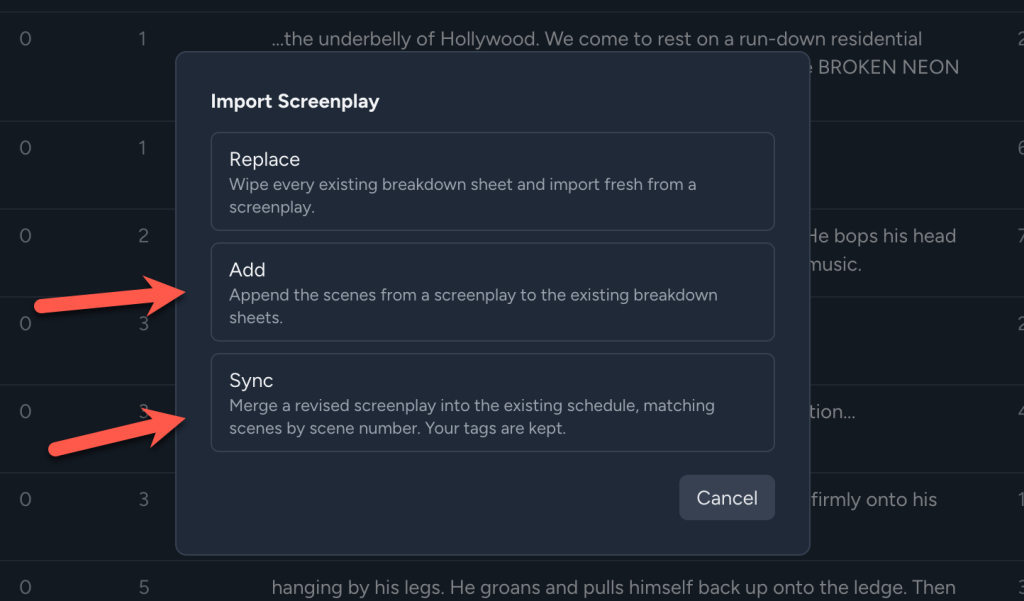
You can also append or sync the entire screenplay. So, if someone else has a copy of the same schedule, and they made modifications or changes to the schedule, you can import their changes into YOUR COPY of the schedule.
The Calendar and Shoot Days
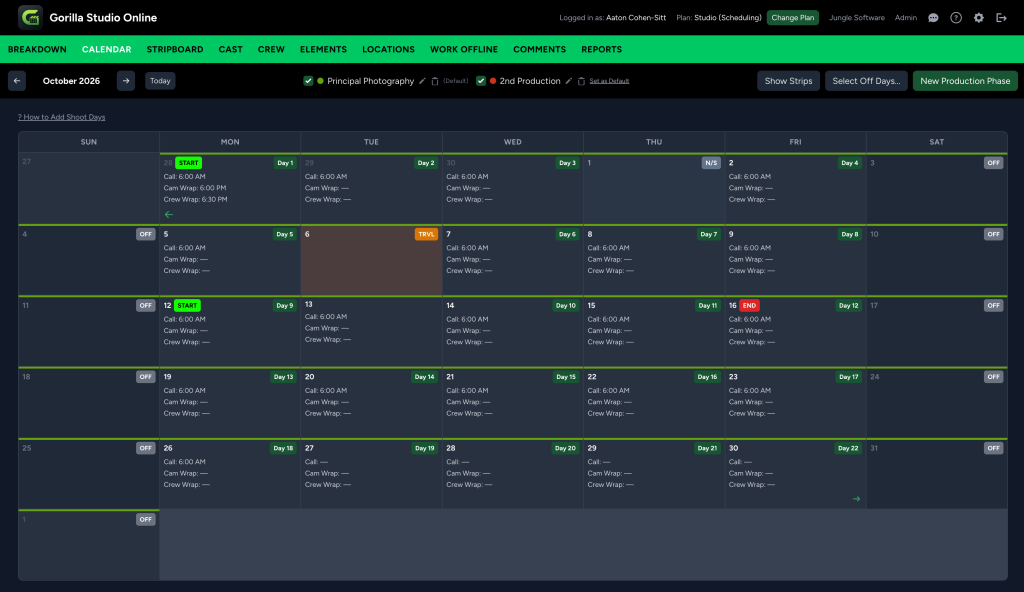
In Gorilla, Shoot Days are arranged in Production Phases, and you can create as many phases as you want. This makes it easy to easier to organize a shoot that is shot over many weeks or even months.
Shoot Days in Movie Magic Scheduling
In Movie Magic, you define multiple calendars. And in the Calendar, you can specify which calendar set is attached to a board, so it is similar. You can attach a board to a calendar. But it doesn’t seem as if you can attach multiple calendars to multiple boards, which you can do in Gorilla with Phases.
Shoot Days in Gorilla Scheduling
Call Sheets
In Gorilla, you can create a Call Sheet, adding Cast & Crew to the Call Sheet and all the appropriate Call Sheet information, such as Call Time, Makeup Times, Scenes Shot, Cast Needed, Parking info, Atmosphere, Standins and more.
Gorilla does have the ability to print a Call Sheet.
Movie Magic Scheduling does not have a Call Sheet feature.
The Stripboard
Next, let’s compare the Stripboards. A Stripboard in film terms, is a way to organize your scenes and shoot days. Both Gorilla Scheduling and Movie Magic Scheduling use a Stripboard to do this.
In Movie Magic’s Stripboard you drag a scene up or down the board to the desired location. The black strips indicate a Shoot Day.
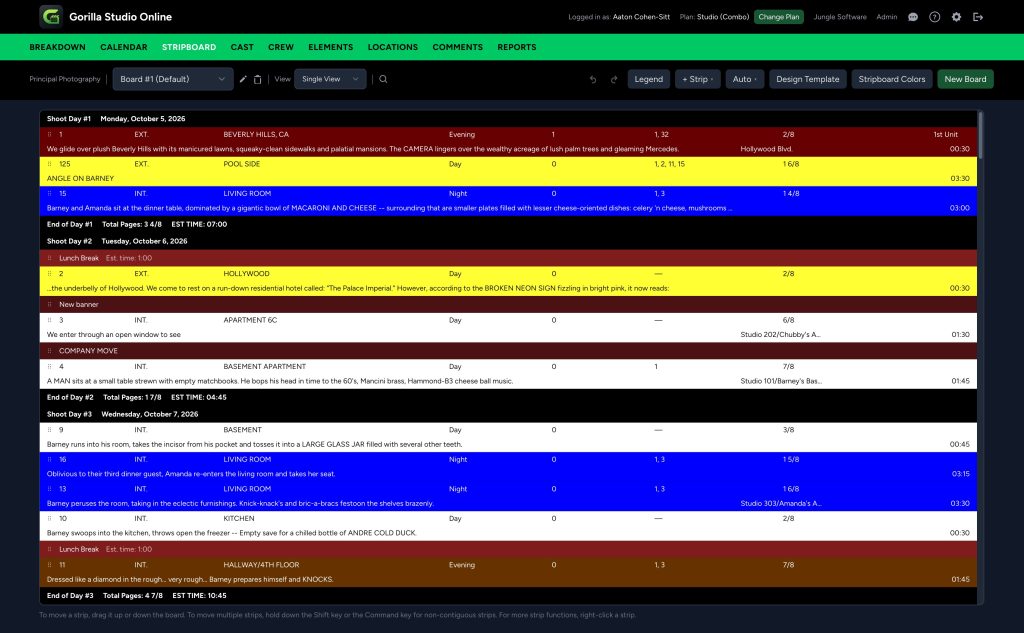
The Stripboard in Gorilla Scheduling
In Gorilla’s Stripboard, many of the same features exist, including adding a day break, sorting your board by different criteria, allowing multiple boards per schedule, a Boneyard section to place strips you don’t know what to do with, and more.
Different Stripboard Views
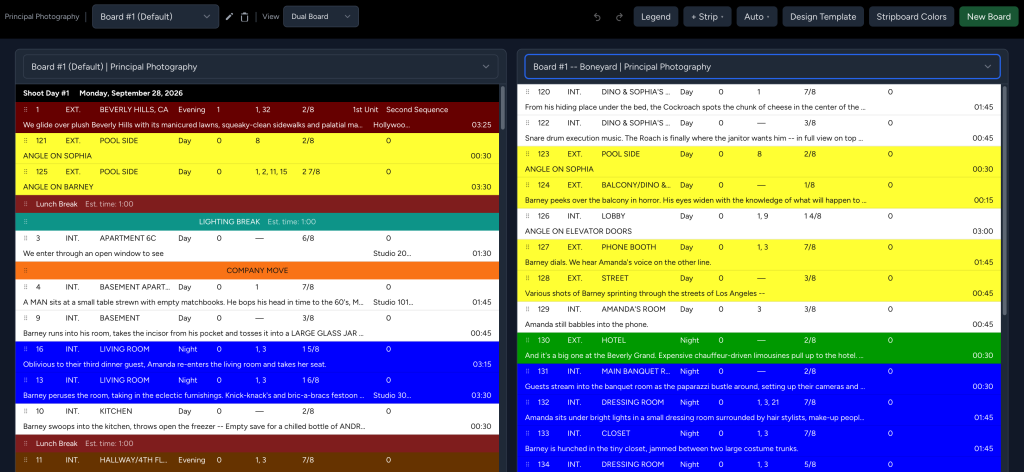
Both Gorilla and Movie Magic have a multiple stripboard views, so you can move strips in that view if you want.
Below you can ca see Gorilla’s Dual Board display — allowing you to drag and drop strips from the Boneyard to the main Stripboard screen.
Board ID’s in Movie Magic – Vertical Stripboard
Both programs allow you to print the board in Black & White or in Color.
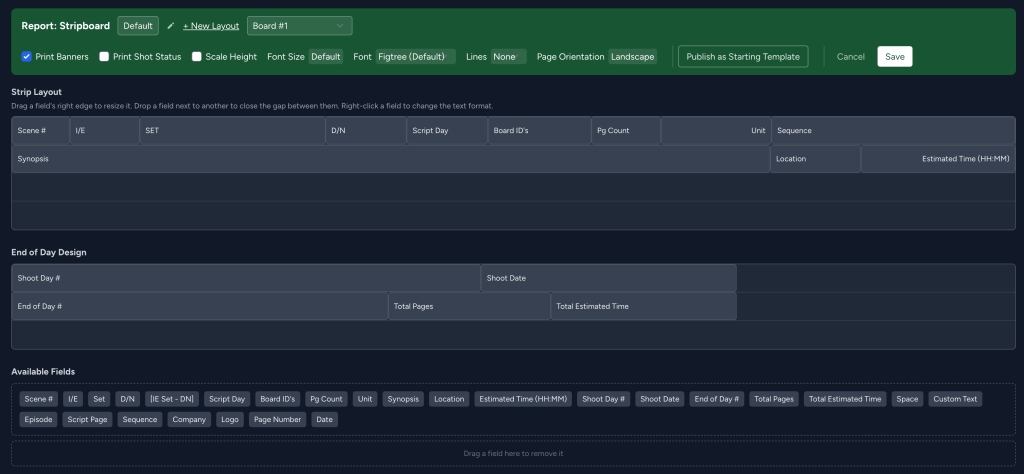
Another added feature in Gorilla, is the ability to customize the look of your board, using the Strip Design Feature. This allows you to position the breakdown sheet fields in any location on the strip or hide any information that you don’t want to display or print. You can even save the design.
Calendar Strips in Movie Magic Scheduling
Movie Magic has a calendar stripboard display, which allows you to move the strips in a calendar view from one day to another.
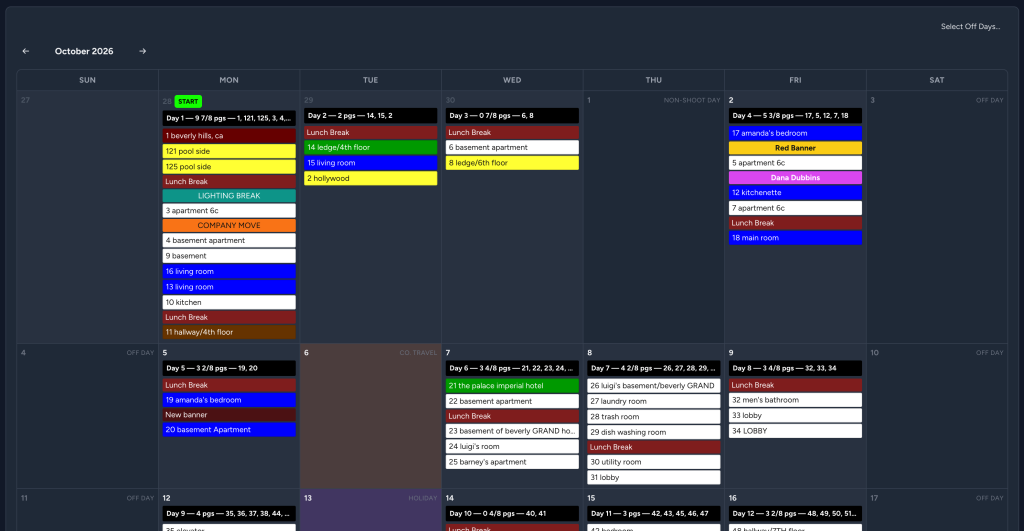
Calendar Strips in Gorilla Scheduling
Gorilla also has a calendar view to move strips.
Customize the Stripboard in Gorilla
Gorilla Scheduling allows you to design any report layout, giving you full control on how your report looks.
Additional Features (Not in Movie Magic)
These are the basic comparisons when it comes to Breakdown Sheets, Shoot Days, and the Stripboard in both programs. Beyond these features, some of the additional features that Gorilla Scheduling has that Movie Magic does not, include the Actors & Crew module.
Actors (Cast) in Gorilla
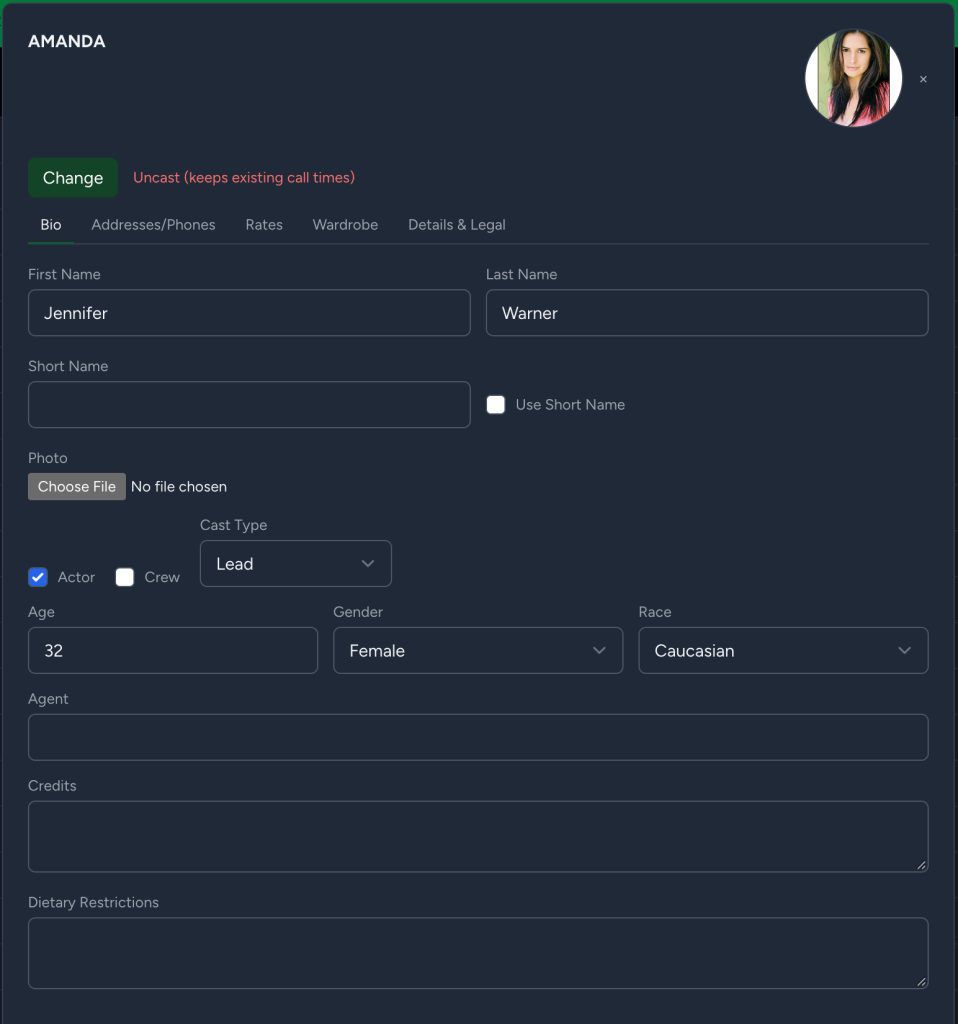
Gorilla also has a Cast module. Create actor records, statistics, and upload headshots.
Crew in Gorilla
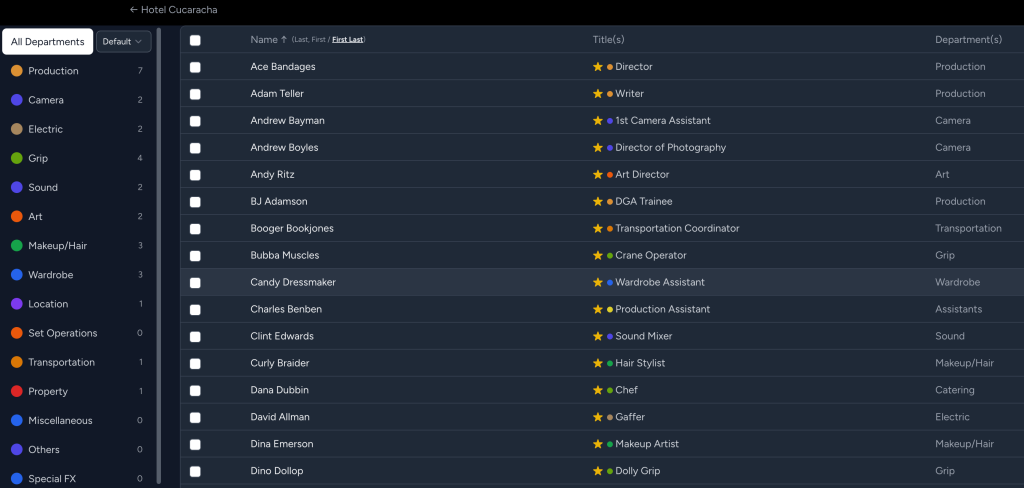
Gorilla also has a Crew module.
Locations in Gorilla
Gorilla also has a Location module. Perfect for creating your locations, attaching photos, and attaching scenes to that location, including entering crucial location information that any Location Manager or Location Scout needs to gather for a film production.
Gorilla Scheduling
I hope this article helps you understand the differences and the similarities between Movie Magic and Gorilla. To explore more about film scheduling and budgeting, download a free trial of Gorilla.