
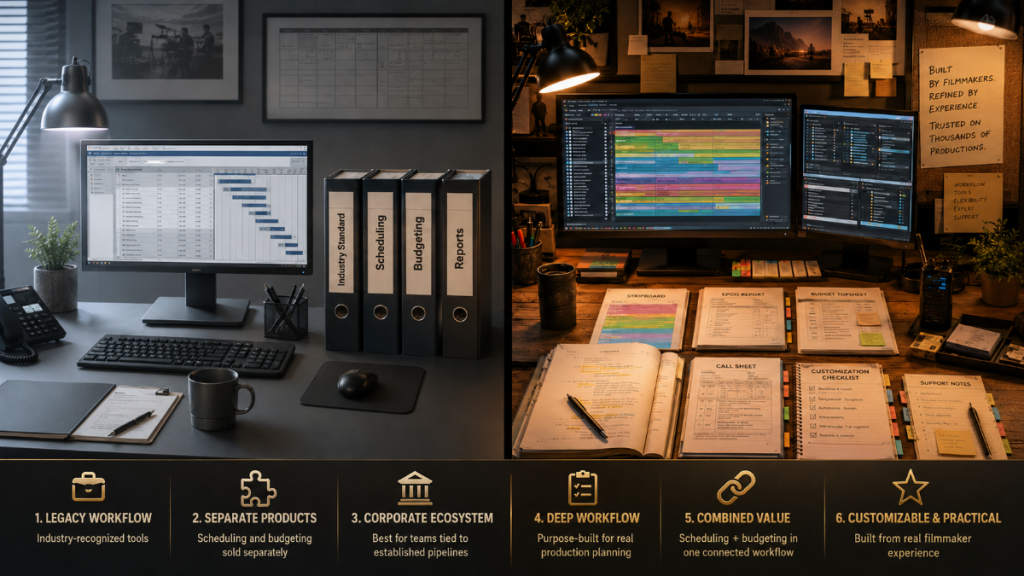
Movie Magic is one of the most recognized names in film scheduling and budgeting.
For many years, Movie Magic Scheduling and Movie Magic Budgeting have been part of the production-office vocabulary. Assistant directors, producers, line producers, production managers, film schools, and studios know the name. In many circles, Movie Magic is treated as the long-running industry standard.
That matters.
But name recognition is not the only thing filmmakers should consider when choosing production software. The real question is how the software fits the way you actually prep a production.
Do you need scheduling only?
Budgeting only?
A connected scheduling and budgeting workflow?
A classroom system for teaching students?
A practical independent production tool?
A cost-effective alternative to larger industry-standard packages?
Or a system that gives you deep scheduling and budgeting tools without unnecessary complexity?
That is where Gorilla enters the comparison.
Gorilla is built as a dedicated film scheduling and budgeting workflow for filmmakers, assistant directors, producers, production managers, and film schools. It supports the practical chain of pre-production: screenplay import, breakdown sheets, production strips, stripboards, reports, DOODs, budgets, call sheets, ratebook tools, and schedule-to-budget logic.
Movie Magic has history and industry familiarity.
Gorilla has depth, customization, affordability, support, and a production workflow shaped by decades of filmmaker feedback.
👉 Pre-Production Software for Filmmakers
Quick Answer
Movie Magic may be the better fit if your production specifically requires the widely recognized Entertainment Partners ecosystem, if your studio, financier, payroll provider, or production company expects Movie Magic files, or if your team is already trained in Movie Magic Scheduling and Movie Magic Budgeting.
Gorilla may be the better fit if you want dedicated film scheduling and budgeting software with a more filmmaker-friendly workflow, strong customization, built-in production reports, local file control, practical support, and a connected Scheduling + Budgeting ecosystem at a lower overall cost.
The short version:
Movie Magic is the familiar industry-standard name. Gorilla is the practical production-workflow alternative built for filmmakers who want scheduling and budgeting depth without being locked into a larger enterprise ecosystem.
What Movie Magic Is Best Known For
Movie Magic is best known for two core products:
- Movie Magic Scheduling
- Movie Magic Budgeting
Movie Magic Scheduling is designed for building production schedules, managing stripboards, coordinating episodes or units, detecting conflicts, and generating scheduling reports.
Movie Magic Budgeting is designed for production budgeting, estimating, cost comparison, reports, fringes, globals, budget structures, and production finance workflows.
Entertainment Partners positions these tools as industry-standard solutions. That reputation is real, and it is one reason many production professionals still look at Movie Magic first when comparing scheduling and budgeting software.
Movie Magic is especially relevant for users who work inside the EP ecosystem, need compatibility with production-company expectations, or are already trained in the Movie Magic way of doing things.
👉 Production Management Software for Filmmakers
What Gorilla Is Built For
Gorilla is built around the same production spine that filmmakers, ADs, producers, and production managers deal with every day:
Screenplay –> Breakdown –> Stripboard –> Schedule –> Reports –> Budget –> Call sheets.
That is not just a list of features. It is the natural order of pre-production.
Gorilla Scheduling helps users import screenplays, create breakdown sheets, tag production elements, build stripboards, schedule shoot days, generate reports, manage cast and crew records, organize locations, track scene information, and prepare for call sheets.
Gorilla Budgeting helps users build structured production budgets with topsheets, detail reports, globals, fringes, sub-groups, tax credits, deferments, currency tools, 4th level detail, ratebook integration, expense tracking, and schedule-to-budget workflow.
Gorilla is not trying to be everything to everyone. It is trying to be useful where production planning actually becomes complicated.
👉 Film Scheduling Workflow: How to Build a Shooting Schedule Step by Step
Scheduling Workflow
Both Gorilla Scheduling and Movie Magic Scheduling are built for serious production scheduling.
Both can help users create breakdown sheets, organize scenes, build stripboards, manage production days, and generate scheduling reports.
👉 What Is a Stripboard in Film Production?
The difference is often in workflow, customization, and how much control the user wants over the production planning process.
Movie Magic Scheduling has recently promoted a redesigned scheduling experience with features such as split views, multi-episode schedules, multi-unit schedules, elevated conflict detection, calendar tools, and continuous updates.
Gorilla Scheduling is also built around a deep scheduling workflow, including screenplay import, element tagging, breakdown sheets, stripboards, calendar stripboards, production phases, call sheet information, cast and crew details, company/vendor databases, location information, storyboards and shots, scene timing, reports, DOODs, and production-specific customization.
Gorilla’s strength is not only that it can schedule a production. It is that it gives filmmakers detailed tools for shaping the schedule around the messy reality of production.
A schedule is not just a calendar.
It is a battle map.
Every strip carries cast, locations, props, wardrobe, vehicles, makeup, stunts, effects, background, company moves, daylight, weather, and money. The software should help the production team see those relationships clearly.
Budgeting Workflow
Movie Magic Budgeting is a dedicated production budgeting application. It is one of the clearest areas where Movie Magic remains a serious competitor.
Movie Magic Budgeting includes professional budgeting tools for production estimating, configurable reports, cost comparisons, fringes, globals, libraries, and production finance workflows. For many production offices, Movie Magic Budgeting is familiar, established, and connected to the broader Entertainment Partners ecosystem.
Gorilla Budgeting is also dedicated film budgeting software.
Gorilla Budgeting includes topsheets, detail reports, globals, fringes, sub-groups, tax credits, deferments, 4th level detail, currency tools, ratebook integration, expense tracking, and structured film budget reporting.
The important point is this:
This is not a comparison between budgeting software and a budgeting template. Both Movie Magic and Gorilla are real production budgeting systems.
The difference is the kind of workflow, price point, integration, support, and usability the filmmaker wants.
Gorilla Budgeting is designed to be powerful without becoming needlessly heavy. It is built for producers, line producers, indie filmmakers, production managers, film schools, and anyone who wants traditional budgeting tools in a more approachable production software environment.
👉 Film Budgeting Software: What to Look for Before You Choose
Scheduling and Budgeting Together
Scheduling and budgeting should not live on separate islands waving at each other through binoculars.
A shooting schedule affects the budget constantly.
Move a scene, and you may change cast workdays.
Change locations, and you may change transportation, company moves, parking, permits, security, meals, and rentals.
Add background, and you may change payroll, wardrobe, makeup, holding, and production staff needs.
Shift a night shoot, and you may affect premiums, turnaround, location costs, and crew assumptions.
That is why Gorilla’s Scheduling + Budgeting workflow is a major advantage.
Gorilla is built around the idea that scheduling and budgeting belong together. Gorilla Scheduling can help organize the production logic, while Gorilla Budgeting can help translate that logic into money. Gorilla also supports schedule-to-budget workflow, including the ability to use DOOD days-worked information to inform a linked budget.
Movie Magic Scheduling and Movie Magic Budgeting are both professional tools, but they are still separate products. For productions evaluating total workflow, total cost, and ease of use, it is worth asking whether the scheduling and budgeting connection feels natural enough for the way the production team works.
Cost Analysis: Gorilla vs Movie Magic
Cost is one of the clearest practical differences.
Movie Magic Scheduling and Movie Magic Budgeting are sold as separate products. That means a user who needs both scheduling and budgeting should compare the combined cost, not just one product at a time.
At the time of research, Movie Magic Scheduling annual pricing showed an introductory annual price and a higher annual price. Movie Magic Budgeting annual pricing was listed separately. Together, Scheduling + Budgeting can cost significantly more than Gorilla’s Combo Pack.
Gorilla’s Combo Pack includes both Gorilla Scheduling and Gorilla Budgeting in one package. That makes the comparison easier for filmmakers who know they need both products.
Example Annual Cost Comparison
| Product Combination | Approximate Annual Cost |
|---|---|
| Gorilla Combo Pack, current introductory annual price | $369/year |
| Movie Magic Scheduling annual intro price + Movie Magic Budgeting annual | $499.76/year |
| Movie Magic Scheduling annual regular price + Movie Magic Budgeting annual | $579.76/year |
Using those figures, Gorilla’s Combo Pack is approximately:
- 26% less than Movie Magic Scheduling annual intro price + Movie Magic Budgeting annual
- 36% less than Movie Magic Scheduling annual regular price + Movie Magic Budgeting annual
Example Monthly Cost Comparison
| Product Combination | Approximate Monthly Cost |
| Gorilla Combo Pack, current introductory monthly price | $39.99/month |
| Movie Magic Scheduling monthly intro price + Movie Magic Budgeting monthly | $72.98/month |
| Movie Magic Scheduling monthly regular price + Movie Magic Budgeting monthly | $82.98/month |
Using those figures, Gorilla’s monthly Combo Pack is approximately:
- 45% less than Movie Magic Scheduling monthly intro price + Movie Magic Budgeting monthly
- 52% less than Movie Magic Scheduling monthly regular price + Movie Magic Budgeting monthly
Pricing can change, so always verify current pricing before purchasing. But for filmmakers, film schools, and small production companies comparing both scheduling and budgeting together, Gorilla’s Combo Pack can be a meaningful cost advantage.
Feature Depth and Customization
One of Gorilla’s strongest advantages is not a single feature.
It is the accumulation of detail.
Gorilla has been shaped by years of filmmaker feedback, support conversations, production questions, classroom use, independent productions, and real-world workflow requests. That kind of product knowledge matters because production software lives in the details.
A filmmaker may need to customize categories.
An AD may need a cleaner way to view a stripboard.
A producer may need to track budget detail differently.
A film school instructor may need students to understand why a breakdown sheet connects to a DOOD report.
A production manager may need a specific report that makes sense to a department head.
A user may need to work with actor placeholders, short names, V.O./O.S. flags, non-speaking tags, or schedule-to-budget logic.
Gorilla’s value comes from those production details. It is built by people who understand that “good enough” software becomes painful when production gets specific.
Movie Magic has its own long history and a professional feature set. Gorilla’s position is not that Movie Magic is weak. It is that Gorilla offers a production-focused alternative with deep features, customization, and support that many filmmakers find more approachable.
AI-Assisted Breakdown
Movie Magic Scheduling is a professional scheduling tool, but it does not currently appear to promote an AI-assisted breakdown feature comparable to Gorilla’s Breakdown Assistant AI.
Gorilla’s Breakdown Assistant AI can suggest production tags from imported screenplay text. The user remains in control by reviewing, accepting, or rejecting those suggested tags.
That is the right balance for production work.
AI can help identify likely cast, props, vehicles, wardrobe, locations, makeup, stunts, effects, animals, background, and other elements. But production judgment still matters. A mention in a screenplay is not always a production element. A character may be speaking, non-speaking, V.O., O.S., or background. A vehicle may be set dressing in one scene and a picture vehicle in another.
Gorilla’s approach is:
AI suggestions, human approval.
For users who want to speed up the first pass without giving up control, that can be a major advantage.
👉 AI Script Breakdown vs Manual Tagging: Which Workflow Should Filmmakers Use
Final Draft Import and Screenplay Display
A scheduling system depends on the quality of its screenplay import.
This is one of the clearest workflow differences between Gorilla and Movie Magic Scheduling.
Movie Magic Scheduling may technically accept a Final Draft .fdx file, but in practical use it does not fully import the screenplay as a usable screenplay display inside the scheduling program. The .fdx import is limited. It may bring in scene headings, scene numbers, and some character information, but it does not bring the full screenplay text into the scheduling workflow in a way that supports true screenplay-based breakdown.
For fuller script breakdown import, Movie Magic Scheduling still relies on Final Draft’s older Scheduling Export .sex file format. That means users often have to prepare and export breakdown information from Final Draft first, then bring that exported scheduling data into Movie Magic.
Gorilla works differently.
Gorilla can import the screenplay and display the screenplay text inside the scheduling workflow. That means the script is not just a source file that gets converted into limited scheduling data. It becomes part of the breakdown environment.
With Gorilla, users can view the imported screenplay, manually select a word or phrase, and attach that selection to a breakdown category. A prop, vehicle, wardrobe note, sound cue, makeup requirement, location detail, animal, stunt, visual effect, or piece of set dressing can be tagged directly from the screenplay display.
That is a major production advantage.
Breakdown work is not only about scene headings and character names. It is about the details hidden inside action lines, parentheticals, dialogue, and scene descriptions. If the screenplay text is not present inside the scheduling program, the user cannot truly tag from the screenplay inside that program.
This also affects AI-assisted breakdown.
Gorilla’s Breakdown Assistant AI can suggest production tags because Gorilla can work from the screenplay text inside the scheduling workflow. The user can then review, accept, or reject those AI suggestions.
Movie Magic Scheduling does not currently advertise a comparable AI-assisted breakdown workflow. And because the full screenplay display is not part of the practical Movie Magic Scheduling breakdown environment, AI-assisted tagging would be difficult to implement in the same reviewable, screenplay-based way.
The difference is simple:
Movie Magic imports limited scheduling data from a script. Gorilla brings the screenplay into the breakdown process.
For filmmakers who start in Final Draft and want to move into breakdown sheets, strips, schedules, reports, and AI-assisted tagging, this is not a side feature. It is the front door.
Local Files, Sharing, and Production Data Control
Movie Magic has moved toward more cloud-connected workflows, especially in budgeting and newer scheduling collaboration features. That can be useful for teams that need shared access, real-time updates, and multi-user coordination.
Gorilla works differently… again.
Gorilla schedules and budgets stay with the user as production files. You can send files to other Gorilla users, archive them, back them up, or place them in iCloud, Dropbox, Google Drive, or another secure file-sharing system if that is how your production office works.
For some productions, cloud-connected collaboration is the right answer.
For others, local file control is important.
A schedule can reveal cast movements, locations, minors, stunts, night shoots, company moves, security concerns, and confidential production plans. A budget can reveal salaries, vendor rates, financing assumptions, tax credits, deferments, and private business information.
This is not a fear-based argument. It is a control question.
Where does your production data live?
Who has access?
How is it shared?
Can you work offline?
Who controls the file?
Gorilla gives productions a self-contained workflow where the production decides how files are stored, backed up, and shared.
Film School and Classroom Use
Movie Magic has long been known in film schools because it is an industry-recognized name. Some instructors choose it because students may encounter Movie Magic in professional environments.
That is a valid reason to teach it.
Gorilla offers a different classroom advantage.
Gorilla helps teach the actual chain of production logic: screenplay import, breakdown sheets, element tagging, production strips, stripboards, DOODs, scheduling reports, budgets, and call sheets.
For students, that chain matters more than any single brand name.
They need to understand why a cast member appears on a DOOD report.
Why a company move changes the day.
Why a stripboard is not just a calendar.
Why a budget must respond to the schedule.
Why globals, fringes, tax credits, deferments, sub-groups, and reports exist.
Why a screenplay becomes a production plan through a series of decisions.
Gorilla can be especially useful for instructors who want students to learn the bones of pre-production, not just memorize software menus.
👉 How to Break Down a Script for Film Production
Comparison Table
| Category | Gorilla Studio | Movie Magic |
| Core identity | Dedicated film scheduling and budgeting workflow | Long-running industry-standard scheduling and budgeting products |
| Best for | Filmmakers, ADs, producers, production managers, film schools, and teams wanting deep tools with approachable workflow | Productions that need Movie Magic compatibility, EP ecosystem familiarity, or an industry-standard name |
| Scheduling | Gorilla Scheduling supports breakdown sheets, production strips, stripboards, reports, DOODs, cast/crew data, locations, call sheet data, and schedule-to-budget workflow | Movie Magic Scheduling supports professional production scheduling, boards, conflict tools, calendar features, multi-episode/multi-unit workflows, and collaboration features |
| Budgeting | Gorilla Budgeting includes topsheets, detail reports, globals, fringes, sub-groups, tax credits, deferments, currency tools, 4th level detail, ratebook integration, and expense tracking | Movie Magic Budgeting includes professional production budgeting, cost estimating, reporting, fringes, globals, libraries, cost comparison, and EP ecosystem connections |
| Scheduling + Budgeting cost | Combo Pack includes both products at a lower combined cost | Scheduling and Budgeting are separate purchases/subscriptions |
| AI-assisted breakdown | Breakdown Assistant AI suggests tags for user review and approval | No comparable AI-assisted breakdown feature clearly advertised at time of research |
| Local file control | Schedules and budgets stay with the user and can be shared manually or through the production’s chosen file-sharing system | Increasingly cloud-connected, especially for budgeting and collaboration workflows |
| Customization | Strong emphasis on practical customization, reports, categories, workflow details, and filmmaker feedback | Professional toolset with industry familiarity and newer interface/workflow updates |
| Film school use | Strong for teaching production workflow from script to schedule to budget | Strong for teaching an industry-recognized software name |
| Best deciding factor | Choose Gorilla if you want scheduling and budgeting depth, lower combined cost, local file control, and practical production workflow | Choose Movie Magic if your production specifically requires Movie Magic compatibility, EP ecosystem workflow, or an industry-standard tool already used by your team |
When Movie Magic May Be the Better Fit
Movie Magic may be the better fit when:
- Your production company specifically requires Movie Magic
- Your financier, studio, or production office expects Movie Magic files
- Your team is already trained in Movie Magic
- You work heavily inside the Entertainment Partners ecosystem
- You need Movie Magic Budgeting integration with other EP tools
- You are working in an environment where “industry standard” compatibility matters more than cost or workflow preference
Movie Magic has earned its place in the production software market. For some productions, it will remain the expected choice.
When Gorilla May Be the Better Fit
Gorilla may be the better fit when:
- You want dedicated scheduling and budgeting in one connected workflow
- You want a lower combined cost than buying separate scheduling and budgeting products
- You want strong customization and practical production features
- You want local control over schedule and budget files
- You want AI-assisted breakdown suggestions with human approval
- You want software that supports independent filmmakers, production companies, and film schools
- You want scheduling and budgeting tools without unnecessary enterprise heaviness
- You value responsive support from people who understand filmmaking workflow
Gorilla is built for users who need serious production tools but do not want the software to become the production.
Why This Comparison Matters
Movie Magic is familiar.
That familiarity is valuable, but it should not end the conversation.
Film production has changed. Independent filmmakers, schools, production companies, and digital teams need tools that are powerful, affordable, customizable, and practical. They need scheduling and budgeting software that helps them make decisions, not just follow a legacy workflow because everyone recognizes the name.
Gorilla gives filmmakers another path.
It offers deep scheduling and budgeting tools, practical reports, connected workflow, AI-assisted breakdown, local file control, and cost savings when scheduling and budgeting are purchased together.
The question is not whether Movie Magic is known.
It is whether Gorilla may fit your actual production workflow better.
Final Thoughts
Movie Magic remains one of the best-known names in film scheduling and budgeting. It has long industry history, professional recognition, and a strong connection to Entertainment Partners.
Gorilla is a dedicated scheduling and budgeting alternative built for filmmakers, assistant directors, producers, production managers, and film schools that want deep production tools, strong customization, practical support, local file control, and a connected workflow from screenplay to schedule to budget.
Choose Movie Magic if your production specifically needs the industry-standard name or EP ecosystem compatibility.
Choose Gorilla if you want a filmmaker-friendly scheduling and budgeting system built around real production workflow, cost efficiency, support, and detailed tools shaped by years of user feedback.
Both tools can help productions plan.
The right choice depends on how you want to work.
Explore Gorilla
Gorilla Scheduling helps filmmakers import screenplays, build breakdown sheets, tag elements, create stripboards, schedule shoot days, generate reports, and prepare for call sheets.
Gorilla Budgeting helps producers build structured film budgets with topsheets, detail reports, globals, fringes, tax credits, deferments, 4th level detail, currency tools, ratebook integration, expense tracking, and production reports.
Breakdown Assistant AI helps speed up the breakdown process by suggesting screenplay tags while allowing the user to accept or reject each result.
Koala Call Sheets extends the production workflow with call sheet tools.
The Gorilla Ratebook helps production teams work with labor rates while building budgets.
Explore: