
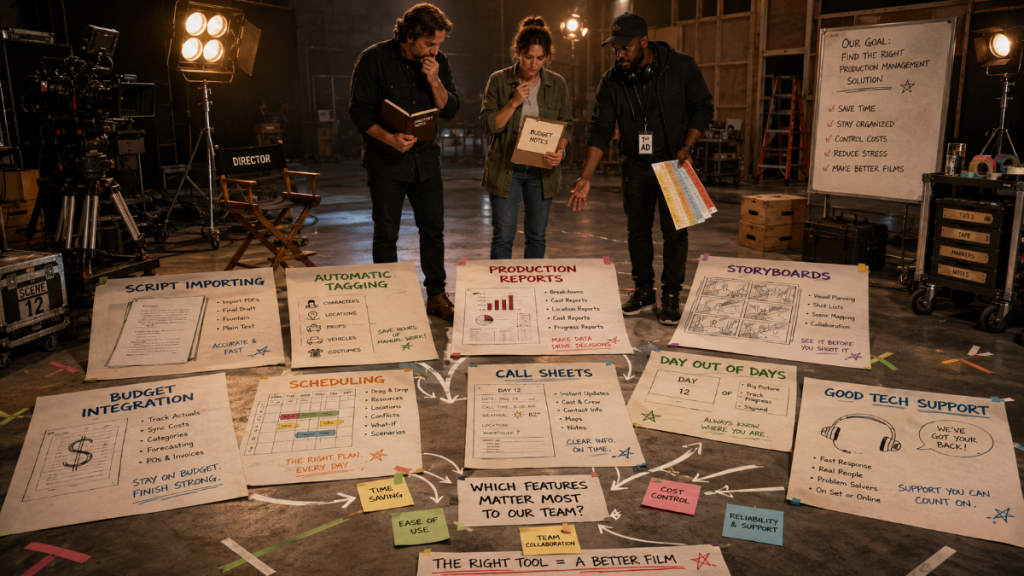
Film production is not one job.
It is a stack of decisions, documents, deadlines, people, locations, scenes, costs, reports, and last-minute changes all trying to fit into the same moving machine.
That is why filmmakers often look for production management software. They need a better way to organize the work before and during production. But the phrase “production management software” can mean many different things.
Some tools focus on task lists.
Some focus on schedules.
Some focus on budgets.
Some focus on call sheets.
Some focus on collaboration, file sharing, or calendars.
Some promise to be an all-in-one platform for everything from development to wrap.
The problem is that film production does not run on buzzwords. It runs on practical documents and clear workflows.
A good production management system should help answer real production questions:
What scenes are we shooting?
Who is needed?
Where are we going?
How many days do we need?
What does the plan cost?
What reports can the team use?
Can the schedule inform the budget?
Can the call sheet come from the schedule?
This guide explains what production management software for filmmakers should actually do, how to evaluate different tools, and where scheduling, budgeting, reports, and call sheets fit into a serious production workflow.
What Is Production Management Software for Filmmakers?
Production management software helps filmmakers organize the planning and execution of a film or video production.
At its broadest, it may include tools for script breakdowns, scheduling, budgeting, call sheets, calendars, reports, communication, task tracking, document sharing, cast management, crew management, locations, and production logistics.
But not every production management tool is built for the same purpose.
A general project management app may be good at tasks, deadlines, and team communication. But it may not understand production strips, Day Out of Days reports, cast work days, script pages, locations, fringes, budget accounts, or call sheet workflows.
Film production has its own language.
A useful production management tool for filmmakers should support that language instead of forcing the production team to translate everything into generic project boards.
The best tools help filmmakers move through the real production chain:
Script to breakdown.
Breakdown to schedule.
Schedule to reports.
Schedule to budget.
Schedule to call sheets.
Production plan to actual production tracking.
That chain is where the real value lives.
👉 Pre-Production Software for Filmmakers
The Core Workflow: From Script to Production Plan
Before choosing production management software, it helps to understand the workflow the software should support.
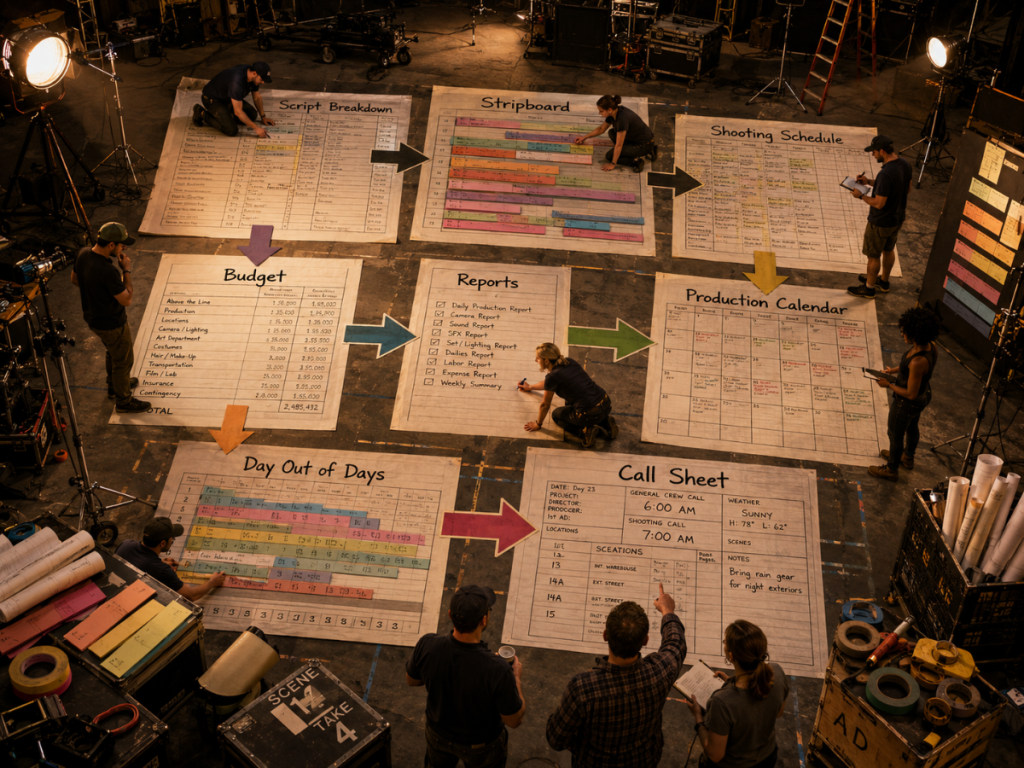
Most productions move through a chain like this:
The screenplay is imported or reviewed.
The script is broken down into elements.
Scenes become production strips.
The strips are arranged on a stripboard.
The stripboard becomes a shooting schedule.
The schedule generates reports.
The schedule informs the budget.
The schedule feeds call sheets.
Daily production documents track what actually happened.
If a tool only helps with one piece of that chain, it may still be useful. But the production team should understand where it fits.
A beautiful calendar will not solve a weak script breakdown.
A clever task board will not replace a real stripboard.
A budget spreadsheet will not automatically know your cast work days.
A call sheet template will not fix an inaccurate schedule.
The stronger the connection between these documents, the less time the team spends rebuilding the same information.
Scheduling Tools to Look For
Scheduling is one of the most important parts of production management.
A film schedule is not just a calendar. It is a detailed production plan that organizes scenes, cast, locations, day/night work, page counts, production elements, and shoot days.
When evaluating production management software, look closely at the scheduling tools. A serious film scheduling system should help with script breakdowns, production strips, stripboards, day breaks, multiple boards, cast and location tracking, Day Out of Days reports, and schedule reports.
👉 Film Scheduling Software: What to Look for Before You Choose
It should also make revisions manageable.
Schedules change constantly. Cast availability shifts. Locations move. Weather interferes. A hard scene needs more time. A producer asks whether the shoot can lose a day. A director wants to protect a complicated sequence.
Good scheduling software should help the team revise the plan without losing control of the information.
Gorilla Scheduling supports screenplay import, breakdowns, production strips, stripboards, DOOD reports, actor records, location records, and scheduling reports. It also includes stripboard features such as sorting by criteria, horizontal or vertical strip display, customizable strip layouts, banners, multiple boards, a boneyard for unused strips, and automatic stripboard backups to Excel.
That is the kind of scheduling depth filmmakers should look for if they are managing a real production.
👉 Movie Magic Scheduling Alternative
Related internal link opportunities: Film Scheduling Software: What to Look for Before You Choose, Film Scheduling Software vs Spreadsheets, and Movie Magic Scheduling Alternative.
Budgeting Tools to Look For
Production management is not only about what happens on set. It is also about what the plan costs.
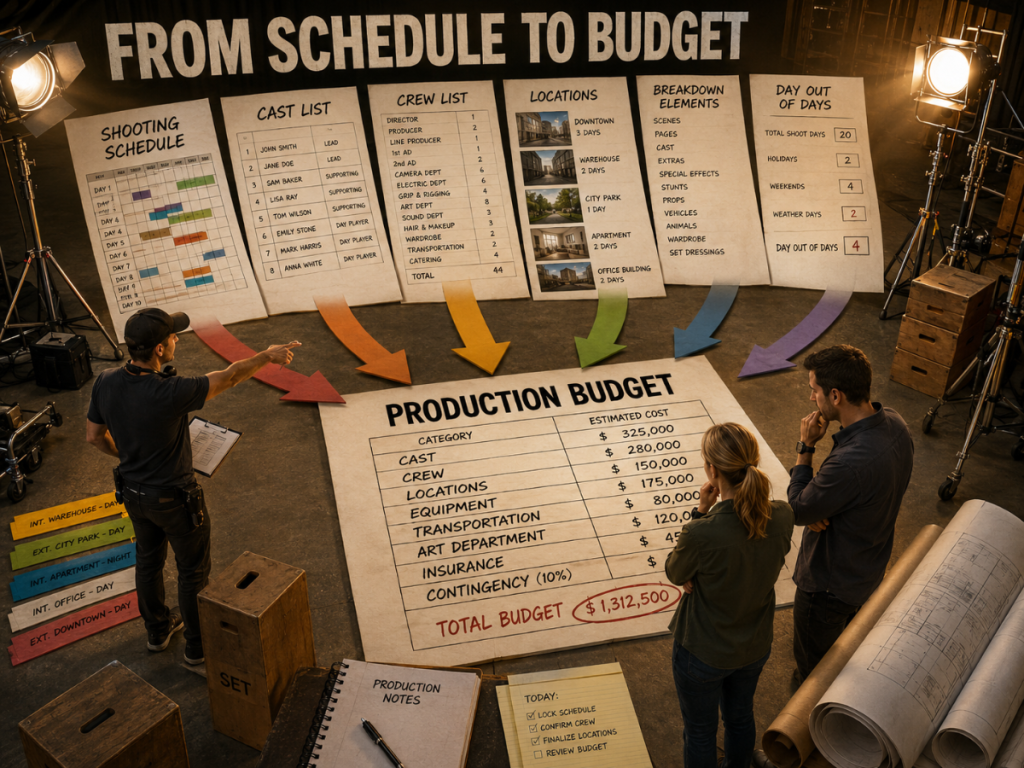
A film budget needs structure. It needs account organization, detail lines, rates, units, fringes, globals, contingencies, reports, and expense tracking. On larger or more complex productions, the budget may also need schedule imports, DOOD totals, multiple currencies, ratebook support, and clear budget balance reporting.
A spreadsheet can work for early estimates or very small productions. But once the budget becomes a professional production document, it needs more than rows and formulas.
👉 Film Scheduling Software vs Spreadsheets
When evaluating budgeting tools, look for:
A professional budget hierarchy.
Templates for different production types.
Fringes and globals.
Detailed reporting.
Expense tracking.
Schedule integration.
Rate support.
Multiple currency support.
Clear comparison of budgeted amounts, actual expenses, and remaining balances.
Gorilla Budgeting supports a professional three-level structure: Topsheet, Account, and Detail. It also includes budget templates, percentage and flat-rate fringes, globals, film credits, contingency, budget groups, budget sets, budget locations, in-kind donations, block and defer line items, hidden sections, Excel imports, multiple currencies, accounting at the Account level, and budget reports.
When linked with Gorilla Scheduling, Gorilla Budgeting can import cast, crew, locations, breakdown elements, rates when available, and DOOD totals into budget line day counts.
Reporting Tools to Look For
Reports are where production management software proves its value.
A production team needs different views of the same information. Assistant directors need schedules and DOODs. Producers need budget summaries and cost reports. Department heads need breakdown information. Production managers need calendars, locations, and logistics. Cast and crew need call sheets.
Strong reporting tools help the production share accurate information without recreating every document manually.
Useful production reports may include:
Shooting schedules.
One-liner schedules.
Day Out of Days reports.
Cast reports.
Location reports.
Breakdown reports.
Production calendars.
Budget topsheets.
Account-level reports.
Detail reports.
Expense tracking reports.
Budget balance reports.
Fringes and globals reports.
Currency reports.
Call sheets.
Daily production reports.
👉 Film Production Reports Explained
The goal is not to bury the production in paperwork. The goal is to give each person the right view at the right time.
Gorilla Scheduling and Gorilla Budgeting both include production reporting tools. Gorilla Budgeting includes reports such as Topsheet, Account Level Report, Detail Report, Tracking Expenses Report, Budget Balance Report, Globals Report, Fringes Report, Currency Report, and Credits Report.
Call Sheet Tools to Look For
The call sheet is the daily communication document that tells cast and crew where to be, when to arrive, what scenes are shooting, who is needed, and what special notes apply.
A call sheet tool should help the production create accurate daily call sheets without retyping the same information from the schedule again and again.
That matters because call sheet errors are not abstract. If a location is wrong, someone goes to the wrong place. If a call time is wrong, the day starts badly. If a cast member is missing, the schedule may collapse before breakfast.
A good call sheet workflow should connect to the shooting schedule whenever possible.
Koala Call Sheets can generate call sheets from Gorilla schedules. That helps the production use schedule data to build the daily document, reducing duplicate entry and keeping the plan more consistent.
👉 What Is a Call Sheet in Film?
Collaboration vs Production Control
Many modern tools emphasize collaboration. That can be useful. Productions need communication, shared access, document visibility, and clear updates.
But collaboration is not the same as production control.
A shared workspace can help people communicate.
A real production system helps organize the actual production data.
The distinction matters because film production is document-heavy and decision-heavy. The team needs to know which schedule is current, which budget is approved, which report is accurate, and which call sheet reflects the final plan.
Too much collaboration without structure can create noise. Everyone can comment, upload, revise, duplicate, and share. That feels active, but it can also create confusion.
Good production management software should help protect the core production documents while still allowing the team to share what they need.
The question is not only “Can everyone access it?”
The question is “Can everyone trust it?”
Cloud Tools, Desktop Tools, and Hybrid Workflows
Production management software can be cloud-based, desktop-based, or some combination of both.
Cloud tools are useful for collaboration, remote access, team visibility, and quick sharing. Desktop tools can be useful for focused professional work, file control, speed, and established production workflows.
Neither approach is automatically better. The right choice depends on the production.
Some teams want everything online. Others prefer a controlled desktop workflow for scheduling and budgeting, then export reports, PDFs, spreadsheets, or call sheets for sharing. Many productions use a hybrid approach: specialized professional tools for the core schedule and budget, plus cloud tools for communication, file sharing, and general collaboration.
The key is to avoid choosing software only because it is trendy.
Choose the system that helps the production make accurate decisions.
A cloud dashboard that does not understand film scheduling may be less useful than a dedicated scheduling tool. A spreadsheet in the cloud may be easy to share but still risky as the main production budget. A desktop budgeting system may be more practical if it creates the reports and structure the production actually needs.
The best workflow is the one your team can trust under pressure.
Spreadsheets and Templates: Where They Still Fit
Spreadsheets and templates still have a place in production management.
They are useful for early planning, small productions, department estimates, rough budgets, simple calendars, and quick comparisons. A filmmaker can use a spreadsheet to explore whether a project is possible before building a full schedule or professional budget.
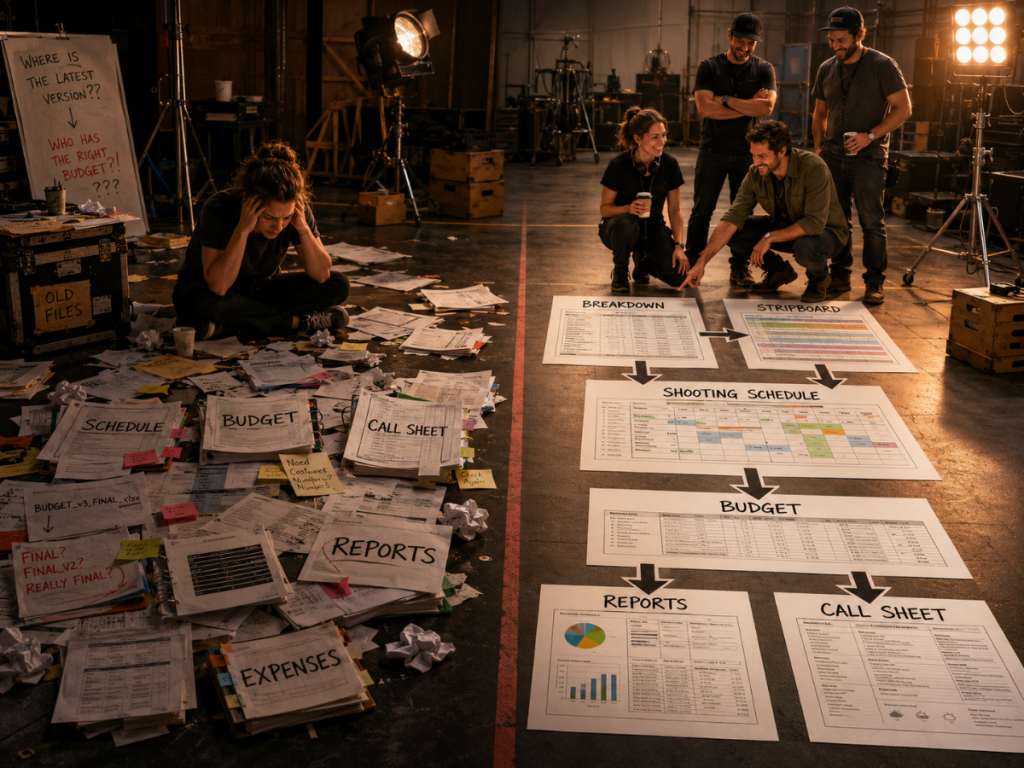
The danger comes when spreadsheets become the entire production management system for a project that has outgrown them.
As the production becomes more complex, spreadsheet workflows can create problems:
Multiple versions.
Broken formulas.
Manual re-entry.
Unclear report structure.
Schedule data disconnected from budget data.
Call sheets rebuilt from scratch.
No reliable source of truth.
A spreadsheet can be a useful tool inside the workflow. But it should not always be the workflow itself.
👉 Film Scheduling Software vs Spreadsheets
👉 Film Budgeting Software vs Spreadsheets
Questions to Ask Before Choosing Production Management Software
Before choosing a production management system, ask workflow questions instead of feature-list questions.
Can the software help turn the script into a breakdown?
Can breakdown elements be tracked by scene?
Can scenes become production strips?
Can those strips be arranged into a stripboard?
Can the stripboard become a shooting schedule?
Can the schedule generate a one-liner?
Can it create Day Out of Days reports?
Can cast and locations be tracked clearly?
Can the schedule inform the budget?
Can the budget support professional account structure?
Can expenses be tracked against budgeted accounts?
Can reports be generated without rebuilding data manually?
Can call sheets come from the schedule?
Can the system grow with the production?
These questions reveal whether the software supports production management or merely surrounds it.
A good tool should not just look organized. It should make the production easier to organize.
Where Gorilla Scheduling, Gorilla Budgeting, and Koala Call Sheets Fit
Jungle Software focuses on the core production-management documents filmmakers actually use: schedules, budgets, reports, and call sheets.
Gorilla Scheduling helps filmmakers import screenplay data, create breakdowns, build production strips, arrange stripboards, create shooting schedules, generate Day Out of Days reports, manage actor and location records, and produce scheduling reports.
Gorilla Budgeting helps filmmakers build professional film budgets with Topsheet, Account, and Detail levels. It supports budget templates, fringes, globals, contingency, credits, budget groups, budget sets, budget locations, in-kind donations, block and defer line items, hidden sections, Excel imports, multiple currencies, accounting, expense tracking, and professional budget reports.
When linked with Gorilla Scheduling, Gorilla Budgeting can import cast, crew, locations, breakdown elements, rates when available, and DOOD totals into budget line day counts.
Koala Call Sheets can generate call sheets from Gorilla schedules, helping the daily production plan stay connected to the schedule.
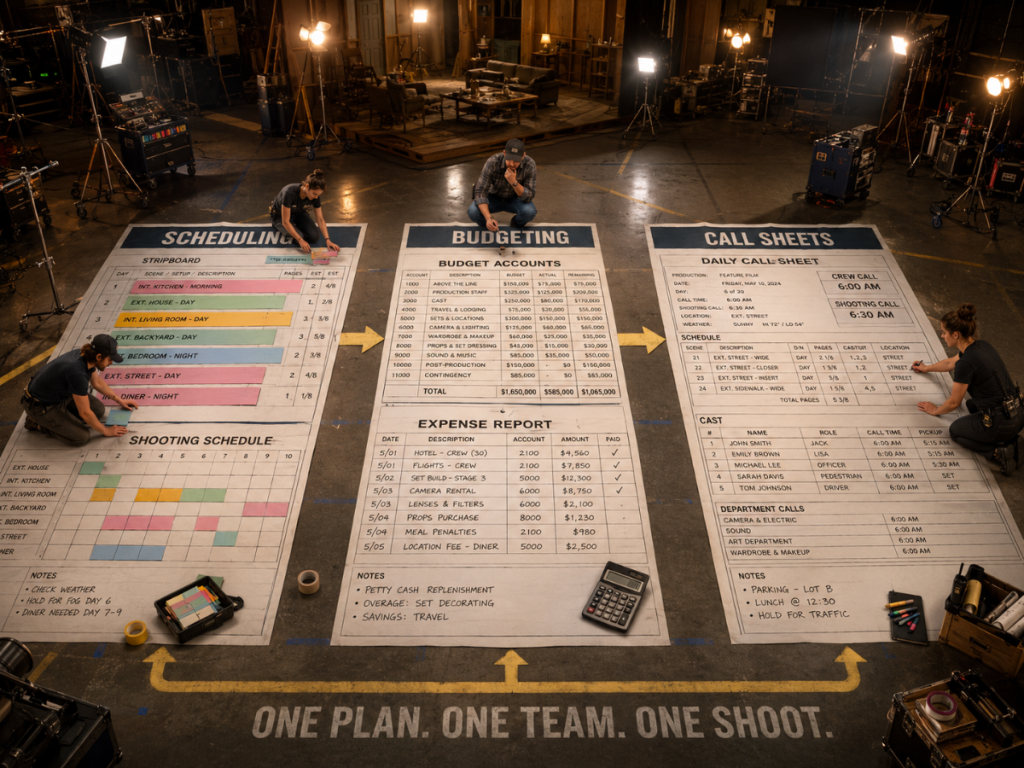
Together, these tools support the practical production workflow:
Break down the script.
Build the schedule.
Generate reports.
Connect the budget.
Create call sheets.
That is what production management software should help filmmakers do.
Looking for production management tools built around real scheduling, budgeting, reporting, and call sheet workflows?
Explore Jungle Software’s production tools:
Gorilla Scheduling
https://junglesoftware.com/gorilla-scheduling/
Gorilla Budgeting
https://junglesoftware.com/gorilla-budgeting/
Koala Call Sheets
https://junglesoftware.com/koala/
Final Takeaway
Production management software should do more than keep a team busy.
It should help filmmakers manage the actual production.
That means supporting script breakdowns, production strips, stripboards, shooting schedules, budgets, reports, Day Out of Days, calendars, call sheets, and expense tracking.
For small projects, spreadsheets and templates may be enough. For larger or more professional productions, filmmakers need tools that understand the production workflow.
The best production management software does not simply collect documents.
It helps the team build a plan, trust the plan, revise the plan, and communicate the plan before the first shot of the day.
Questions or Comments?
Have a question about stripboards or film scheduling? Feel free to leave a comment below — or reach out if you want to learn more about how professional tools can streamline your workflow.