
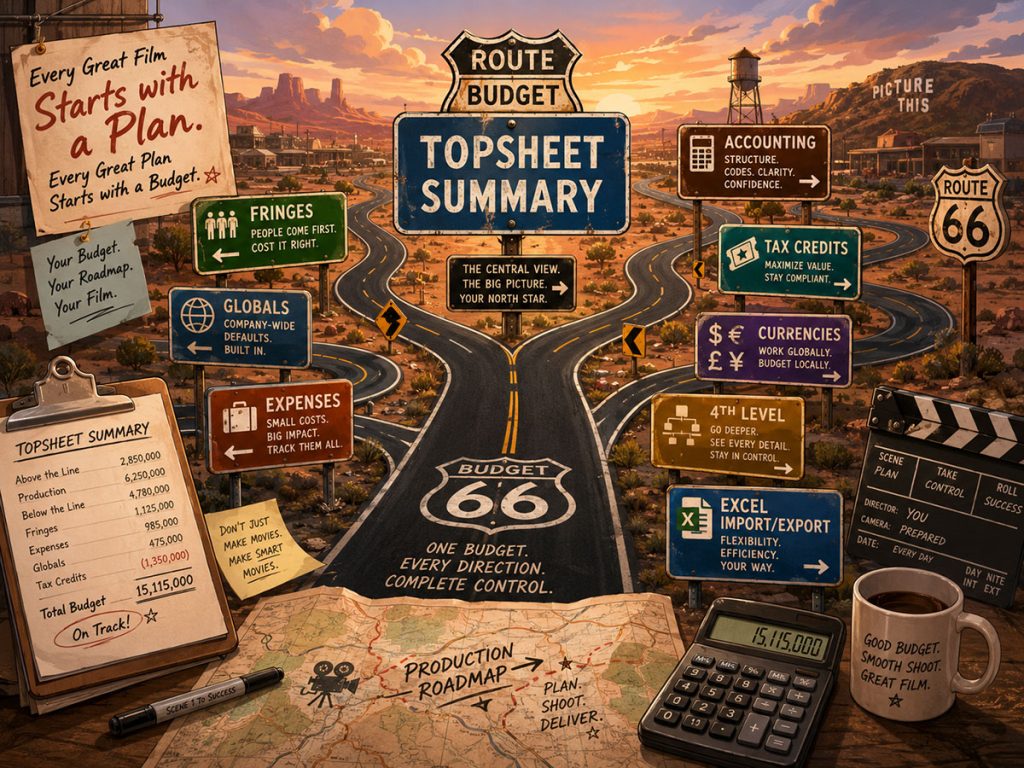
A film budget is not just a spreadsheet with numbers in neat little boxes.
It is a production roadmap. It tells you what the movie can afford, where the money is going, which departments need support, what the schedule is likely to cost, how payroll and fringes affect the bottom line, and whether the project is financially realistic before the first camera truck rolls into the parking lot.
The right film budgeting software should help you do more than type costs into rows. It should help you build a professional budget structure, work from templates, manage fringes and globals, connect schedule data to budget line items, generate reports, track expenses, and revise the budget as the production evolves.
The wrong tool may feel simple at first. Then the budget grows, departments send more detail, rates change, currencies multiply, expenses begin landing, and your “simple” spreadsheet becomes a raccoon in a filing cabinet.
This guide breaks down what filmmakers, producers, line producers, and production managers should look for before choosing film budgeting software.
Why Film Budgeting Software Matters
A film budget has to do more than estimate costs. It has to organize financial thinking.
A producer may need to know the total cost of the project. A line producer may need to adjust crew rates. A department head may need to submit hundreds of wardrobe, props, or set dressing items. A production accountant may need to track actual expenses against budgeted accounts. A financing partner may need a clean topsheet. A director may need to understand why adding a night shoot changes the plan.
All of those needs come from the same budget.
That is why professional film budgeting software should help you answer practical questions like:
- Can I start from a real film budget template?
- Can I organize the budget by topsheet, account, and detail level?
- Can I calculate fringes, globals, contingency, and credits?
- Can I import information from the shooting schedule?
- Can department heads contribute detailed budgets?
- Can I generate reports that producers and financiers understand?
- Can I track actual expenses during production?
- Can I work with more than one currency?
- Can I revise the budget without turning the file into a haunted ledger?
A spreadsheet can hold numbers. Film budgeting software should help you manage a production.
👉 Why Starting from a Film Budget Template Matters
Start with a Professional Budget Structure
A serious film budget usually needs more than one level.
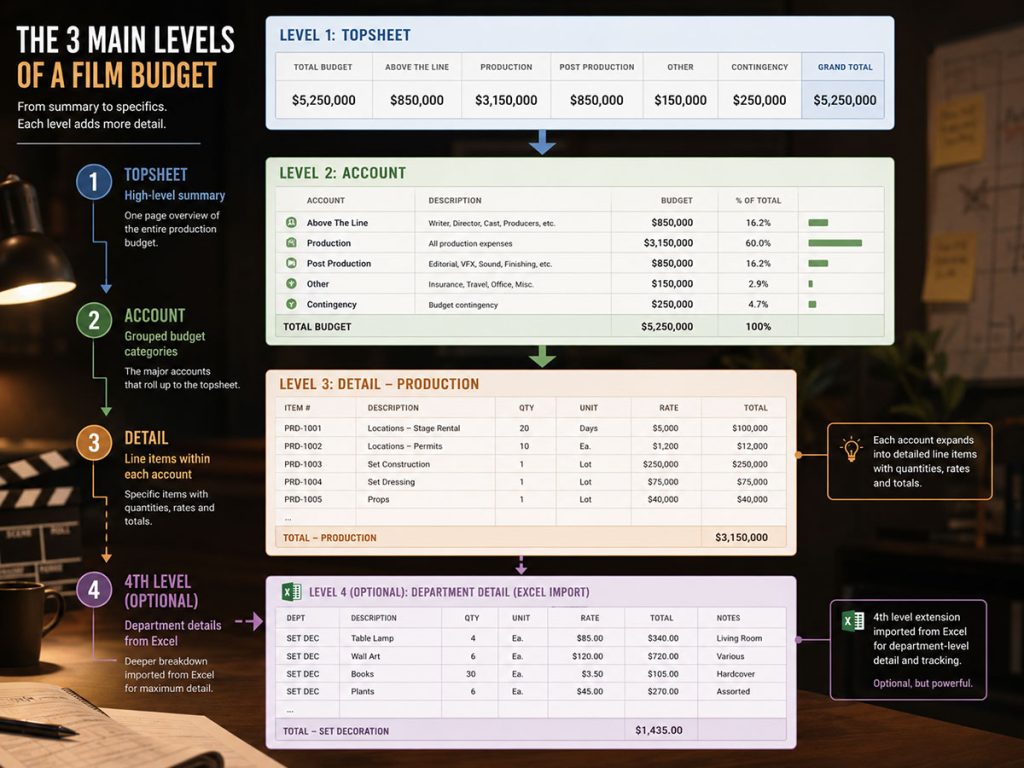
Most professional film budgets are organized into a hierarchy. Gorilla Budgeting uses the traditional three-level structure:
Topsheet
The high-level summary of the budget. This is where producers, investors, executives, and financiers can see the major categories and overall cost picture.
Account
The second level of the budget. This groups costs into accounts such as cast, crew, locations, camera, art department, wardrobe, post-production, and other production categories.
Detail
The line-item level. This is where you enter the actual budget items, quantities, rates, units, fringes, and other cost information.
This structure matters because different people need different views of the same budget. A financier may only want the topsheet. A production manager may need account-level summaries. A line producer may spend most of the day buried in detail lines, wrestling rates and quantities into submission.
Good budgeting software should make it easy to move between these levels without losing clarity.
Gorilla Budgeting also includes an optional fourth level, which can be useful when a department needs deeper itemization. For example, a wardrobe supervisor might build a detailed Excel budget with hundreds of items, quantities, and rates. That Excel file can then be imported into Gorilla as a fourth-level budget under the proper account.
That is a practical production feature because department budgets often begin outside the main budget file. A strong budgeting system should be able to absorb that detail without forcing everyone to manually retype it.
Templates Save Time and Prevent Missing Categories
It is usually best to begin a film budget with a template.
A blank budget may feel flexible, but it also invites omissions. Forgetting a category can be costly. Missing fringes, payroll assumptions, location expenses, insurance, post-production costs, or contingency can distort the entire financial plan.
Good film budgeting software should include templates for different types of productions, such as:
Small independent films
Low-budget features
Larger independent productions
Studio-style budgets
Specialized production formats
Gorilla Budgeting includes many templates, ranging from simple independent budgets to studio budgets. That helps filmmakers start with a professional structure rather than building every account from scratch.
A template is not the final budget. It is the skeleton. The producer still needs to adjust rates, assumptions, department needs, locations, schedule length, and production realities. But starting with a template gives the budget a shape before the numbers begin marching in with tiny calculators.
👉 Common Film Budget Categories Producers Should Understand
Fringes Are Not Optional
Fringes can dramatically affect a film budget.
Payroll taxes, benefits, pension, health, union-related costs, and other percentage-based or flat costs can add up quickly. If your budgeting software does not handle fringes well, your budget may look cleaner than reality. Reality will then arrive wearing steel-toed boots.
Film budgeting software should support both:
Percentage fringes
Flat-rate fringes
This matters because not every cost behaves the same way. Some fringes are calculated as percentages of labor. Others may apply as fixed costs. Some may apply only to certain categories, groups, unions, or budget lines.
Gorilla Budgeting supports fringes, including percentage and flat-rate fringes. That gives producers more control over how costs are calculated across the budget.
When evaluating budgeting software, do not only ask whether it allows fringes. Ask whether it lets you apply fringes in a way that matches how your production is actually being budgeted.
Globals Help You Control Repeated Assumptions
Film budgets often rely on repeated values.
A daily kit rental. A mileage rate. A standard meal rate. A weekly crew rate. A currency conversion assumption. A recurring production fee. A location day rate. A travel allowance.
If those values appear throughout the budget, you do not want to manually hunt them down each time something changes.
That is where globals become useful.
Globals allow a repeated value to be defined once and used throughout the budget. If the value changes, the related calculations can update based on the new global assumption.
Good film budgeting software should support globals because budgets are built on assumptions, and assumptions change. When they do, the software should help you update the budget without sending you into the spreadsheet catacombs.
Gorilla Budgeting includes globals as a standard feature, allowing budget builders to manage repeated values more efficiently.
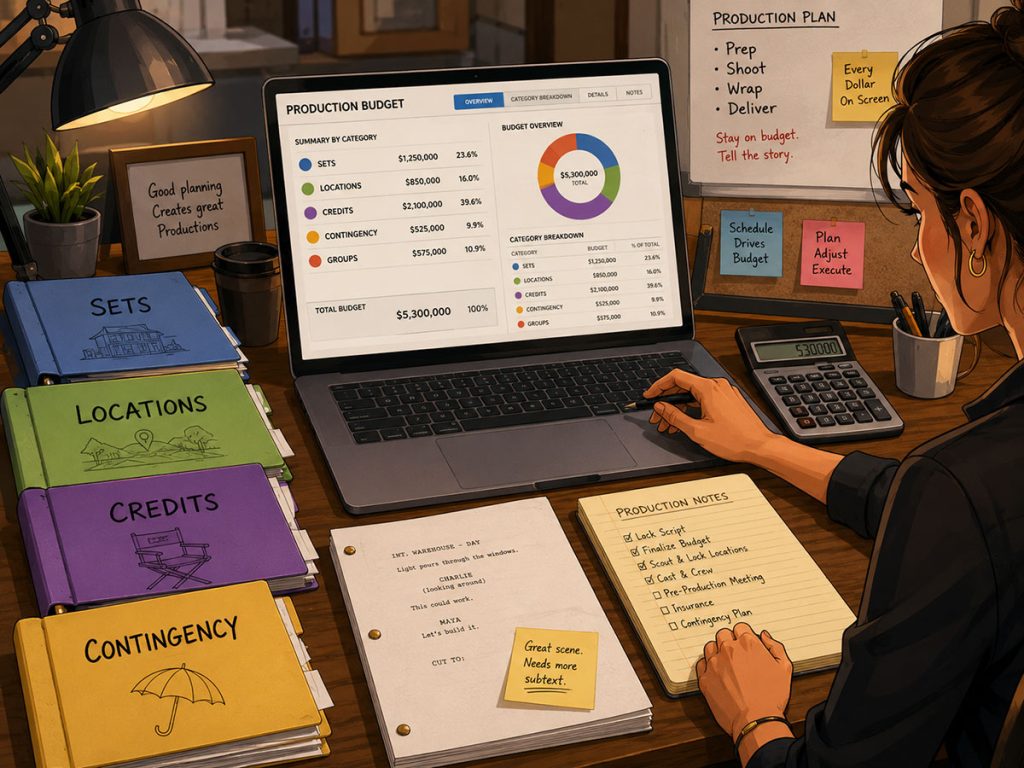
Contingency, Credits, Budget Groups, Sets, and Locations
A professional film budget needs flexible organization.
Beyond standard accounts and line items, filmmakers may need to track costs by group, set, location, credit, contingency, or other production-specific categories.
Useful film budgeting software should support features such as:
Contingency
Film credits
Budget groups
Budget sets
Budget locations
In-kind donations
Blocked or deferred line items
Hidden sections
These features help producers shape the budget to the project.
For example, a production may want to group expenses by location, track in-kind donations separately, defer certain line items, hide sections during review, or organize costs by sets. A budget for a contained feature may care deeply about sets. A travel-heavy feature may care more about locations. A production with donated services may need to identify in-kind contributions clearly.
Gorilla Budgeting includes film credits, contingency, budget groups, budget sets, budget locations, in-kind donations, block and defer line items, and hide sections.
The point is flexibility. A budget should follow the production’s logic, not force every production into the same little accounting shoebox.
Schedule Integration Can Save Hours
One of the most important questions to ask before choosing film budgeting software is:
Can it connect to the production schedule?
The shooting schedule affects the budget constantly. Cast days, crew days, location days, props, costumes, vehicles, set dressing, special effects, and other breakdown elements all come from the schedule.
If the schedule and budget are completely separate, the producer may need to manually enter schedule-driven information into the budget. That takes time and increases the risk of errors.
Gorilla Budgeting can import from a linked Gorilla Scheduling file. This includes cast, crew, locations, and breakdown elements such as props, set dressing, costumes, and other production needs.
Even more useful, if a rate is entered for a crew member or a prop in Gorilla Scheduling, that item can be imported into the detail level of the budget with the rate.
That is a major workflow advantage because it connects creative and logistical planning to financial planning. The budget begins to reflect the actual schedule instead of living in a separate financial fog bank.
👉 How Script Breakdown Information Becomes a Film Budget
Importing DOOD Totals into Budget Line Counts
Day Out of Days reports are especially important because they show how many days cast members and production elements are needed.
Those totals often become budget line counts.
If an actor works 12 days, that number affects the budget. If a prop is needed for six shoot days, that can affect rentals, purchases, handling, and department planning. If a location appears across multiple days, the budget needs to reflect that.
Gorilla Budgeting can link with Gorilla Scheduling and import DOOD totals into budget line day counts.
That means the schedule can help populate the budget more intelligently. Instead of retyping days worked or estimating in isolation, the producer can use scheduling data as a budget input.
This is exactly where scheduling and budgeting should meet. The schedule tells you what the production plans to do. The budget tells you what that plan costs.
The Ratebook Question: Where Do Rates Come From?
A budget is only as accurate as its rates.
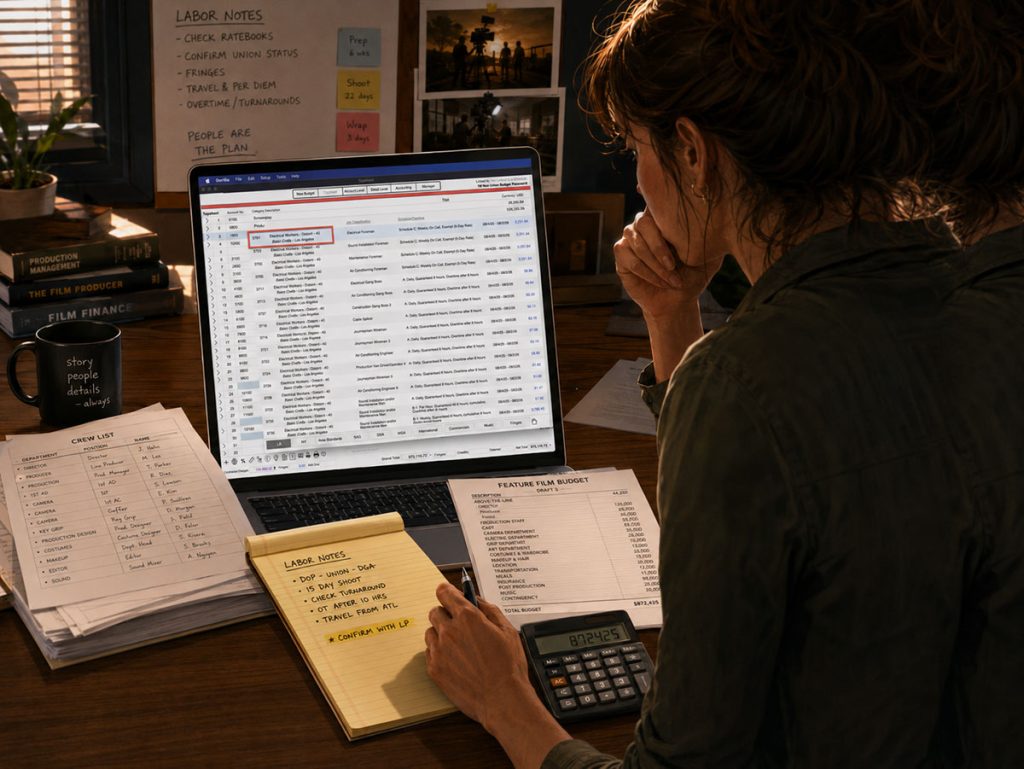
Labor rates can be complicated. Union agreements, job classifications, daily rates, weekly rates, flat rates, and department-specific assumptions can all affect the numbers. If producers have to look up rates separately and type them manually, the process takes longer and leaves more room for mistakes.
Gorilla Budgeting offers a unique add-on called The Gorilla Ratebook, which includes thousands of industry labor rates, including SAG, DGA, Local 600, and many other film union rates.
The workflow is practical. A user can click the rate field for a line item, such as Director of Photography, select the proper union, choose the rate type, such as daily, flat, or weekly, and populate the rate field for that line item.
For producers working with union or professional labor assumptions, this can be a major time saver. It also helps standardize rate entry across the budget.
When comparing film budgeting software, ask how rates are entered, updated, selected, and verified. If the software has no rate support, the producer has to carry that burden manually.
Department Budgets Need Room to Breathe
On real productions, department heads often build their own budgets.
The wardrobe supervisor may create a long Excel file with costumes, multiples, rentals, purchases, alterations, cleaning, distressing, fittings, specialty items, and backups. The art department may have hundreds of props and set dressing items. Locations may track permits, police, parking, security, restrooms, and site fees.
Those department budgets can be too detailed for the main budget’s standard detail level.
This is where Gorilla Budgeting’s optional fourth level can be useful. A department head can build a detailed budget in Excel, including quantities and rates. Gorilla includes an import map to help bring that Excel file into the correct account as a fourth-level budget.
Imagine multiple department heads preparing their own Excel budgets. Instead of manually copying every line into the main budget, those department-level files can be imported into Gorilla under the appropriate accounts.
That helps the main budget stay organized while preserving detailed department information.
A good budgeting tool should not force department detail to disappear. It should give that detail a place to live.
Expense Tracking During Production
Building the budget is only the beginning.
Once production starts, the question changes from “What do we think this will cost?” to “What are we actually spending?”
Gorilla Budgeting includes an Accounting module attached to the account level. This allows producers or production accountants to track expenses against an account.
For example, if the Location account is budgeted at $50,000, each time a location expense is paid, the transaction can be entered against that account. This gives the production a way to track spending against the budget during production and even post-production.
That creates a QuickBooks-style layer of functionality inside the budgeting workflow.
The value is simple: you can run reports to see how you are doing while the production is still moving. If location costs are climbing, you do not want to discover that after wrap. You want to see it early enough to make decisions.
A budget that cannot track actual spending is only half the story.
Multiple Currency Support
Film production is increasingly international.
A production may pay one vendor in U.S. dollars, another in Euros, another in Chinese Yuan, and another in British pounds. Even smaller productions may deal with travel, foreign vendors, overseas post-production, or international co-production costs.
Film budgeting software should be able to handle currency complexity when needed.
Gorilla Budgeting supports multiple currencies and allows a different currency to be specified for each line item. That means one account might include Chinese Yuan while another includes Euros.
This is useful because currency should not be treated as an afterthought. Exchange assumptions can affect the budget, especially when costs are spread across countries or departments.
If your production crosses borders, ask whether the software can handle multiple currencies cleanly before the budget becomes a little financial zoo.
Importing Excel Files
Even if you use professional budgeting software, Excel is still part of many production workflows.
Department heads, producers, accountants, vendors, and production coordinators may all send cost information in Excel format. A good budgeting system should not treat Excel as the enemy. It should be able to work with it.
Gorilla Budgeting can import Excel files. This is especially useful for department-level budgets, fourth-level detail, and production data that begins outside the main budget file.
When comparing film budgeting software, ask whether Excel import is supported, how the import is mapped, and where the imported data lives in the budget structure.
The goal is not to abandon spreadsheets completely. The goal is to stop forcing the entire budget to live as one fragile spreadsheet monster.
Reports Are Where the Budget Becomes Useful
A budget is only valuable if it can be understood.
Different people need different reports. Producers may need a topsheet. Department heads may need account or detail views. Production accountants may need expense tracking. Investors may want a clean summary. A production manager may need reports for fringes, globals, currencies, or credits.
Film budgeting software should generate useful reports without forcing the user to manually rebuild each view.
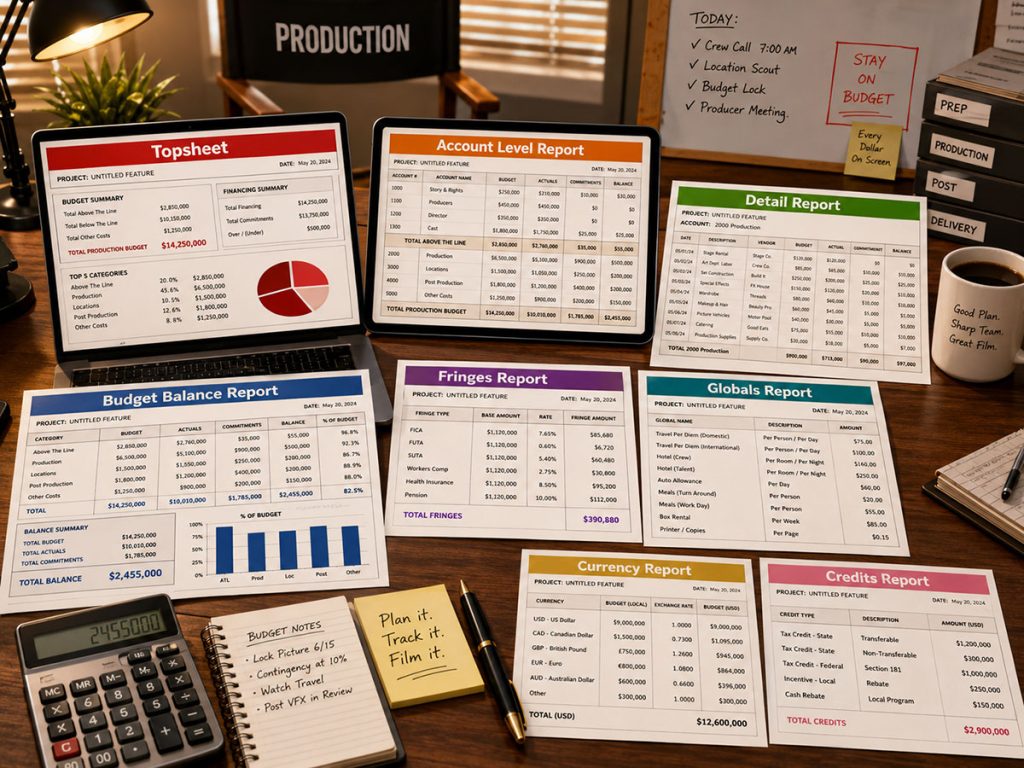
These reports matter because the budget is not just a private working document. It is a communication tool.
A clean report can help secure financing, explain production needs, review department costs, track spending, and make decisions. A messy report can confuse everyone in the room and cause a meeting to grow antlers.
Revision Workflow Matters
Film budgets change constantly.
The schedule changes. Cast changes. Locations change. The director adds a scene. A department finds a cheaper solution. A union rate needs to be updated. A location fee increases. Post-production expands. A contingency line gets used. A producer wants a lower-budget version.
Film budgeting software should make revisions manageable.
When evaluating software, ask:
Can you revise line items quickly?
Can you work from templates?
Can you hide sections when needed?
Can you block or defer line items?
Can you organize budget sets or groups?
Can you import updated department budgets?
Can reports be regenerated cleanly?
Can schedule changes inform budget changes?
Gorilla Budgeting supports features like budget groups, budget sets, block and defer line items, hide sections, Excel import, reports, and schedule-linked imports. Those features help a budget adapt as the production evolves.
A budget should not be a fossil. It should be a controlled living document.
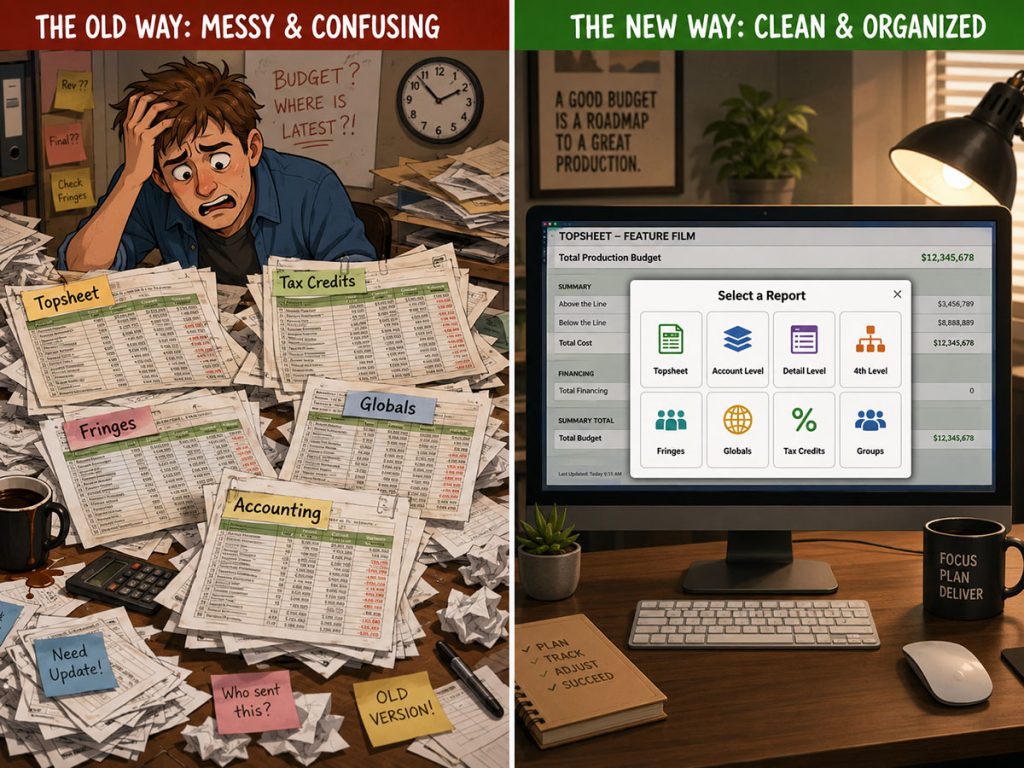
Film Budgeting Software vs. Spreadsheets
Spreadsheets are useful. Many producers start there, and for very small projects, they may be enough.
But spreadsheets become harder to manage as the production grows. They can struggle with professional budget hierarchy, fringes, globals, templates, reports, linked schedules, department imports, expense tracking, multi-currency budgeting, and clean communication.
Film budgeting software becomes more valuable when you need:
Professional topsheet, account, and detail structure
Built-in budget templates
Fringes and globals
Reports
Schedule imports
Department-level detail
Expense tracking
Multiple currencies
Long-term support
Controlled revision workflow
The question is not whether spreadsheets are bad. They are not. The question is whether your production has outgrown a spreadsheet-only workflow.
A small project may survive with a template. A professional production usually needs a budgeting system.
What to Look for Before Choosing Film Budgeting Software
Before choosing film budgeting software, look beyond the surface. A clean interface is helpful, but the deeper question is whether the software supports the real production workflow.
You want software that can help you start from a professional template, organize the budget by topsheet, account, and detail levels, manage fringes and globals, apply contingency, track credits, import schedule data, support department-level detail, generate reports, track actual expenses, handle multiple currencies, and adapt as the production changes.
A strong film budgeting system should help you move from estimate to working budget to production tracking.
The practical test is simple:
Can it help you build the budget?
Can it help you explain the budget?
Can it help you revise the budget?
Can it help you track what is actually being spent?
Can it connect the budget to the schedule?
Can it grow with the production?
If the answer is yes, you are looking at real film budgeting software. If the answer is no, you may be looking at a spreadsheet with stage makeup.
Build a Professional Film Budget with Gorilla Budgeting
Film budgeting software should help you do more than enter numbers. It should help you build a professional budget structure, work from templates, manage fringes and globals, import schedule data, use reliable rate information, support department-level detail, generate reports, track expenses, and manage production costs with more confidence.
Gorilla Budgeting is built for filmmakers who need a professional budgeting workflow, from topsheet to account to detail level. Start from templates, manage fringes and globals, use The Gorilla Ratebook add-on, import from a linked Gorilla schedule, support fourth-level Excel department budgets, track expenses through the Accounting module, work with multiple currencies, and generate the reports your production needs.
Explore Gorilla Budgeting and see how it can help you create a smarter, more production-ready film budget.
Questions or Comments?
Have a question about stripboards or film scheduling? Feel free to leave a comment below — or reach out if you want to learn more about how professional tools can streamline your workflow.