
What Is a Day Out of Days Report?
In film production, time is money. But not all time is easy to see.
An actor may only shoot five scenes, but those scenes might be spread across three weeks. A prop may only appear twice, but it may need to be ready on multiple non-consecutive shoot days. A costume may seem simple until the schedule reveals it is needed, gone, back again, then needed for a final pickup day after a long gap.
That is where a Day Out of Days report becomes one of the most useful scheduling tools in production.
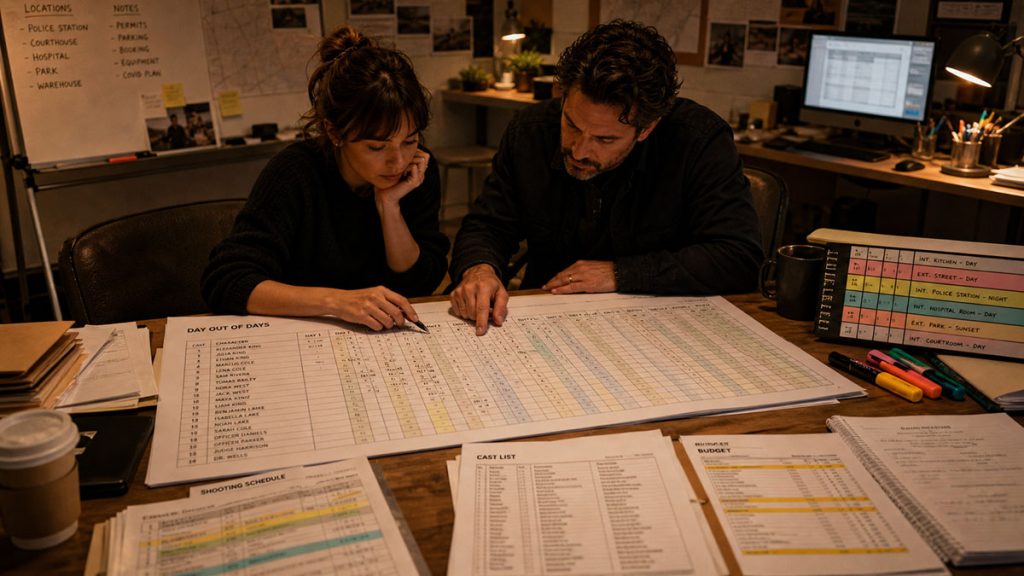
A Day Out of Days report, often called a DOOD report, is a scheduling report that shows when a cast member or production element is working, starting, holding, traveling, or finished across the shooting schedule.
Most filmmakers associate the Day Out of Days report with cast scheduling. That is because it is commonly used to track each actor’s work pattern across the production, including their first day, last day, total days worked, hold days, travel days, and days off.
But the idea can go further than cast.
A well-built Day Out of Days report can also help track props, costumes, set dressing, background actors, vehicles, visual effects, special equipment, animals, stunts, or any breakdown element that appears across the schedule.
In practical terms, a DOOD report helps producers, assistant directors, production managers, and budgeting teams answer a deceptively important question:
Who or what is needed on which days, and what does that mean for the schedule and budget?
That question can save money, prevent confusion, and reveal scheduling problems before they crawl onto set wearing a headset.
What Does “Day Out of Days” Mean?
The phrase Day Out of Days refers to how many days a cast member or production element is involved across the full span of a production schedule.
For actors, the report shows the pattern of days they are needed. It is not only about the number of scenes they appear in. It is about how those scenes are distributed across the shooting calendar.
For example, an actor might work on:
- Day 1
- Day 2
- Day 7
- Day 13
- Day 14
- Day 21
That actor only works six shooting days, but they are spread across the production. Depending on the contract, the production may need to consider whether the actor is being held between those days, whether travel is involved, whether the actor is local or out of town, and whether the schedule could be improved by grouping that actor’s scenes together.
A Day Out of Days report makes that pattern visible.
nstead of looking at the schedule scene by scene, the report lets you look at the schedule person by person, or element by element.
That shift in perspective is powerful.
A shooting schedule tells you what the crew is filming each day.
A Day Out of Days report tells you how the schedule affects the people and elements required to make those days happen.
Why Day Out of Days Reports Matter
A Day Out of Days report matters because scheduling decisions create cost decisions.
An actor’s total number of work days can affect compensation. Hold days can affect availability. Travel days can affect payroll, housing, transportation, and per diem. Background actor days affect crowd costs. Props and costumes may need to be prepared, transported, reset, or maintained across multiple days.
Without a DOOD report, these details can hide inside the shooting schedule.
With a DOOD report, they become clear.
For producers, this helps with budgeting and contract planning.
For assistant directors, it helps with scheduling efficiency.
For production managers, it helps with logistics.
For screenwriters and directors, it reveals how creative choices ripple through the production.
A character who appears in one line across eight different locations may seem minor in the script. On a DOOD report, that character may become surprisingly expensive.
That is the kind of discovery you want during pre-production, not at 11:30 p.m. on a night shoot while someone is asking if the actor has wrapped for the week.
Day Out of Days Report vs. Shooting Schedule
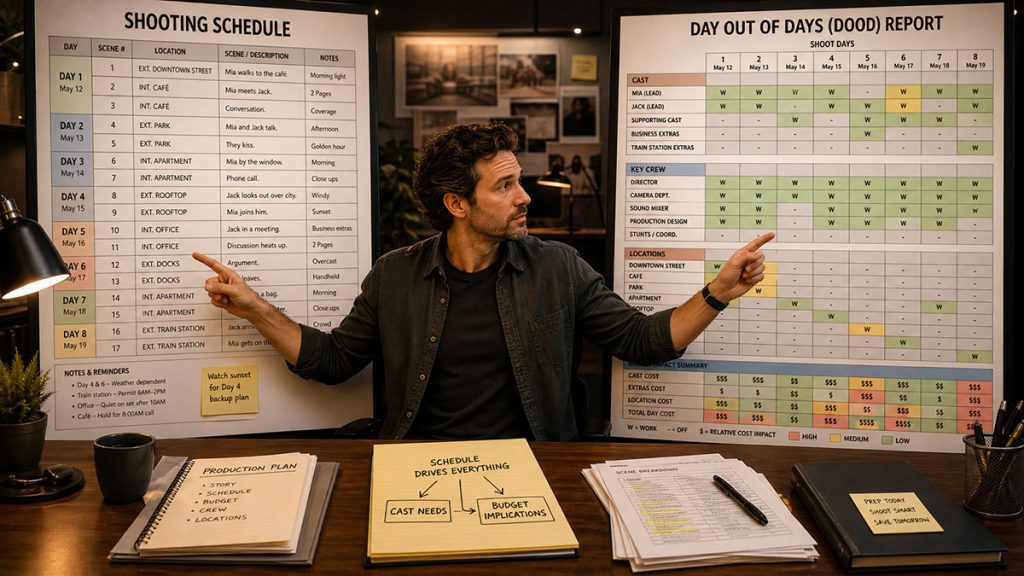
A shooting schedule and a Day Out of Days report are connected, but they answer different questions.
A shooting schedule organizes scenes into shoot days.
A Day Out of Days report organizes people or elements across those shoot days.
Here is the difference:
A shooting schedule might show:
Day 1: Scenes 3, 7, and 12 at the apartment
Day 2: Scenes 8 and 9 at the diner
Day 3: Scenes 21 and 22 at the warehouse
A Day Out of Days report might show:
Actor A: Works Days 1, 2, 5, 6, 7
Actor B: Works Days 1 and 8
Actor C: Works Days 3, 4, 10, 11, 12
Hero Prop: Needed Days 2, 3, 7, 12
Background Actors: Needed Days 4, 5, 6
The shooting schedule is built around filming scenes.
The Day Out of Days report is built around availability, usage, work days, and cost impact.
A smart production uses both. One shows the plan. The other shows what the plan demands.
What Is Included in a Day Out of Days Report?
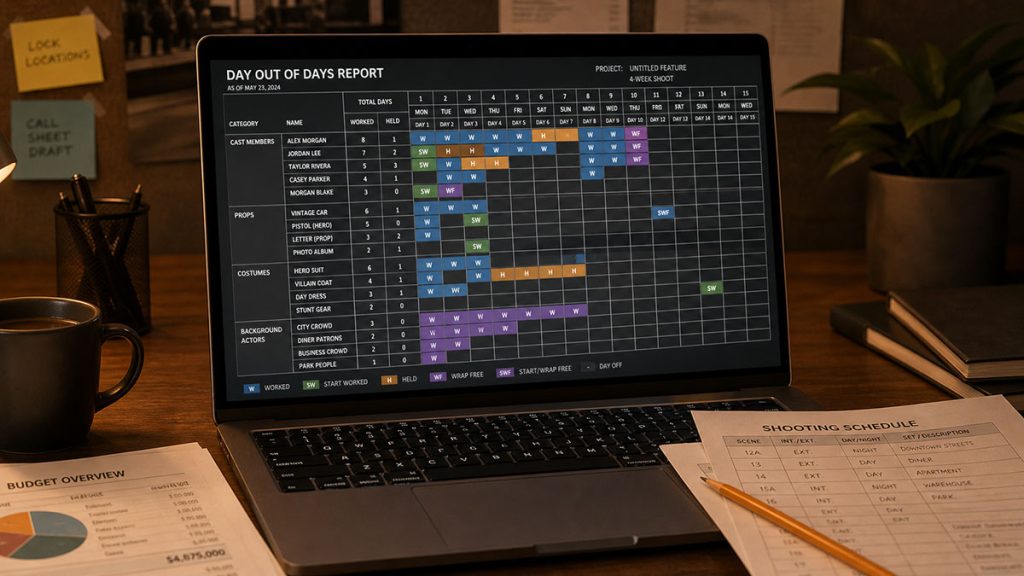
The exact layout can vary depending on the software or production workflow, but most Day Out of Days reports include a grid.
The rows usually list cast members or production elements.
The columns represent shooting days or calendar days.
Inside the grid, each cell shows the status of that cast member or element for that day.
A typical cast DOOD report may include:
- Character name
- Actor name
- Cast ID or number
- Shoot days
- Start day
- Work days
- Hold days
- Travel days
- Days off
- Finish or wrap day
- Total days worked
- Total paid days, depending on the production
- Notes or special conditions
The most important part of the report is the pattern.
You are not just looking for whether someone works. You are looking for how efficiently their days are arranged.
Do they work several days in a row?
Are they working one day, then sitting for a week, then returning?
Can scenes be moved to reduce hold days?
Does the schedule create unnecessary travel?
Can the actor wrap earlier?
Can the production avoid paying for idle time?
A DOOD report turns these questions into something visible.
Common DOOD Abbreviations
Day Out of Days reports often use short codes to show the status of a cast member or element on each day.
The exact abbreviations can vary by production, but common cast-related codes include:
SWF: Start Work Finish
This means the actor starts, works, and finishes on the same day.
SW: Start Work
The actor begins work on this day and continues later in the schedule.
W: Work
The actor works on this day.
WF: Work Finish
The actor works and finishes on this day.
H: Hold
The actor is not working but may be held by the production.
T: Travel
The actor is traveling for the production.
R: Rehearsal
The actor is scheduled for rehearsal.
F: Finish
The actor is finished or wrapped, depending on how the production uses the code.
Some reports may also show days off, pickup days, fittings, tests, or other special designations.
The key is consistency. Whatever codes a production uses, the team needs to understand them clearly.
A DOOD report should clarify the schedule, not become an ancient rune tablet that only the line producer can interpret.
Why Cast DOOD Reports Are So Important
Cast is one of the most common uses for a Day Out of Days report because actors are often tied directly to budget, contracts, availability, travel, lodging, and scheduling efficiency.
A cast DOOD report helps answer questions like:
How many total days does each actor work?
When does each actor start?
When does each actor wrap?
Are any actors being held unnecessarily?
Can scenes be grouped to reduce paid days?
Are there availability conflicts?
Are travel days needed?
Do any cast members have large gaps between work days?
Does the schedule create avoidable cost?
This is especially useful for actors who appear in multiple locations or across a long production timeline.
Imagine a supporting character who appears in six scenes. On paper, six scenes may not seem expensive. But if those scenes are scheduled across six different weeks, that actor may become much more complicated to manage.
The Day Out of Days report may reveal that the production can save time and money by grouping that character’s scenes into fewer shoot days.
That kind of adjustment can make a real difference.
The schedule does not only determine when the movie is shot.
It determines how efficiently the production uses its people.
How a Day Out of Days Report Helps the Budget
A Day Out of Days report is not only a scheduling document. It is also a budgeting tool.
This is where the report becomes especially valuable for producers.
If the DOOD report shows that an actor’s TDW, or Total Days Worked, is 15, that number can help determine how many paid work days should be reflected in the budget.
The schedule and budget need to agree with each other. If the schedule says an actor works 15 days, but the budget only accounts for 10, the production has a problem. Either the schedule needs to change, the budget needs to change, or someone needs to explain where the extra five days are coming from before the money monster wakes up.
In Gorilla Scheduling, the Day Out of Days report can be used to track cast members in a way similar to other professional scheduling systems. A major advantage is that Gorilla can also run DOOD-style reports on other breakdown element categories, not only cast.
That means the production can look at work patterns for things like:
- Props
- Set dressing
- Costumes
- Background actors
- Visual effects
- Vehicles
- Special effects
- Animals
- Stunts
- Makeup elements
- Special equipment
When Gorilla Scheduling is used with Gorilla Budgeting, the schedule can be linked to the budget. This allows DOOD information from the schedule to help inform budget values.
For example, if a cast member’s DOOD report shows 15 Total Days Worked, that number can be imported into the budget as the number of days the actor is scheduled to be paid for.
That connection is powerful because it reduces duplicate entry and helps keep the budget aligned with the actual schedule.
The same general idea can apply to other production elements. If a background actor group, prop, costume, or special equipment item is needed across certain days, the schedule can help reveal the quantity and timing that may need to be considered in the budget.
This is the bridge between scheduling and budgeting.
The DOOD report shows what the schedule demands.
The budget shows what those demands cost.
When those two worlds are connected, producers can make better decisions.

DOOD Reports for Props, Costumes, Set Dressing, and More
Many filmmakers think of a Day Out of Days report as a cast report only.
That is understandable because cast scheduling is where DOOD reports are most commonly discussed. But the same logic can apply to any breakdown element that appears across multiple shoot days.
This is incredibly useful.
A prop may need to be tracked across the schedule. A costume may need continuity notes. A set dressing item may need to be prepared for multiple locations. Background actors may be needed in waves. A visual effect element may require certain scenes to be flagged for planning, cost, and post-production.
By running a DOOD report on different breakdown element categories, the production can see when those elements are needed.
For example:
Props
A hero briefcase appears on Days 2, 5, 6, and 12. The prop department needs to know when it is needed, when it can be reset, and whether duplicates are required.
Costumes
A character’s bloodied jacket appears in scenes that are scheduled out of story order. Wardrobe needs to know when each continuity version appears.
Set Dressing
A specific office set dressing package may be needed for multiple days at one location, then partially reused at another location.
Background Actors
A crowd scene may require background actors on three different days, but the size and type of group may change each day.
Visual Effects
Scenes requiring visual effects can be tracked across the schedule so production, camera, and post can prepare properly.
Vehicles
A picture car may be needed on scattered days, which affects rental periods, transportation, insurance, and storage.
When a production can track these patterns clearly, departments can plan more intelligently.
The result is fewer surprises and better communication.
The prop department should not discover on Tuesday night that the hero prop is needed Wednesday morning.
The costume department should not learn during lunch that the schedule jumped backward in story time and the clean jacket is now supposed to be torn.
The visual effects team should not be invited to the party after the footage has already been shot incorrectly.
A DOOD report helps prevent that kind of production goblinry.
How a DOOD Report Helps Assistant Directors
For assistant directors, the Day Out of Days report is a way to test the schedule.
An AD is not only trying to arrange scenes into shoot days. The AD is also looking for efficiency, availability, continuity, and production sanity.
A DOOD report helps the AD spot:
- Cast members with inefficient gaps
- Actors who can be wrapped earlier
- Days with too many key elements
- Scenes that may be grouped more efficiently
- Potential conflicts with rehearsals or fittings
- Elements needed across multiple departments
- Schedule changes that affect budget assumptions
After building a schedule, an AD can use the DOOD report to review how the schedule behaves.
This is important because a schedule can look logical from a location perspective but inefficient from a cast perspective.
For example, grouping by location may save company moves, but it may also spread one actor across too many weeks. Grouping by actor may reduce cast costs, but it may increase location days. The AD, producer, and production manager need to weigh those trade-offs.
A Day Out of Days report does not make the decision for them.
It shows the consequences.
That is often what good production planning does. It does not remove hard choices. It makes the hard choices visible.
How a DOOD Report Helps Producers
For producers, the Day Out of Days report is a budget and logistics compass.
It helps producers understand where money may be spent because of the schedule.
A producer may use a DOOD report to evaluate:
- Cast work days
- Cast hold days
- Travel requirements
- Housing needs
- Background actor days
- Special equipment rental days
- Prop and wardrobe continuity needs
- Department workload
- Schedule efficiency
- Budget alignment
If a cast member is expensive, the producer may want to know whether their scenes can be grouped together. If a location is costly, the producer may want to compare location efficiency against cast efficiency. If a visual effect element appears across many days, the producer may need to plan additional supervision or post costs.
The DOOD report helps producers see the schedule through a financial lens.
That does not mean every creative choice should be reduced to cost. Filmmaking is not a spreadsheet wearing a beret.
But cost matters.
A producer’s job is not to say no to everything. It is to understand what the production can support and where the resources should go.
A Day Out of Days report gives the producer information they need to make those decisions with clarity.
How a DOOD Report Helps Screenwriters
Screenwriters may not use Day Out of Days reports directly, but they can learn a lot from them.
A DOOD report reveals how character usage affects production.
A writer may create a character who appears briefly throughout the script. Dramatically, that may make perfect sense. But from a production standpoint, it may mean that actor is needed across many shoot days.
This does not mean the writer should remove the character. It means the writer should understand the production impact.
For example:
A detective who appears in eight short scenes across eight locations may be more expensive than expected.
A supporting character who appears in only two locations may be easier to schedule.
A child actor with short scenes across many days may create scheduling complications.
A crowd sequence repeated throughout the story may increase background actor days.
A hero prop that appears in scattered scenes may require careful continuity and department planning.
Understanding this helps screenwriters write more filmable scripts.
A filmable screenplay is not necessarily small. It is aware. It understands that production resources are part of storytelling.
That awareness can make the script stronger, not weaker.
Example of a Simple Cast DOOD Report
Here is a simplified example of how a Day Out of Days report might work for cast.
Imagine a film has a 10-day shooting schedule.
| Cast Member | Day 1 | Day 2 | Day 3 | Day 4 | Day 5 | Day 6 | Day 7 | Day 8 | Day 9 | Day 10 | TDW |
|---|---|---|---|---|---|---|---|---|---|---|---|
| Alex | SW | W | W | W | WF | 5 | |||||
| Maria | SWF | 1 | |||||||||
| Jordan | SW | W | W | W | W | WF | 6 | ||||
| Detective | SW | W | WF | 3 |
In this example:
Alex starts on Day 1, works several days, and finishes on Day 7.
Maria starts, works, and finishes on Day 2.
Jordan works a longer block from Day 3 to Day 8.
The Detective appears across scattered days.
The producer and AD may look at this report and ask whether the Detective’s scenes can be grouped more efficiently. If those scenes could be moved to reduce gaps, the production might simplify scheduling and reduce costs.
That is the value of the report. It helps the team see opportunities.
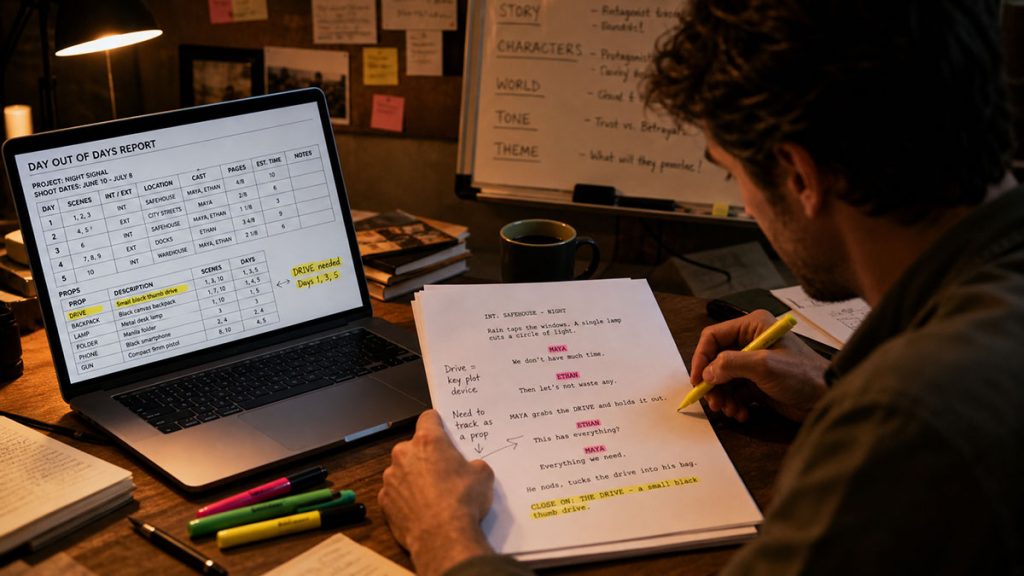
Example of a DOOD Report for Props
Now imagine the production wants to track a few important props.
| Prop | Day 1 | Day 2 | Day 3 | Day 4 | Day 5 | Day 6 | Day 7 | Day 8 | TDW |
|---|---|---|---|---|---|---|---|---|---|
| Hero Briefcase | W | W | W | W | 4 | ||||
| Antique Watch | W | W | W | 3 | |||||
| Fake Passport | W | W | W | 3 | |||||
| Rain Machine | W | W | 2 |
This kind of report can help the props department and production team plan what needs to be ready and when.
It can also affect the budget.
If the rain machine is only needed for two shoot days, the rental period may be different than if it is needed across two separate weeks. If the hero briefcase is used across multiple non-consecutive days, the team needs to track continuity and storage. If the antique watch is essential to story continuity, the department must know exactly when it appears.
This is why DOOD-style thinking can be useful beyond cast.
Production is not only about people. It is also about elements.
Every important element has a schedule.
How to Read a Day Out of Days Report
When reviewing a DOOD report, do not only look at the total numbers.
Look at the pattern.
Here are the most important things to check:
1. Total Days Worked
Total Days Worked, or TDW, shows how many days a cast member or element is scheduled to work.
This number is important for budgeting, payroll planning, rentals, department workload, and production logistics.
2. Start and Finish Days
Start and finish days show when someone or something first appears and when they are done.
If an actor can be wrapped earlier, the production may save money and simplify logistics.
3. Gaps Between Work Days
Large gaps may create hold days, travel issues, or availability problems.
A gap is not automatically bad, but it should be noticed.
4. Scattered Work Patterns
If a cast member or element appears across many non-consecutive days, the production should ask whether the schedule can be improved.
Sometimes it cannot. Locations, daylight, and other actors may make the current schedule necessary.
But the question should be asked.
5. Heavy Days
Some days may require many cast members, background actors, props, stunts, vehicles, or effects.
These days may need more prep, more crew, more time, and more money.
A DOOD report can help flag days that are logistically dense.
6. Budget Mismatches
If the schedule says one thing and the budget says another, resolve it early.
The DOOD report can expose mismatches between planned work days and budgeted days.
That is one of its most valuable uses.
Common Day Out of Days Mistakes
A DOOD report is only useful if the schedule and breakdown are accurate. Here are some common mistakes to avoid.
Mistake 1: Running the DOOD Too Early and Never Updating It
A DOOD report based on an early schedule draft can be helpful, but schedules change.
If scenes move, locations shift, or cast availability changes, the DOOD report should be updated.
An outdated DOOD report can create false confidence. That is worse than no confidence at all, because it arrives wearing a clean shirt.
Mistake 2: Looking Only at Cast
Cast reports are essential, but do not ignore other categories.
Props, costumes, background actors, vehicles, visual effects, and set dressing can also create scheduling and budgeting pressure.
A broader DOOD workflow can help departments plan more accurately.
Mistake 3: Ignoring Hold Days
Hold days can affect the budget, especially for non-local actors or contracted talent.
If an actor is not working but cannot be released, the production needs to understand the cost and contractual implications.
Mistake 4: Not Comparing DOOD to the Budget
The DOOD report should inform the budget.
If Total Days Worked does not match the budgeted days, the production may be underestimating costs.
Mistake 5: Forgetting About Continuity
For costumes, props, makeup, and set dressing, the question is not only “what day is it needed?”
The question is also “which version is needed?”
A jacket may appear clean, torn, wet, bloody, repaired, or aged depending on story order. Since films are rarely shot in script order, the schedule must support continuity.
Day Out of Days and the Script-to-Budget Workflow
The Day Out of Days report sits at a crucial point in the production workflow.
It connects the script breakdown, shooting schedule, and budget.
The process looks like this:
Script
The screenplay defines the story, characters, locations, props, costumes, effects, and production needs.
Script Breakdown
The breakdown identifies and categorizes every production element.
Stripboard and Shooting Schedule
The schedule organizes scenes into shoot days.
Day Out of Days Report
The DOOD report shows how cast members and elements appear across those shoot days.
Budget
The budget turns work days, rentals, labor, locations, and production needs into cost.
This is why a DOOD report is such a useful bridge between creative planning and financial planning.
It takes the schedule and translates it into usage.
Usage becomes cost.
Cost becomes a producer conversation.
And producer conversations, when handled early, are much better than producer emergencies.
Where Gorilla Scheduling and Budgeting Fit In
Gorilla Scheduling includes Day Out of Days reporting as part of the scheduling workflow. Like other professional scheduling tools, it allows filmmakers to review cast usage across the schedule.
But Gorilla’s DOOD workflow is especially useful because it is not limited to cast. You can run a Day Out of Days report on any breakdown element category, including props, set dressing, costumes, background actors, visual effects, and more.
That means a production can examine not only when actors are working, but when key production elements are needed.
This can help departments plan smarter and help producers understand the practical demands of the schedule.
When Gorilla Scheduling is used with Gorilla Budgeting, the connection becomes even more useful. A schedule can be linked to a budget, allowing DOOD information to inform budget values.
For example, if a cast member has 15 Total Days Worked in the schedule, that number can be imported into the budget as the number of paid actor days.
That helps keep the schedule and budget in sync.
Instead of manually re-entering numbers and hoping the schedule has not changed, the production can use the schedule as a source of truth. When used carefully, this reduces errors, saves time, and gives producers a clearer picture of how schedule decisions affect the budget.
The point is not simply to generate reports.
The point is to make better production decisions.
A good DOOD report shows what the schedule really requires. Gorilla Scheduling and Budgeting help turn that information into practical planning.
Final Thoughts: A DOOD Report Shows the Hidden Cost of Time
A Day Out of Days report may look like a simple grid, but it reveals something every production needs to understand:
The schedule has consequences.
It affects actor work days.
It affects hold days.
It affects props, costumes, background actors, and special elements.
It affects rentals, payroll, travel, continuity, and budget.
A shooting schedule tells you what you plan to film.
A Day Out of Days report tells you what that plan demands from everyone and everything involved.
For filmmakers, it is one of the clearest ways to see whether the schedule is efficient. For producers, it is a valuable budgeting tool. For assistant directors, it is a way to test the schedule. For screenwriters, it is a window into how the script becomes a real production.
The DOOD report is not glamorous. It will not get a dramatic close-up in the trailer.
But when it is built correctly, it can save money, prevent confusion, and help the production make smarter choices before the shoot begins.
And in film production, seeing the problem early is half the battle.
The other half is coffee, revisions, and someone asking whether the location is actually available on Tuesday.
Questions & Comments
Have a question about stripboards or film scheduling? Feel free to leave a comment below — or reach out if you want to learn more about how professional tools can streamline your workflow.